Archive for March 3, 2009

Open Source PBX are gaining popularity

Economic recession has been kind to the makers of open source PBX.

In a study released by the Eastern Management Group based on a survey of 6,000 IT executives, open source-based PBX products and overall solutions now account for 18% of the private branch market.

Most of the enterprises are buying the very famous Digium’s PBX solution called Asterisk, according to the report. Minimal amount of Capital requirement and the flexibility of Open Source are the primary reasons why enterprises are moving to Asterisk.

“CIOs are attracted to this because the cost is zero to implement and the chances are systems administrators know how to install it and make it work. CIOs are even able to reuse their old phone systems. They want to move up to a more sophisticated back-end platform without ditching their indestructible Nortel (NYSE: NT) handsets; they can do it in phases with Asterisk,” said John Todd, the open source community director of Asterisk.

There is however some costs associated with installing Asterisk or any other Open Source PBX, namely a forklift upgrade, or significant upgrading of a user’s system. Digium chief recommended that users hire a consultant for the initial install, and then allowing companies’ IT staffs to maintain it. This is true with almost all Open Source software implementation. There is a requirement of in-house expertise but these costs are way too low compared to the closed software maintenance and operating costs.

astrx

Golden Time for Open PBXs like Asterisk?

Important Revelation of PBX Market Share fact

Nortel’s 15% market share was second to Digium’s 18% share for open source PBXs, with Cisco coming in third, with 12%. Which is a trend that needs to be seriously looked at. Why sudden demand for Open PBX?

As per the report, there is a significant market shift that is happening due to the arrival of open source. Traditional telephone makers are competing for dollars in a consistently shrinking market. Open source PBX software is free and can be downloaded for free, it is assumed that it’s being used almost exclusively in laboratories, the survey states. But that assumption has been fundamentally wrong. There are many real use cases for Open PBX.

“When the fog lifts, we find open source is the PBX of choice for a large and growing share of the commercial marketplace,” said John Malone, CEO of the Eastern Management Group.

As per Malone, 40% of businesses installing open source PBXs in 2008 were in the government, education, retail, medical, and financial markets. Furthermore, both large and small companies are installing more than one PBX. This certainly explains the fact that Open PBX are capable and not just limited for not-so-serious users.

There is always the need of hiring a one-time consultant to install Open PBX like Asterisk and for maintenance and this cost may be even higher for companies looking to integrate with complex sales platforms or call centers. But much lesser than the closed PBX.

Source: InformationWeek

Top Free Open Products for Personal Productivity

InfoWorld’s 2008 Bossies recognize the top free and open products for personal productivity apps:

Award

1. Sound editing - Audacity

Audacity is a free, easy-to-use audio editor and recorder for Windows, Mac OS X, GNU/Linux and other operating systems. You can use Audacity to:

  • - Record live audio.
  • - Convert tapes and records into digital recordings or CDs.
  • - Edit Ogg Vorbis, MP3, WAV or AIFF sound files.
  • - Cut, copy, splice or mix sounds together.
  • - Change the speed or pitch of a recording.
  • - For a complete list of features check the Audacity Feature List

audacity-macosx

2. 3-D modeling – Blender

Blender is the free open source 3D content creation suite, available for all major operating systems under the GNU General Public License. Its a 3-D modeling and rendering suite that runs on Windows, Linux, OS X, Irix, and FreeBSD — a breadth of platform support unmatched by commercial offerings.

For a complete list of features check the Blender Feature List

blender

3. Web Browser – Firefox

Firefox 3 sets the pace with dozens of new features, including the smart location bar, one-click bookmarking and blindingly fast performance. It provides some cool features like Password Manager, One Click Bookmarking and Smart Location Bar.

For a complete list of features check the Firefox Feature List

4. Image Editing - GIMP (GNU Image Manipulation Program)

GIMP is a freely distributed program for such tasks as photo retouching, image composition and image authoring.

It has many capabilities. It can be used as a simple paint program, an expert quality photo retouching program, an online batch processing system, a mass production image renderer, an image format converter, etc.

For a complete list of features and capabilities check the GIMP Feature List

GIMP

5. Productivity suite - OpenOffice.org

OpenOffice.org 3 is the leading open-source office software suite for word processing, spreadsheets, presentations, graphics, databases and more. It is available in many languages and works on all common computers. It stores all your data in an international open standard format and can also read and write files from other common office software packages. It can be downloaded and used completely free of charge for any purpose.

For more details on the features check Why OpenOffice.org

OpenOffice

6. PDF creation – PDFCreator

PDFCreator is a free tool to create PDF files from nearly any Windows application.Key features include creating PDF from any program that is able to print, creating encrypted PDF, creating PNG, JPG, TIFF etc.

For a complete list of features check the PDFCreator Feature List

PDFCreator2

Source:

Best of Open Source Software Awards 2008 InfoWorld’s 2008 Bossies recognize the top free and open products for business, IT, and personal productivity

Four key benefits of SaaS

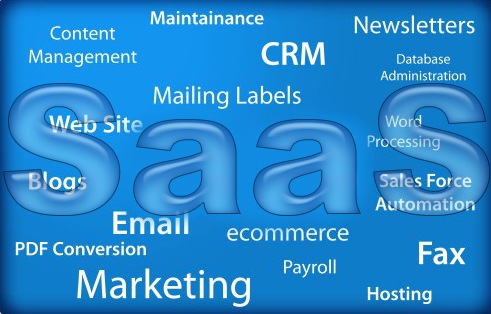
SaaS

SaaS is defined as:
- An application owned, delivered and managed remotely by one or more providers
- The provider delivers an application based on a single set of common code and data definitions which are consumed in a one-to-many model
- on a pay-for-use basis or as a subscription based on use metrics

The use of SaaS is maturing as the need for Business to transform into a Agile operation is increasing. Businesses needs to constantly look at ways to turn the constantly changing business environment into opportunities. Inevitably, business leaders who are looking for new ways to use computing power to meet their demands and prudently looking towards SaaS.

Here are the four key characteristics that differentiate SaaS from Other Software Approaches and make it more beneficial:

Tenancy - In a multi-tenant architecture, customers share some or all layers of the stack. Multi-tenancy can apply to: 1) the application layer only; 2) the application and server/processing layers; or 3) the application, server/processing, and database tiers. Since customers sharing the same code base can’t modify the code, customizations to the application (including custom tabs, custom objects, etc.) must be done through sophisticated configuration tools and stored in the metadata layer.

Payment model - SaaS is typically pay-as-you-go, on a per-user, per-unit-time basis. In contrast,on-premise, licensed applications typically require a large upfront license fee followed by a smaller monthly maintenance fee (usually around 18-22% of the license fee). Application outsourcing usually involves a large upfront license fee and monthly maintenance fee like on-premise software plus a monthly outsourcing fee paid to the vendor that is managing the infrastructure and application (which is sometimes the same vendor that published the software).

Responsibility for managing - The application SaaS vendors take responsibility for managing the application including performance, uptime, security, reliability, and scalability. In on-premise software, customers either mange these aspects in their own IT department or pay a hosting company or application outsourcer to do it for them.

Control of upgrade timing - SaaS vendors typically release two to four major upgrades and several smaller updates each year. Customers receive these upgrades seamlessly and automatically and little or no control over when they occur. In contrast, licensed vendors typically release upgrades every 12 to 18 months and allow customers to decide when to apply an upgrade. Because licensed upgrades often require significant time and cost, firms running traditional licensed software frequently skip upgrades, missing out on the benefits of the latest functionality.

The SaaS model has become increasingly popular during the last three to four years. More than 40% of organizations have used SaaS for more than three years.

  • Key drivers for transitioning from on-premises to SaaS are
    - Total Cost of Ownership (TOC)
    - Unrealistic performance expectations with on-premises solutions
  • Major drivers for future developments include:
    - replacement of on-premises solutions
    - net-new implementations
  • As per Gartner, nearly 90% of organizations surveyed expect to maintain or grow their usage of SaaS. Key drivers are :
    - cost-effectiveness
    - ease/speed of deployment

Source: The Process Factory Imperative Situational Applications Provisioning by Cordys

Salesforce ready to take on Microsoft?

Salesforce, the leader in Customer Relationship Management (CRM) & Cloud Computing, is now officially the first enterprise cloud computing company to hit $1 billion in annual revenues.

sales

For the full fiscal year 2009, the company reported revenue of approximately $1.077 billion, an increase of 44% from the prior year. Subscription and support revenues were $984.6 million for the year, an increase of 45%, while professional services revenue rose 35% to $92.2 million.

This is a major achievement for both Salesforce as well as the Cloud Computing in general. With 55400 customers, 800+ applications, Salesforce expects a cool 30% growth on revenue this year as well!

Way back in early Jan, 2008 the CEO of Salesforce, Marc Benioff had mentioned “We’re working hard to become the first software-as-a-service company to reach $1 billion”. An event he predicted would happen sometime in Salesforce’s fiscal year 2009 and that has just been accomplished!

How Salesforce is able to this Miracle?

Is it because Salesforce is very innovative right from the beginning? Perhaps they understood quit early that the SaaS is the way to go. They understood that many enterprise users have been affected by the expensive on premises CRM suits with high operating costs to maintain. So, they offered a very easy to use and highly RM suits that customers loved. In addition to that they exposed their APIs to third party developers to integrate and collaborate.

Salesforce introduced a new concept Software development as a service via Force.com where Integrated Development Environment was via Browsers and connect to resources that are part of its Force.com’s platform. A cool idea.

Salesforce introduced Cloud Computing Architecture’s Development-as-a-Service, a long name for what is currently a repackaged Eclipse IDE that’s tied to Salesforce platform resources. The Force IDE is in “developer preview” with no delivery date other than later in 2008. Eclipse is an open source programmer’s workbench into which Eclipse-compatible tools may be plugged and used together.

The Force IDE lets the browser window serve for editing code, tacking errors, storing code in a change control system, or deploying it to servers. Their innovative idea of price per login etc have been highly successful.

Salesforce and Google Apps Alliance?

In Appril, 2008, they even partnered with Google Apps. With integration of Google Apps (Docs, Calendar, Gmail, and Gtalk) with Salesforce online enterprise apps, they are strategically placed to take on Microsoft. Google Apps got exposure to Salesforce’s one million paying business subscribers, and Salesforce in turn became more attractive to the “tens of millions” of business users on Google Apps. Google documents, spreadsheets, and presentation can be created from within Salesforce’s CRM application. GTalk works as the de facto instant messenger within Salesforce.

Salesforce CEO, Marc Benioff mentions that he is embracing Google as another way to undercut Microsoft:

You’ve seen what we have been doing is slowly integrating all of our services with theirs. Certainly the enemy of my enemy is my friend, which makes Google my best friend. I have spoken with a lot of customers who want to get off of Microsoft Word.

With Salesforce for Google Apps, you can now run your favorite desktop applications and your Salesforce applications side by side by accessing Gmail, Google Calendar, Google Talk, and Google Docs all seamlessly from within Salesforce.

Check this wonderful video demonstration by Salesforce here.

All these innovative ideas and alliances must have boosted Salesforce’s revenues and it is evident in the financial results.

Do comment on our view if you disagree!

Source: TechCrunch, InformationWeek and Salesforce

An Open Source Open Letter to President Obama

A recent open letter to President Obama is creating a buzz among Open Source enthusiasts and supporters. An initiative by the Collaborative Software Initiative, appeals to the president Obama to use collaborative and transparent software solutions in the government.

open-letter-president-obama

Letter emphasizes the following

“Open-source software has already resulted in dramatic cost reductions in many technology areas, including:

  • application hosting & infrastructure, thanks to open-source operating systems, application servers, and other products like Linux, Apache, Tomcat, and others;
  • application development and deployment, thanks to tools like Eclipse, Ruby on Rails, subversion, and many, many others; and
  • communication and collaboration, thanks to open-source applications such as OpenOffice and WordPress.”

This open mail also states that Open Source solutions are not just for general problems but also can be for Vertical industry problems. Open Source and Collaborative software development can also aid in citizen focused surveillance, outbreak management to handle infectious disease, environmental hazards, and bioterrorism attacks and many more.

Stuart Cohen, CEO of Collaborative Software Initiative, states in his blog, that the letter does not mandate the Open Source alone is the way to go but rather collaborative aspect of software development. Already, the open letter has close to 100 prominent supporters like Red Hat, JasperSoft, OpenLogic, and Novell.

He also states that the support comes from companies, organizations and individuals who believe in the power of much more important concepts - collaboration, openness, and transparency. By developing software and igniting government projects through collaboration, new technologies will start to be adopted to build the digital infrastructure for a new century. This is beginning to permeate through public health departments and state agencies and will wind its way into a variety of state departments in the coming years.

We all hope that Open Source and collaborative software solutions are used not only in the Government but where ever it is needed.

Do support this initiative.

Related Posts with Thumbnails