Archive for May 13, 2009

Open Source alternative to Google Analytics

 image

Google Analytics is one of the best web analytics software that is freely available from Google. It offers finest of the tools to monitor the traffic coming to your blog or website. However, if you are looking out for an open-source alternative to Google Analytics, then you came to the right place!

image

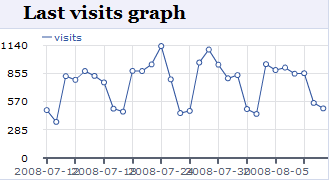
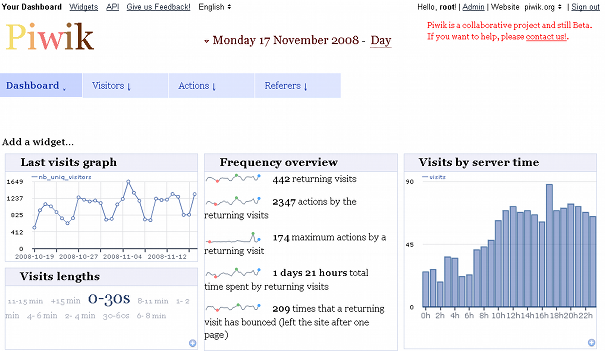
Piwik is Open Source, downloadable web analytics software that can give you comprehensive statistics on your website visitors just like Google Analytics. It can provide detailed statistics on users location, popular posts, search engine queries etc.


Piwik is a downloadable PHP, MySQL software that needs to be FTPed to your website. Installation is quite simple and they have a detailed instructions on how to install. Like Google Analytics, a Java Script tag also will be given during the installation process or you could use existing plug-in to make the life easier.
 

image

So, why do I need to have Piwik you may ask, here is why;

  • Piwik is Open Source, that is, you can add your own features if you can :-)
  • Piwik is downloadable, that is, You own your data. Piwik collects and stores the statistics locally on your website.
  • Customizable User Interface with drag and drop widget support.

Photo Hosting, Sharing and Fancy Transitioned Slideshows!

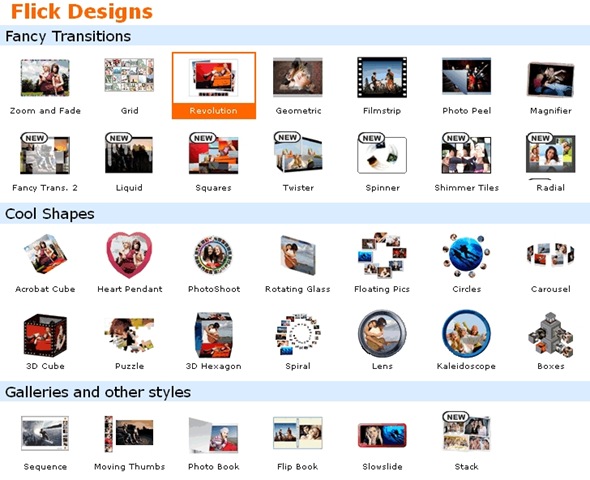
PictureTrail lets you create fancy Photo Flicks, Photo Sharing, Image Hosting online. It really has some of the best transitions that you could use them to spice up your photo slide show. It is extremely simple to use. Create an account at PictureTrail, select transition style and theme, upload photos and it will do the rest. You can easily share you slideshow/flicks with anyone on any web page.


image


image

A complete Flick with pictures and transitions look awesome!

PictureTrail

PictureTrail offers ton of templates and customizations that are really nice.


PictureTrail 2

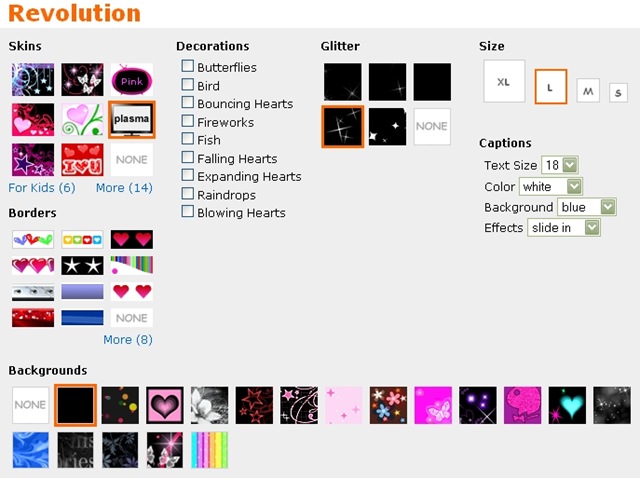
Flicks can have jazzy transitions!

transition

On the whole PictureTrail service makes it perfect for you to share you unique photo Flicks online with your friends and family. It offers a ton features,

  • Customizable Photo Flick creation
  • Photo sharing
  • Image hosting
  • Print ordering
  • Member Profiles
  • Photo Editor/Uploader
  • Musical slideshows
  • Album covers and many more

Scoopler – A Real-time Web 2.0 Search Engine

In our earlier post we had covered how to find better information faster using Chunkit, here in this article we cover how to search real-time information quicker using Scoopler

scoopler_logo

Scoopler a real-time search engine created by AJ Asver & Dilan Jaywardane that was launched as a Private Beta in April 2009 and is now Public Beta.

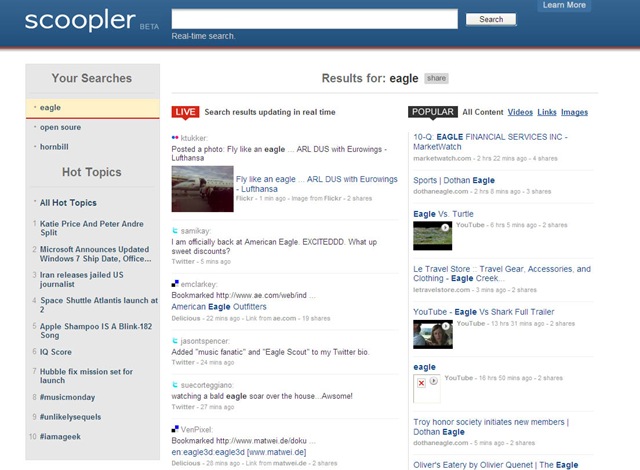
Scoopler aggregates and organize content being shared on the internet as it happens, like eye-witness reports of breaking news, photos and videos from big events, and links to the hottest memes of the day etc. This is done by by constantly indexing live updates from services like Twitter, Flickr, Digg, Delicious and more. When you search for a topic on Scoopler, it gives you the most relevant results, updated in real-time. It keeps track of the topics you searched under the heading “Your Search”. Each time you enter a new search or click on the topic you already searched, a live search results are updated in real-time.

scoopler

Also, an experimental Firefox add-on is available as Soopler Search Engine Plugin

Scoopler was featured on TechCrunch and had a great response.

How to find better information faster while searching web?

Well, No doubt, web search engines like Google, Yahoo! or Live Search etc have made our life simpler while searching for information on the internet. But, since internet has billions of web pages, often our search results too will be in thousands if not in millions and getting the right information through these large result is no quick task. We keep opening search results in multiple browser tabs looking for information, only to find them irrelevant sometimes. So Usually, people never go beyond 5 or 6 pages of search results.

Now, we seem to be getting smart browser add-in’s that are able to search within links and providing a summary of what that page is really about without having to click on them.

Chunkit

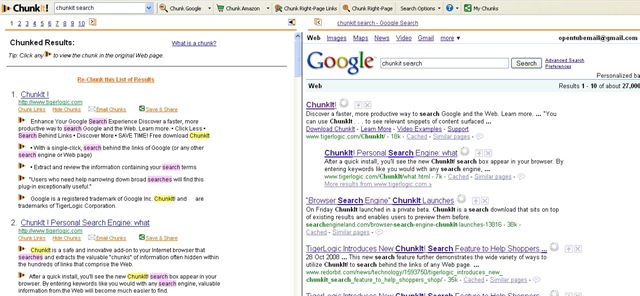
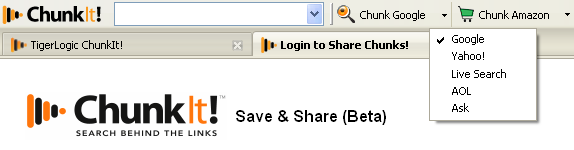
ChunkIt, a Freeware Add-In for Internet Explorer and Firefox is able to do generate such chunks of web data in a two panel window as shown in the below screenshot. It is developed by TigerLogic.

ChunkIt

ChunkIt claims to do the following;

  1. Find chunks of valuable information hidden behind the links of any Web page (not only Search Engines!)
  2. Save chunks for later reference and access them from any computer
  3. Share chunks and folders to collaborate with friends and colleagues

ChunkIt can be easily be integrated with various search engines like Google, Yahoo!, Live Search, AOL search and Ask.

image

So what are you waiting for? Go ChunkIt :-)

Gladinet – Mounts Cloud Storage as Virtual Local Drive

There are quite a lot of services that offer online cloud storage like Microsoft’s Windows Live Skydrive, ADrive (Free Version) etc. Here we can store our data via web browsers. But nothing compares to locally available interface to such web based cloud storage. Gladinet does just that for you.


image

Gladinet is one of the amazing services that can mount popular cloud storage services like Windows Live Skydrive, Google Picasa, ADrive etc as local virtual drives that can just be treated as normal Microsoft Windows network folders.

image

Using Gladinet mounted virtual drives, you can easily backup critical and confidential data from your PC and store them on reliable cloud storage. Just imagine the advantages, say if you consider Windows Live Skydrive that offers FREE 25 GB of Cloud Storage, You can easily store your family pictures, documents etc. These backups will come in handy while you are travelling as you could access them from anywhere.

image

You can even try ADrive that offers FREE 50 GB of Cloud Storage.

Accessing your cloud storage has never been so easy! Also, If you use the Comodo Backup,

You can schedule and automate the local folder synchronization with the remote cloud storage services. 

Please read the wonderful post by Andreas J, here. He has done the real good job in finding the utilities that can automate backup of your data on the cloud storage.

Related Posts with Thumbnails