Archive for June 7, 2009

Affordable home laser show and projectors

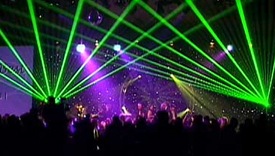
Well, If you are a chronic audiophile and especially you are the kind of a trance addict then you know the very important thing in a trance show is the laser light shows! The lovely green laser beams moving all over the place giving company to the dancing trance addicts! Actually these laser shows can be bought for as little as $100! Of course, if you need more features it would cost more (can go from 100$ to a couple of hundred) but definitely not out of reach.
showcube

So, Are you looking for an affordable home laser projectors? There are plenty of options to liven up parties or an upcoming event? Do you own an entertainment venue and have plans to install a top-of-the-line DMX laser projector to dazzle your clientele? LaserSale – an online retail that specializes in the laser show products caught our eyes (Please note that we don’t get paid to mention them here!). There are quite a bit kinds of laser show projectors out there and some of them are here;

Ameba 3D Red Laser Show

ameba3d-red

Compact & Affordable 3D Red Beam Laser Show Ideal for Special Effects Applications & Great Fun. Bright 4.9mW 650nm Laser Diode. Built in Micro Processor Generates 100 Geometric Patterns.
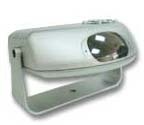
Ameba 3D Green Laser Show

ameba3d-green

Compact & Affordable 3D Green Beam Laser Show Ideal for Special Effects Applications & Great Fun. Bright 4.9mW 532nm Laser Diode. Built in Micro Processor Generates 100 Geometric Patterns.
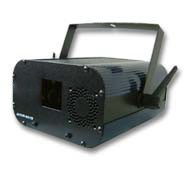
Photon DMX Cosmic Frenzy

Photon DMX Cosmic Frenzy Laser Show - Green

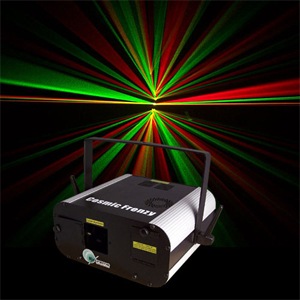
The Photon DMX Cosmic Frenzy Laser Show, can bring life and light to your next party with 45 amazing effects including; wave effects, cloud effects, full-tunnel effects, liquid sky effects, and many more professional effects.
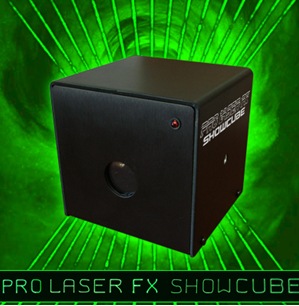
ProLaserFX Showcube

showcube

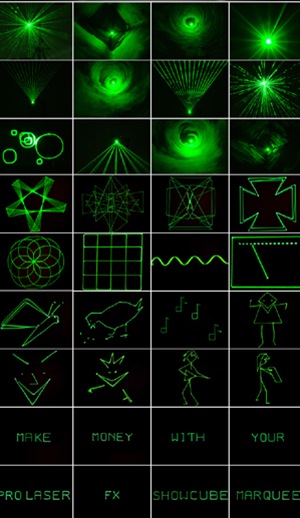
ProLaserFX Showcube is the smallest complete programmable laser graphics projection system on the planet. Quickly and easily create text messages, custom graphics or select from an assortment of over 80 preset graphics to create a custom animated laser light show. Create, record and save laser show scripts from your computer and replay sequences with text and graphics from the convenient portable keypad! The Showcube projects a super bright green laser light beam to draw complex patterns, text, and animations. The laser projector can also be commanded to hear music and automatically create synchronized laser light shows on walls, ceilings, banners, boards and projection screens. Built-in sound pickup Microphone can be used to control virtually every aspect of graphical output. Can be used to write messages in laser light, or used in a fogged room to display fantastic and exciting beam patterns including sound tunnels, liquid sky, dynamic beam effects and more. Operates as a stand alone device controlled by keypad, computer or optional DMX interface. Great for Clubs, Trade Shows, Presentations, Conventions, Galas, Special Events, Stage Bands, Theatre, Advertising, Store Displays, Holiday & Festival Displays Conventions, Seminars, and DJs.
showcube

Photon DMX Multi-Color Club Laser

The Photon DMX Multi-Color Club Laser will mesmerize everybody with its multiple liquid sky effects in three different colors. With 8 individual launching ports and 8 high-tech rotating mirrors, this light show will give you non-stop action.
Photon DMX Multicolor

MCCFRENZY

The Photon DMX Multicolor Cosmic Frenzy is a compact laser projector that packs a big punch. This multicolor version (RYG) emits red, green, and yellow laser beams. It can bring life and light to your next party with 45 amazing effects including; wave effects, cloud effects, full-tunnel effects, liquid sky effects, and many more professional effects.

RSS Feed

K-3D - 3D Modeling and Animation Software with Complete Freedom

In our earlier post we had reviewed Blender, one of the most Competent free 3D modeling alternative to Autodesk’s 3ds Max, Maya, RenderMan etc. While Blender has an exhaustive feature set, the K-3D has a potential to get more features added because of its good design and "everything is a plugin" philosophy. Blender has a built-in render engine, and poor support for integrating third-party render engines such as Aqsis. On the other hand any rendering engine can be integrated to K-3D because everything in K-3D is a plugin, including render engines, lights, and materials.

K-3D_plus_MakeHuman

Author Tim Shead began work on in early 1994, on an Amiga computer. At that time, the program was called Equus-3D and work was subsequently moved to Win32. The application evolved and the plan was to commercialize the product under the name K-3D. However, in 1999 Tim opted to release K-3D under the free-as-in-freedom GNU General Public Licence, which led to K-3D’s slogan: "Seven Degrees of Freedom".

K-3D is a complete free-as-in-freedom 3D modeling, animation and rendering system that  features a robust plugin architecture and visualization pipeline, designed to scale to the needs of professional artists. K-3D is designed from-the-ground-up to generate motion-picture-quality animation using RenderMan-compliant render engines. Volunteers have built K-3D on nearly any platform you can imagine, including Linux, Mac OSX, Windows, BSD Unix, and Solaris.

The main features of K-3D include:

  • Record interactive tutorials and macros.
  • Unlimited undos / redos
  • Create and edit documents in multiple realtime OpenGL solid, shaded, texture-mapped views
  • Scripting interface supports K3DScript and Python, with an open API for other scripting languages
  • Model, animate, and interact with animations while they play back for maximum productivity
  • Highly-evolved architecture allows complete extensibility at runtime through third-party plugins
  • Animated geometric procedural effects
  • Powerful control-spline based animation in a uniform interface
  • Uses the Pixar Renderman Interface to render motion-picture-quality images with a wide variety of rendering engines
  • Supports Renderman Subdivision Mesh output.
  • Background rendering and batch rendering.

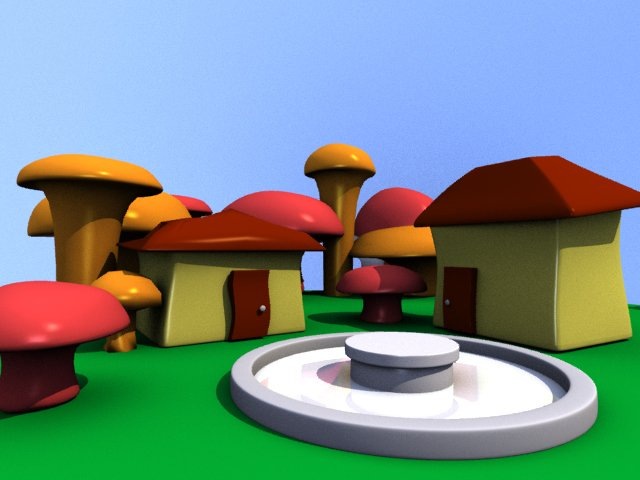
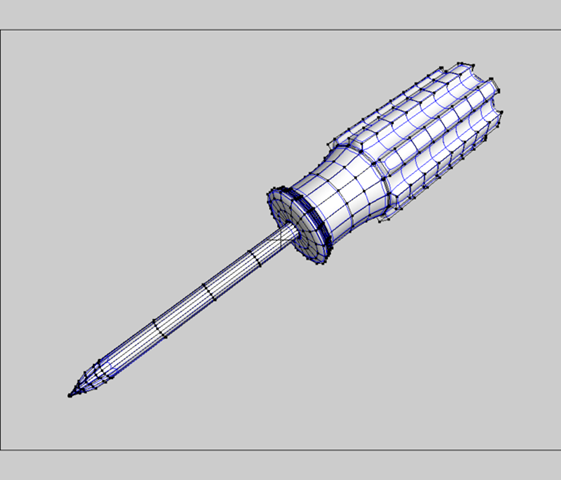
Here are some images from the Still Gallery:

  • Tribble

    Joe_mushroom_town_original

    Old_logo

    20041112-burt

    700px-Screwdriver

    Checkout the Animation Gallery here.

    rssfeed3

  • Widescreen Wallpapers for Ubuntu Linux Lovers

    Ubuntu is one of the favorite Linux Distros among Linux fans. Its now better than ever with the new version 9.04 boosting its performance. What better way to celebrate the Ubuntu success with a nice collection of wallpapers specifically designed for Ubuntu?

    image

    Here is a set of beautiful Ubuntu wallpapers for you to try. There are many websiites that host wallpapers but DesktopNexus has really good  quality wallpapers for Ubuntu.

    ubuntu-logo

    Ubuntu1

    linux-2

    ubuntu-tattoo

    Ubuntu-3D-1280x1024

    156076492_35fb51cb19_o

    buble-buntu_1600x1200

    img-wallpapers-3d-ubuntu-logo-g2shad-10575

    156076494_313327e008_o

    4021443_5b427fb00b_o

    mallika_ubuntu

    FraserHill

    jaunty

    RSS Feed

    Blender – Competent free 3D modeling alternative to Autodesk’s 3ds Max, Maya

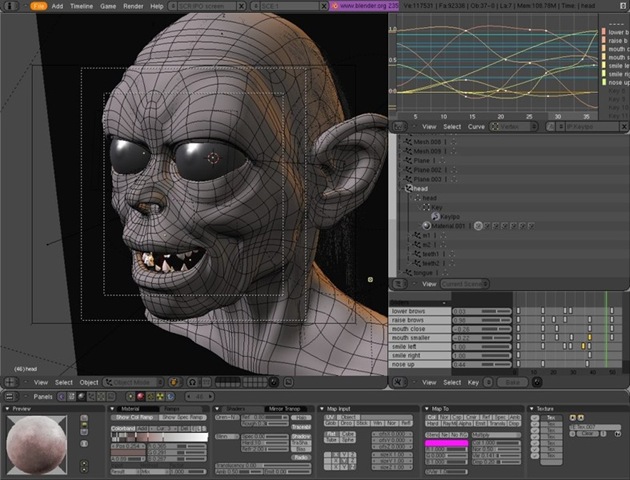
    Blender is Free and Open Source 3d Computer Graphics software that runs on most of the operating systems and alternative to the very famous Autodesk’s 3ds Max, Maya, Pixar’s RenderMan etc. Blender is lightweight compared to Autodesk solutions, offers completive features like Rigging, Modeling, UV wrapping, Animation, Rendering, Shading and many other features that one would expect from a 3d software.

    splash_template_2.49_1

    Most recent version is the Blender 2.49 with lots of improvements, Blender is constantly evolving. Considering the fact that the Blender is community driven, it has had its ups and downs.

    Notable downside of Blender:

    • Blender developed as an in-house project and slowly became popular. Its lack of Documentation is one of the main issues. There have been attempts to improve the documentation and many initiatives like Blender documentation project, the 2006 Blender Summer of Documentation project, and the June 2007 introductory book "Essential Blender", which was published by Blender Foundation. It is good know that the Blender community is doing its best to improve things but proprietary software’s do have the best of training materials and videos.
    • Blender’s UI has also had issues though it offers a lot of keyboard shortcuts, users have felt that the UI is less intuitive when compared to the proprietary counterparts. Again, there have been attempts to improve the UI look and feel, widget support etc.

    Blender IDE

    However the bottom line is Blender community is very strong and it will take big steps in the coming years.

    Most notable commercial usage of Blender in the media industry has been in the movie Spider Man 2, History channel etc.

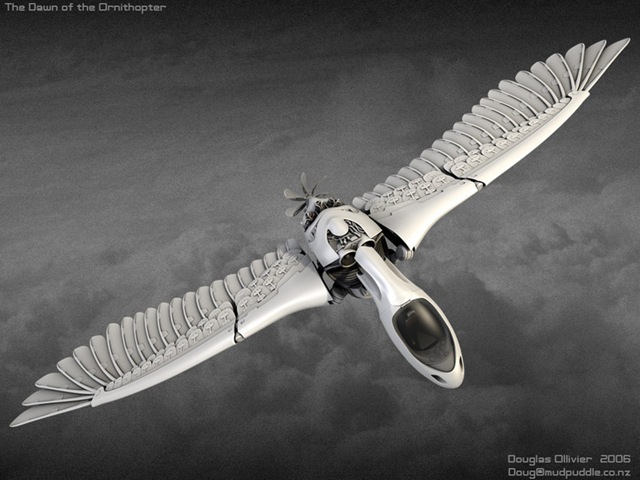
    Some of the best 3d models rendered by Blender – Please see Blender Gallery for more details on artists.

    2ace269887

    16589f9d5f

    110472fbc1

    dda66a21a2

    e0bc6e2498

    treefrog

    f7b4d75a1d

    Detailed 3D software comparison:

    European CG Network - http://www.tdt3d.be/articles_viewer.php?art_id=99

    Computer Society for Digital Artists - http://wiki.cgsociety.org/index.php/Comparison_of_3d_tools

    RSS Feed


    Truth About Cost of Migration to Open Source

    We all know every IT organization is going through difficult times experiencing significant pressure on the cost from the customers to reduce billing rates and also from the parent companies to cut IT spending. Software licensing costs is a significant portion of IT budgets and is rising driven by consolidation in the segment. The acquiring software vendors are raising support fees in order to pay off their acquisition costs. The cost is indirectly passed on to the Enterprise IT.

    CB022158

    Why should Enterprise move to Open Source?

    Open Source is attractive because of its characteristics - Low cost, easy access, expansive license terms

    But what is the real cost associated with migrating to Open Source?

    zdnetasia.com has featured a very interesting answer on this question .

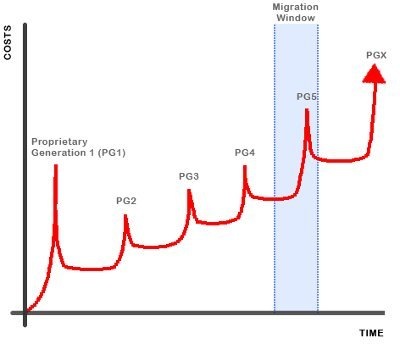
    The IT cost profile for most organizations is similar to that shown below:

    open_source_costs1

    1. The cost peaks at each migration with spending on hardware and software, retraining, additional staff and consultancy.
    2. Then the cost drops in the long-term, which includes a hefty proprietary-license component. Well, your local proprietary will make sure these long-term costs increase year on year.
    3. The cost of migration is generally considered to be the period around the peak. As highlighted the most recent migration in the graphic.

    Microsoft’s argument is that the cost to move from one generation of proprietary software to free software is more than the cost to move from one generation of proprietary software to the next. This cost-of-migration propaganda works only if:

    1. You believe that proprietary-to-free is more expensive than proprietary-to-proprietary.
    2. You ignore long-term cost savings of moving to free and look only at the narrow strip around the migration itself.
    3. You compute your costs only by considering commercial open source and completely ignore real free software.

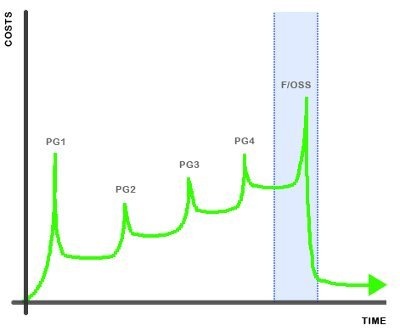
    Here is the true picture of the cost of migrating from Proprietary-to-free

    open_source_costs2

    If you consider real free software, the worst-case peak cost of migration is not greater than the proprietary-to-proprietary migration cost.

    If you also look beyond the migration window, you will observer there is really significant savings that accumulates over time. This effectively means that the project return on investment is better than proprietary-to-proprietary, with long-term sustainable cost reductions.

    source: www.zdnetasia.com

    Related Posts with Thumbnails