Archive for July 21, 2009

iPhone’s “Priceless Picks”

When we read about this application what struck us first was the “Priceless” caption used in the master card advertisement. It’s a pretty old Ad but it still lingers in our mind. Expanding their “Priceless” campaign, Mastercard has released their new iPhone and iPod Touch application called the “Priceless Picks”.

Priceless_thumb1

As the application market is gaining momentum, this new iPhone application is unique in its own way. It’s not just another mobile advertisement. Instead this is a social application that allows consumers to find their best deals at location of their choice.

Does it still sound useless!! It helps you share your favorite places and amazing deals with the world, and it can also show you all the great things around you that other people have tagged as priceless, on a highly interactive and customized map. The perfect bench to catch a sunset, the best pizza on earth, a secret spot to watch the world go by – Find all these priceless moments with the “Priceless Picks” application.

Priceless Picks pairs GPS and 3D maps to show you local deals, dining, and other points of interest in your immediate vicinity. Browse around the map in quasi-street view or bird’s-eye view, identifying locations as the color-coordinated bubble pops up. Red for dining, blue for shopping, orange for “Priceless” items, and so on.

Priceless_pick2

Priceless_pick

Priceless_pick1

The business model

Local vendors will post constantly updating new deals in the few words contained within each bubble. Common people can also add posts about the public parks, scenic point etc. When the user taps the bubble you see options to e-mail the selection to a friend, flag as improper, or explore more details. The last instructs you to call the merchant to verify a deal or pinch and zoom to work out the vendor’s exact street location.

That’s another useful application from iPhone!!

Priceless app is really price less. Download it for free at the App Store.

rssfeed6

Five Apps To Turn iPhone into Your Personal Yoga Guru

Yoga is a series of traditional physical and mental disciplines that originated from India. Many people think that yoga is just stretching. But while stretching is certainly involved, yoga is really about creating balance in the body through developing both strength and flexibility. Yoga has both physical and mental benefits when practiced regularly.

Pret_a_yoga1_thumb1

There are some cool applications that can turn your iPhone into a Yoga trainer and lets you learn and master Yoga at your own pace.

1. Yoga Trainer Pro

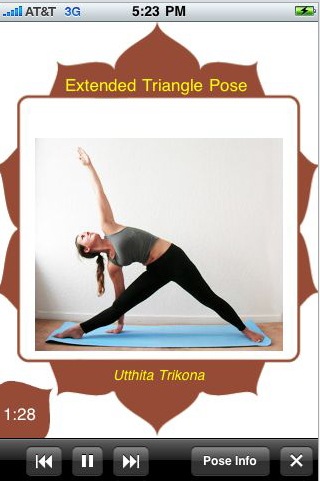
Yoga Trainer Pro is a guide with 70+ poses suited for all from beginner to advanced. It lets you to practice Yoga when you want, where you want and how you want. The 70+ poses with photos provides step by step instructions with voice alerts to introduce the pose. We really like the time feature that counts down how long you should hold the pose. It also adds a nice touch by having the name of each pose in Sanskrit.

Save of courses fees with Yoga trainer and try the Yoga Trainer Pro on your iPhone
Yoga_Trainer_Pro

Yoga_Trainer_Pro1

2. Yoga STRETCH

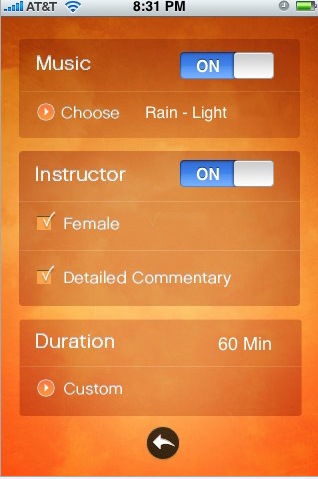
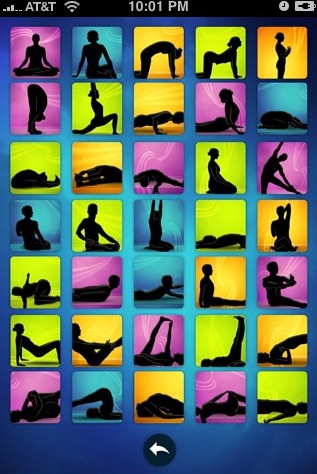
Yoga STRETCH consists of traditional yoga poses sequencing with a Vinyasa flow. Yoga STRETCH is designed to improve strength, balance, posture and flexibility. Yoga STRETCH is your own personal Yoga instructor walking you through a full Session including audio commentary, images and music. It lets you play Yoga session that is customizable from 1 to 60 minutes with over 60 Yoga moves. The audio instructor will tell you detailed information about your current pose, the required steps to put your body in correct positioning and maintain that pose. You have an option to choose between six meditative background songs to play during your Yoga session. You can view each with detailed text description along with the true name in Sanskrit, physical and mental benefits.

The images are so beautifully designed that are both mentally and spiritually uplifting. Check out your self at the App store.
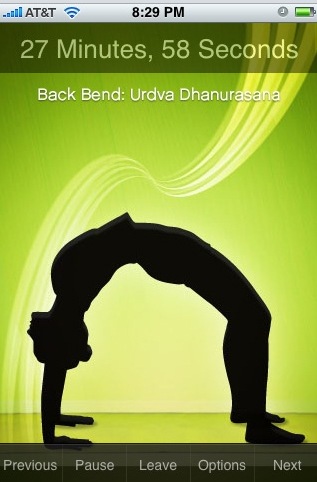
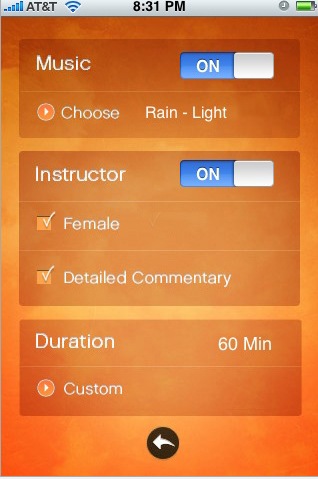
Yoga_STRETCH

Yoga_STRETCH1

3. Yoga RELAX

Yoga RELAX consists of traditional yoga poses sequencing with Vinyasa flow, focused on mind and body workout. The features are similar to Yoga STRETCH and it lets you play Yoga session that is customizable from 1 to 36 minutes with over 35 Yoga moves. One can choose between 3 meditative background songs to be played during Yoga Sessions. Try out the apps at the App Store.

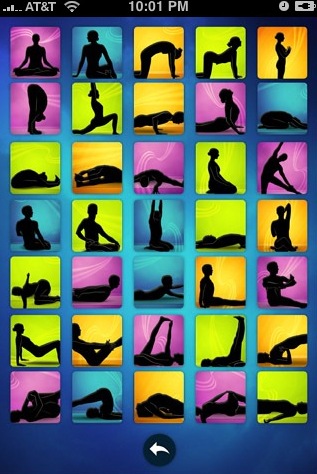
Yoga_RELAX

Yoga_RELAX1

4. Prêt-à-Yoga

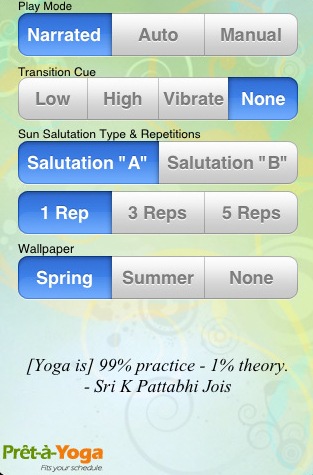
Prêt-à-Yoga is a uniquely crafted yoga experience designed to enlighten you and guide you through the discipline of yoga. Your personal guru, Kathleen Kastner, a trained yoga instructor and exercise physiologist, guides you through each sequence, pose by pose, breath by breath, explaining how to practice the art of Yoga.

This wonderful application offers an unparalleled experience with sequences meticulously designed by Kathleen and beautiful music arranged by Cerebral Songs to enhance your practice.

Prêt-à-Yoga includes the following four stages:

The Prêt-à-Yoga is an investment in the quality of your life. So proceed now and try the app at the App Store.

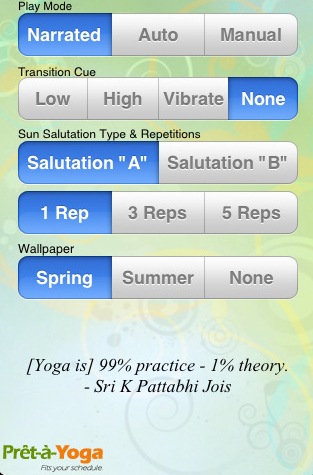
Pret_a_yoga1

Pret_a_yoga2

5. iPump Yoga

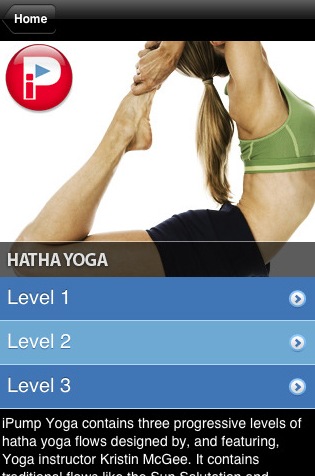
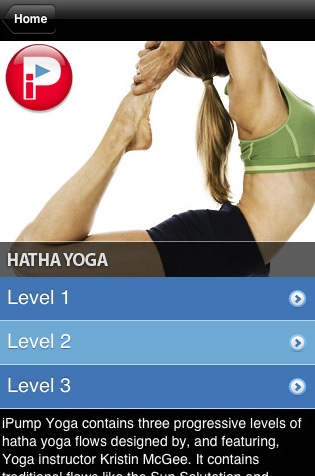
iPump Yoga is designed to help maintain your physical, psychological, and spiritual health. Exercise Physiologist and PumpOne co-founder, Declan Condron, teamed up with Yoga instructor Kristin McGee to create 3 progressive Hatha Yoga flows with 61 Yoga images, videos & audio coaching. It demonstrates a proper form that will have you on your way to increased awareness, stillness of mind, and a strong, agile body.

Each level contains basic flows like the Sun Salutation and Warrior Sequences along with some more advanced flows intertwined with a number of individual poses. These picture-perfect poses and flowing sequences of new and familiar postures will provide you with a whole new yoga experience whether you are new to Yoga or not. You can checkout the app at the App Store.

iPump_Yoga

iPump_Yoga1

Yoga is a science that has been practiced for thousands of years and its an investment in the quality of your life.


rssfeed6

5 ways to Twitter directly from your Desktop!

Twitter is sort of a phenomenon now. Due to its popularity and users, there are so many Desktop clients, plug-ins and so on for Twitter. If you are looking for Tweeting directly via a desktop client and then the options are plenty. But here is a list of 5 Twitter desktop clients that are highly popular because of their features and support…

Twitter_2Dwhat_2Dare_2Dyou_2Ddoing_20copy

1. TweetDeck

image

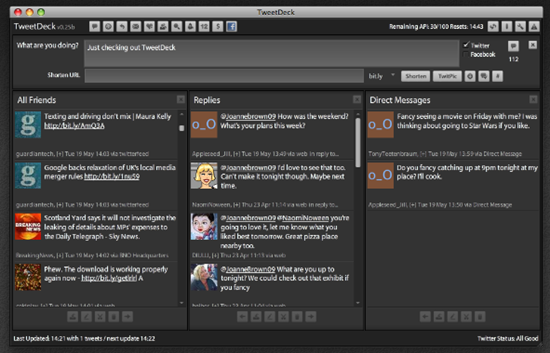
TweetDeck is very good, lets you manage your ever-increasing list of friends list on Twitter, allows you to group and more.

  • Tweet directly from TweetDeck and share photos or web links
  • Manage conversations with @replies and direct messages
  • Create Groups to easily follow friends, colleagues or other interest groups
  • Keep a finger on the pulse with Twitscoop and local trends.
  • Follow topics in real-time with saved searches
  • Update Facebook and view your friends’ status updates
  • Preview short URLs from the comfort of TweetDeck
  • Manage multiple Twitter accounts easily

image

2. Twhirl

image

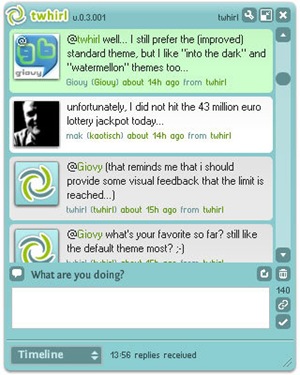
Twhirl is Adobe AIR based desktop client for Twitter and is top of the line. Unfortunately it doesn’t support Linux! Plenty of features…

twhirl

3. Tweetie

image

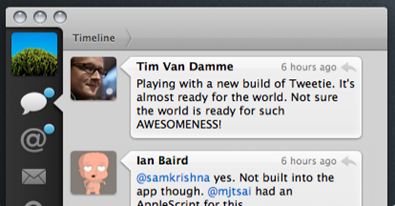
Tweetie is an exclusive client for Mac OS. It is so simple and intuitive that you would think that it is an official Apple product! Supports conversation, searching, bookmarking and more.

image

4. TwitterFox

image

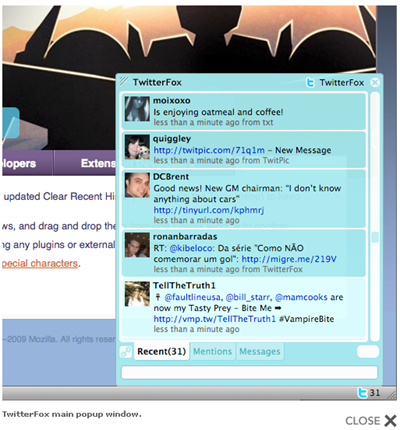
TwitterFox is a FireFox add-in for Twitter. If you are a FireFox addict (who isn’t?) then this add-in will come in handy. It supports lot of features and a must try.

image

5. Choqok

A Free/Open Source micro-blogging client for K Desktop Environment. The name comes from an ancient Persian word, means Sparrow! Currently supports Twitter.com and Identi.ca services. Good features like Twitpic.com, KWallet, KNotification, Libnotify etc integrations…

choqok-fancy

References:

RSS Feed

Microsoft Announces Pay-As-You-Go Pricing For Windows Azure Platform

Microsoft announced the business and partner model for the company’s Windows Azure Platform during the Microsoft Worldwide Partner conference 2009. The Windows Azure platform delivers a rich development experience, automated service management and pay-as-you-go pricing — all backed by service-level agreements and support.

logo1

What is the Windows Azure Platform?

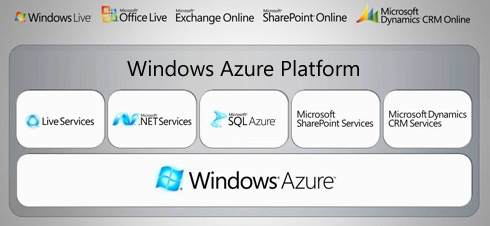
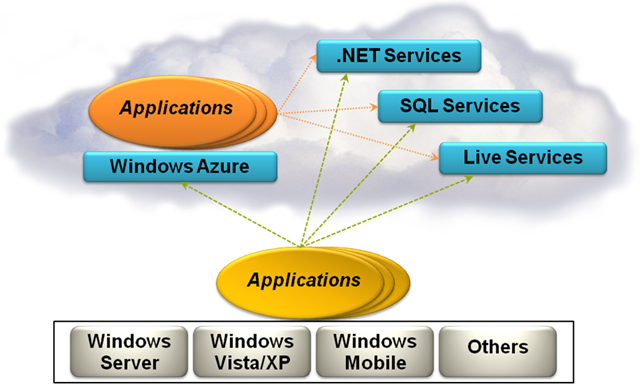
The Windows Azure Platform (Azure) is an internet-scale cloud services platform hosted in Microsoft data centers, which provides an operating system and a set of developer services that can be used individually or together. The platform includes a cloud services operating system, a Web-based relational database in Microsoft SQL Azure, and connectivity and interoperability with .NET Services.

servicesPlatform

The Azure Services

Windows Azure

WindowsAzure is a cloud services operating system that serves as the development, service hosting and service management environment for the Windows Azure Platform. Windows Azure provides developers with on-demand compute and storage to host, scale, and manages internet or cloud applications. Windows Azure supports a reliable development experience through its integration with Visual Studio.

Live Services

Live Services provides developers with an easy on-ramp to build rich social applications and experiences, across a range of digital devices that can connect with one of the largest audiences on the Web.

Microsoft SQL Azure

Microsoft SQL Server capabilities are extended into the cloud as a Web-based distributed relational database via the Microsoft SQL Azure service.

Microsoft .NET Services

Microsoft .NET Services make developing loosely coupled cloud-based applications easier by providing access control to help secure your applications, a service bus for communicating across applications and services, and hosted workflow execution.

Microsoft SharePoint Services & Dynamics CRM Services

In the future, developers will have access to SharePoint & CRM functionality for collaboration and building stronger customer relationships. With the Visual Studio IDE, developers will be able to rapidly build applications that utilize SharePoint and CRM capabilities as developer service.

azure2

Pricing

  1. Consumption Based: The consumption-based model offers partners and customers with a clear and simple pricing structure that uses a few meters to track overall usage and allows for predictable payments. Partners and customers can leverage this type of pay-as-you-go pricing to optimize cloud elasticity and reduce hurdles to entry.
  2. Discount For Partners: Microsoft partners receive an additional 5 percent promotional discount on Windows Azure compute, SQL Azure and .NET Services.
  3. Free To Try: Customers to start building on the community technology preview (CTP) for free subjected to certain limits like:
  • Total compute usage: 2000 VM hours
  • Cloud storage capacity: 50GB
  • Total storage bandwidth: 20GB/day

The services come with Service Level Agreements, separate for compute and storage.

Using Windows Azure Operating System and Microsoft Silverlight, the West Monroe Partners developed and hosted the interactive map for the city of Chicago within two weeks to meet the needs for the Taste of Chicago festival.

The benefits of using Windows Azure Platform were:

  • Fast, Cost-Effective Development
  • Immediate Customer Satisfaction
  • Increased Agility
  • Dynamic User Experience

Windows Azure Basic

How Can You Get Started?

Currently use the Community Technology Preview (CTP) Program and try for free.

Insert YouTube videos right in to your PowerPoint slides!

Have you always wondered or wished to insert your favorite YouTube video in to your PowerPoint slide? or Are you the kind of a person who hates to minimize the PowerPoint slide presentation just to show a video that is on YouTube?

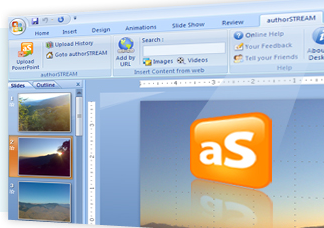
…then you are at the right place :) This free plug-in, authorSTREAM Desktop for PowerPoint is THE one that you need. This plug-in can be a real time saver and can make your presentation a lot smarter and simpler if you heavily use YouTube videos in your presentations.

image

AuthorSTREAM Desktop highlights

  • It lets you search for images with in PowerPoint (from Bing) and videos (from YouTube) and then insert those in PowerPoint slides.
  • You can also use a URL of an Image or YouTube video and insert them directly in your slide.
  • You can upload your presentation directly to authorSTREAM without having to visit the website and share it with the world!

Everything is good about AuthorSTREAM Desktop except that it is compatible with PowerPoint 2007 only (at-least for now). Other requirements are, Windows XP/Vista or 2003, Adobe Flash Player.

Here is an Intro Video on the plug-in

RSS Feed

Related Posts with Thumbnails