Archive for July 16, 2009

Ten Terrific Tutorials in Flickr

Many of us know that Flickr as a image hosting and online community platform. The services exposed by Flickr and fan followers are inspiring developers to come up neat tools to search, comment and view photos on Flickr.

flickr_logo

Frickr users, not only hosts images, but also provide some nice and simple tutorials that can be of great use to photographers. Here in this article we provide 10 such tutorials posted on Flickr.

1. Bokeh - Video Tutorial - Layer Mask with Lasso – by Luis Montemayor

This video tutorial helps you understand better use of the Layer Mask with Lasso

2. Reverse Lens Technique – by LaraJade

This tutorial shows how use reverse lens technique and get macro results without the expense of a macro lens.

macro

3. HDR and DRI Tutorials – by Ryan Eng

This tutorial is about creating natural looking HDR photo using some basic DRI (aka Digital Blending) and Photoshop layer masks.

HDR

4. Improving Exposure with Pixel Blending – by Jon Block

This tutorial talks about improving the exposure using the pixel blending technique.

Exposure

5. Creating Out Of Bound – by Serrator

This tutorials is about framing and creating Out Of Bound photographs.

OOB

6. Digital Blending – by James Neeley

This is a simplified and easy digital blending or DRI (Dynamic Range Increase) tutorial.

digital_blending

7. Hand Coloring – by James Neeley

Hand Coloring is a fun technique and there are so many variations possible. Try out the tutorial and explore all possible options.

hand_coloring

8. Texture Tutorial – by ayush.bhandari

This tutorial shows how to texture an image using digital blending.

texture

9. Raw Processing – by Cyrus khamak

This tutorial shows how to use the curve function and calibrate an image.

raw

10. Water Mark – by godonholiday

This tutorials shows how to create a water mark effect using Photo Shop.

watermark

Here is the video tutorial:

All the credit goes to the authors for creating and sharing these tutorials.

Ten Services – For Easy Shopping And Selling At eBay

Ever wished you had a better service that allows people and businesses easily buy or sell their goods and services via eBay? The web 2.0 has made things easier by providing easy to use services for the most popular web 2.0 online shopping and auctioning website – eBay. Here are ten such services that lets buyers and sellers to connect with eBay auctions and make their shopping and selling experience easy.

shoppinggirl1

1. GetItNext

GetItNext is a Canadian based company offering free and easy to use search solution that helps users navigate searching for items on eBay. A bunch of eBay junkies spent countless hours buying and selling on eBay, grew frustrated with the eBay UI and developed the GetItNext to easily search and find what you want on eBay.

getitnext

2. Visual eBay

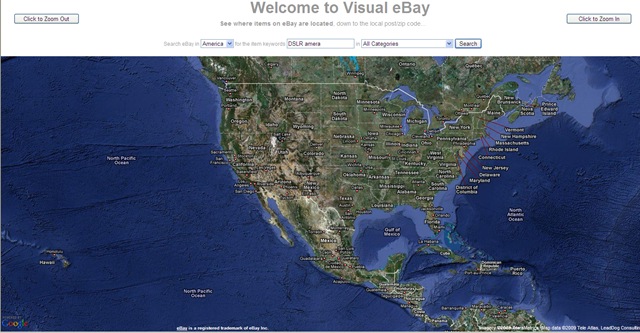
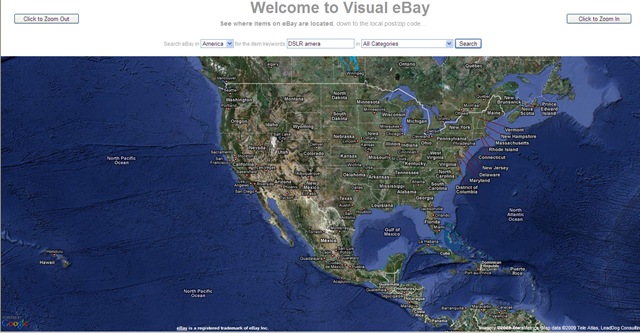
Visual eBay provides a little visual glimpse into the world of eBay auctions. This mashup pinpoints the exact locations where auctions are taking place. One can search for a keyword under a category and choose the country ( U.S., Canada, Australia or England) and Visual eBay will pinpoint to the locations on a Google Map where auctions are taking place.
VisualeBay

3. Bidflyer

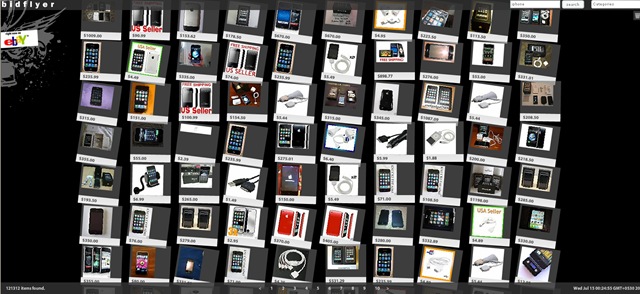
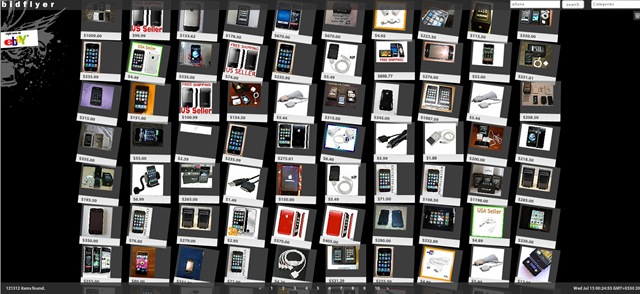
BirdFlyer is another eBay visual search website that takes eBay auction listings and presents them on a cool visual interface. It is a Flash actionscript search tool based on the eBay developer API. When you perform a search results are shown as small thumbnail images with prices, sorted by auction end times. You can also search by category, make bids, track auctions with real time countdowns. Hovering over a particular item brings up the item’s title and clicking on it will pop other information like countdown clock, number of bid and its current price.
bitflyer

4. PicClick

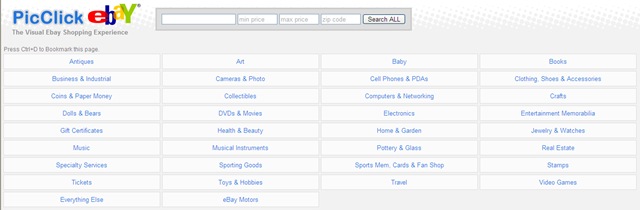
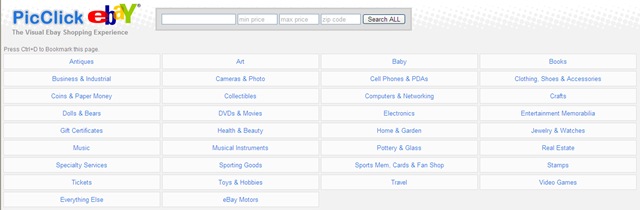
PicClick is another amazing site that aims at improving the way you san and view search results in eBay and Amazon. You can type in the search phrase along with the preferred price range and all the results gets displayed in one page like a photo gallery. You can sort the results by various options like start or end time or by highest or lowest price etc.
picClick

5. AuctionMapper

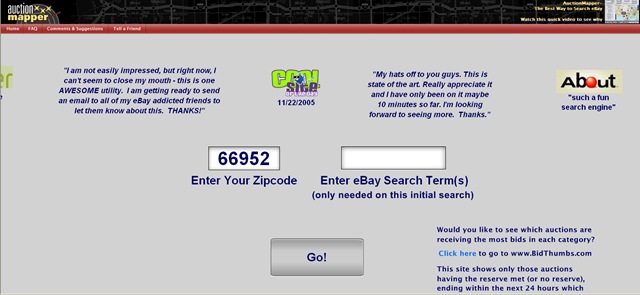
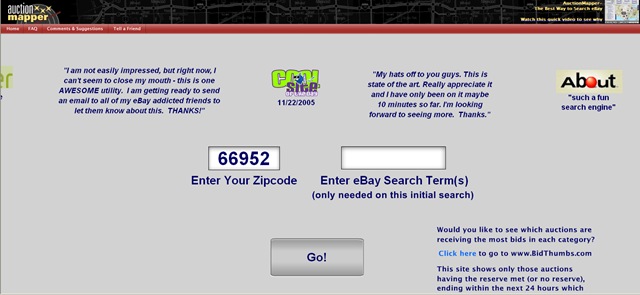
AuctionMapper is designed to help you find exactly what you want in the shortest amount of time. AuctionMapper is a deluxe search tool that allows you to quickly filter your searches down precisely to what you are looking for. The filtered searches are then presented either in a list view or on a map depending on how you choose to view the results. Unlike a typical advanced search where you have to keep going back and forth between advanced search page and the results page to tweek various constraints, AuctionMapper stays on one page while only the results change, making adjustments to the constraints painless.
ActionMapper

6. Shopping & Discovery

Shopping & Discovery is a beta site that lets users browse through eBay auctions and Amazon products in a fun and visual way. This goes beyond typing in a keyword and having to browse through a long list of results. Results are automatically organized by relevance to the query and customizable with our “more like this” function. As the results change, so do the categories, auctions, and products ready to be explored.

shoppingndiscovery

7. AuctionPixie

AuctionPixie is a small, but amazing suite of free eBay tools which helps both the buyer and seller on eBay with their daily activities, whether it’s leaving automatic feedback, finding a bargain using misspelled item finder, or simply helping to cross-promote their items using AuctionPixie’s free scrolling galleries.

Auctionpixie

8. UnWired

UnWired Buyer 2.0 is an interactive service that allows eBay buyers and sellers to connect with eBay auctions in the critical final minutes from any mobile phone or PC. eBay shoppers are now able to determine how they want to be notified about an ending auction (email, phone call, or both) and where they want to place their bids (PC or mobile phone). UnWired Buyer provides an innovative voice-based commerce platform that delivers real-time, actionable notifications directly into the consumer’s hands anytime, anywhere. UnWired Buyer is able to extend commerce to US based mobile phones, enabling event-triggered transactions via voice.

unwiredbuyer

9. Automatic

Auctomatic is a tool for managing your eBay business. Use Auctomatic to track your inventory, pictures, and auction templates, and track the traffic on your auctions so you can optimize your listing strategy. The Auctomatic mission is making selling online easy. Auctomatic does more than just let you list your items and manage your sales - it teaches how you can maximize your profits and to increase the success of your business.

automatic

10. Auction Search Kit

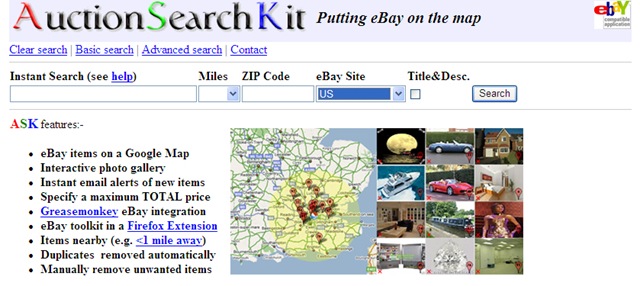
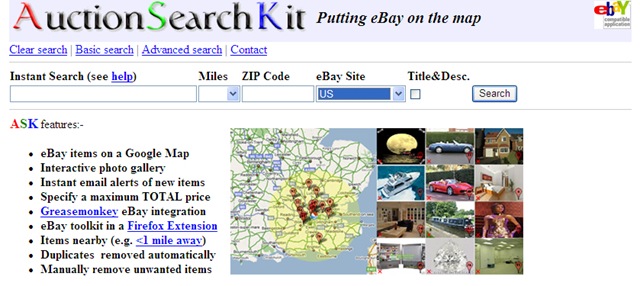
Auction Search Kit provides you with the resources for visualizing the location of any eBay item that interests you. The kit itself also features a wealth of tools that can easily be put to good use. These include a Greasemonkey script for Firefox that will enable you to add map buttons to eBay and a set of search plugins that can be used both with Mozilla Firefox and Internet Explorer.
auctionsearch

Twitter directly from your Outlook Inbox

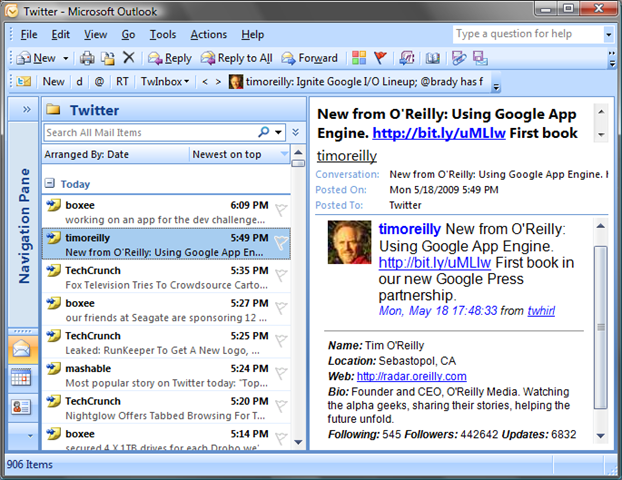
A good news for Twitter addicts who are mostly on Microsoft Outlook. There is a Twitter Client, TwInBox for Outlook that lets directly interact with your Twitter profile, update your Twitter status, see your friends’ updates and do much more! We have been using TwInBox for a while and been addicted to it. Having a Twitter client on Outlook is very advantageous :) as Outlook is a kind of a tool that remains open until shutdown your computer and having regular update from twitter lets you be in touch with the friends.


twitter_bird_follow_me

TwInBox is a perfect Twitter client for Outlook, whether you are a twitter newbie or an advanced user. It supports a lot of features to quench your Twitter thirst :)

ot 

Here is a list of features;

  • Update your Twitter status directly from Outlook.
  • Receive your friend updates in Outlook.
  • Archive, manage, group and search your tweets the
    same way you manage your email (details).
  • Search, track keywords. TwInbox will automatically download ALL tweets matching the keywords you specify, even if you are not following the tweet sender. This feature is perfect for keeping up to date with the Twitter buzz on your name, brand, interests, etc.
  • Group tweets by sender, topic, etc using the Search feature.
  • Upload and post picture files and Outlook email attachments.
  • See new tweets at a glance (details).
  • Assign custom folder and categories to new messages.
  • Use Outlook’s "Reply" and "ReplyAll" commands to send twitter direct messages and @replies.
  • Automatically sort new tweets into per-sender folders.
  • Shorten URLs with tinyurl.
  • See graphs of your Twitter usage statistics.
  • Tweets sent to you (@replies and direct) are marked with high importance, so you can see them at a glance.


RSS Feed

Use iPhone as a Wireless Drive!

Air Share is an award winning application to use your iPhone/iPod touch as a wireless disk on any computer whether its Mac or PC via WiFi. This will help you carry everything that is important on your iPhone/iPod storage and connect to any computer easily. Best of all, once the iPhone is mounted as a wireless drive, you can just drag and drop files seamlessly. Due to this seamless connectivity Air Share has been the Most useful App of 2008. Air Share even has a built in File Viewer that is really nice. Perfect for reading eBooks etc. Good for using iPhone as your backup drive!

iPhone-home

Features

  • Ease of use – Finder like file browser, syntax coloring for viewing source on iPhone if you are dropping files to iPhone from your PC.
  • Advanced Image Viewer
  • Advanced File Viewer supports almost all major file formats.
  • Works with Windows, Linux or Mac based computers.
  • Security – with password support.
  • Fast access and a lot more other features.
  • Works with new iPhone 3G S as well.

76077942-46c3-4fce-85c2-67935a230146_1_full 76077942-46c3-4fce-85c2-67935a230146_3_full 76077942-46c3-4fce-85c2-67935a230146_2_full

RSS Feed

5 free ways to browse anonymously and beat internet censorship!

Internet censorship is denial of access to certain websites and is usually controlled by government. There are various levels of denial but in certain countries it is highly restricted to access internet freely. Some widely used restrictions are;

1. IP blocking – Access to certain IP will be blocked

2. DNS filtering – Don’t resolve IP or mislead with erroneous IP.

3. URL/Packet filtering – scan for text in URL or packet and block.

4. Web feed blocking – restricting access to rss feeds, blogs etc.

However, total censorship of information on the Internet is very difficult (or impossible) to achieve due to the underlying distributed technology of the Internet. Pseudonymity and data havens (such as Freenet) allow unconditional free speech, as the technology guarantees that material cannot be removed and the author of any information is impossible to link to a physical identity or organization.

laptop-privacy-1

Image Source

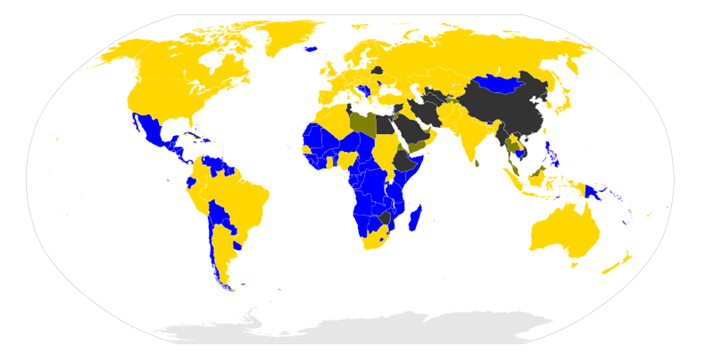
Here is a world-map taken from wikipedia that shows where each country stands as far as the restrictions are concerned.

800px-Internet_blackholes.svg

image

There are many free anonymous ways to browse and to protect privacy online

image

Psiphon - Psiphon, believes in a world without borders, where knowledge is power, where people have the right to choose, and ethics, not censorship guides our exercise of freedoms.

Eff_tor

Tor – The Onion Router (Tor) enables anonymous communications over internet.

image

UltraSurf - Protect Internet privacy with anonymous surfing and browsing — hide IP addresses and locations, clean browsing history, cookies & more …

image

NotMyIP - NotMyIP is a FREE tool that help overcome censorship and browse anonymously by hiding your IP address. It  uses only high quality proxies and works with ALL browsers (Internet Explorer, Firefox, Opera, Chrome, etc). No need for manual configuration or additional plug-ins or add-ons.

hss-logo

Hotsopt Shield - Hotspot Shield protects your entire web surfing session; securing your connection at both your home Internet network & Public Internet networks (both wired and wireless).

Related Posts with Thumbnails