Archive for July 9, 2009

Shampoo Wash Your Windows System with Ashampoo WinOptimizer

In the constant battle for a fast Windows operation opposing sluggish performance, Ashampoo WinOptimizer offers Windows users a set of hygiene tools to cleanup the Windows for better performance. Though, Microsoft Windows is becoming more advanced the need for effective maintenance is also growing as greater than ever. If you do not clean your computer regularly, the digital garbage that gets collected over time can eventually result into strange errors. The Ashampoo WinOptimizer 6 makes Windows maintenance fast and easy!
cleaningtools

Image Source: http://z.about.com

Ashampoo WinOptimizer is the ultimate Windows Cleanup tool that provides faster, easier, safer and more thorough Windows cleanup performance than ever before. You can schedule it to run automatically so that you don’t need to think about it at all. It keeps your Windows computer running as fast and smoothly as on the first day you bought it.

In addition to efficient Windows maintenance you also get a whole suite of powerful, easy-to-use tools that enable you to configure and tune your Windows computer so that it works exactly the way you want it to.
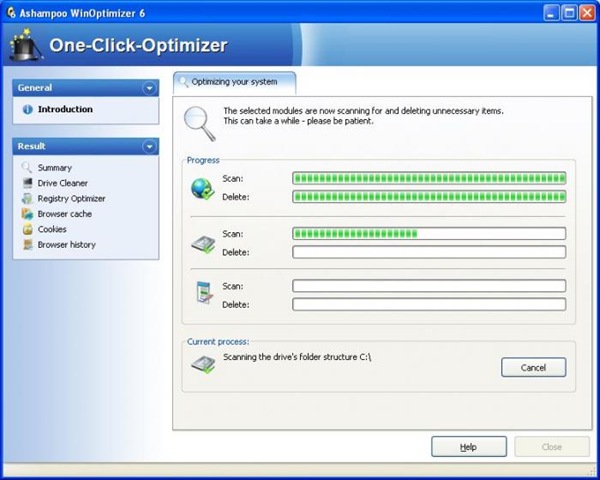
3_WinOptimizer_6_oneclick

The suite of WinOptimizer tools does not leave any stone unturned in Windows to make it more efficient and maintain your Windows clean.

Twenty Tools from the WinOptimizer Toolbox

1. Anti Spy Module

Configuration options are included for a number of Windows system settings, Windows Media Player, the Windows error reporting service and others.

2. Context Menu Manager

Allows you to configure and control the right-click context menus in Windows.

3. Hard Disk Defragmenter

Takes care of fragmentation and keeps your hard disks at maximum efficiency all the time.

4. One-Click Optimizer

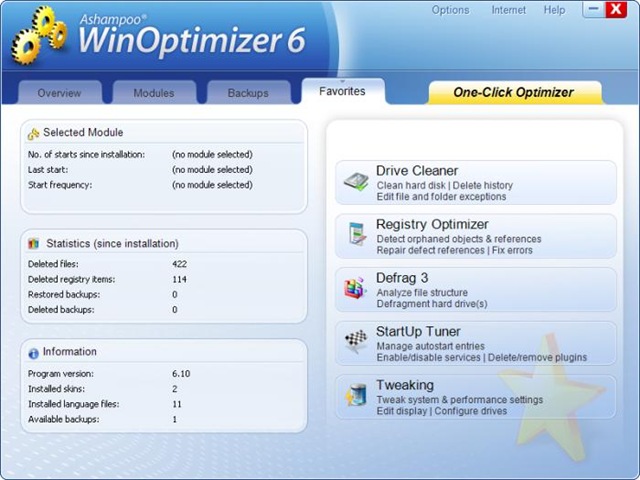
Is the most popular function in WinOptimizer, literally enables you to clean up and tune up your entire Windows system with a single click! It uses the optimum settings to eliminate garbage data and Registry entries and defragments your hard drive.
winoptimizer08

5. Drive Cleaner

Drive Cleaner reliably and safely identifies and deletes garbage files that gets collected in Windows to free up space and removing dead weight.

6. Registry Optimizer

Registry Optimizer finds and eliminates old, redundant and broken Registry entries that can slow down your computer and cause unnecessary errors.

7. Internet Cleaner

This tool finds and deletes all traces of your Internet surfing sessions to protect your privacy and increase your security. It also deletes the temporary Internet files that take up megabytes of space on your hard drives.

8. Windows Tweaking Tools

This tool gives you direct access to hundreds of Windows and application configuration and performance settings, enabling you to fine-tune your system to make it behave exactly as you want. All the settings are explained and backups are made automatically so that you can return to the original settings at any time.

9. System Benchmark

This tool lets you to check out the performance of your Windows computer and compare it with other users’ systems.

10. Startup Tuner

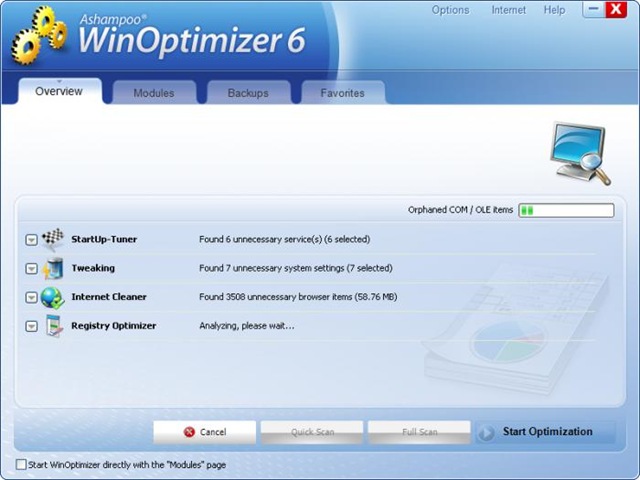
Lists all processes and programs started automatically with Windows and enables you to enable or disable them temporarily or permanently.
winoptimizer04

11. Process Manager

Lists all programs and processes running on your system and enables you to terminate them forcibly if necessary. Makes it easy to get rid of frozen windows caused by crashed applications and can help to identify malicious programs.

12. File Undeleter

Eliminates the horror of accidentally deleted files. Works on all Windows file systems (NTFS, FAT-16, FAT-32) and even on compressed and encrypted NTFS files and deleted files on USB thumb drives. Displays the health status of located deleted files and shows the chances of full or partial recovery. Even if you only need it once you’ll be grateful forever.

13. File Wiper

Enables you to sell old computers and drives or provide access to your existing ones with confidence that nobody can access your data. If your hard drives and other media have ever contained sensitive information you want to make absolutely sure that it’s really gone before it gets into the wrong hands. File Wiper uses military standard deletion algorithms to completely eliminate all traces of the original data so that even hackers and data recovery labs can’t restore it.

14. File Splitter & Joiner

This tool enables you to break up large files into more manageable “chunks” that are easier to save to disks or send by email. The joiner function then puts the chunks together again to restore the original files.

15. Real-time Backup

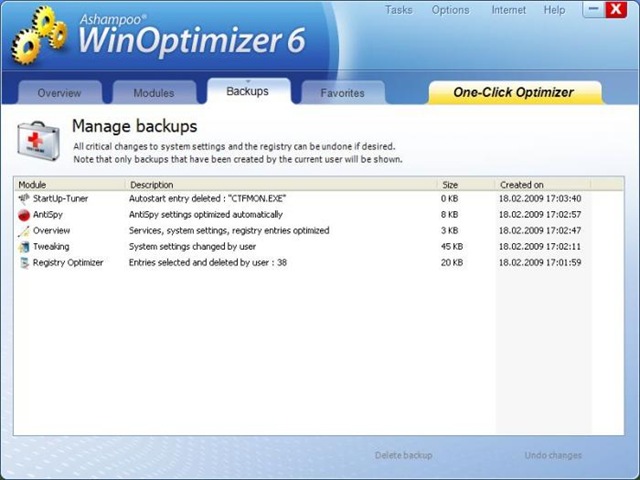
WinOptimzer’s integrated Real-Time Backup system monitors everything you change on your computer with the program and creates automatic recovery backups. This makes it possible to return to your original settings at any time.
winoptimizer05

16. DiskSpace Explorer and System Information

DiskSpace Explorer provides detailed information on the contents of all the drives in your computer by folders and file type, enabling you to identify files that are taking up space. System Information does the same for your hardware, giving you a full list of all your computer components, system software and drivers

17. File Encrypter and Decrypter

This provides fast and safe file protection for important information, using the extremely strong Blowfish algorithm. You can also create self-unpacking decrypted files for sending to other people – they just need to double-click on the file and enter the password to unpack it.

18. Vista Sidebar Gadget

This useful tool gives you direct access to all the cleaner modules of WinOptimizer from the Vista Sidebar – including the One-Click Optimizer. Just click in the Sidebar to access your WinOptimizer tools fast

19. Visual Styler

Lets you change the appearance of your Windows system and give it your own unique look by replacing system and other icons and applying transparency effects to individual windows.

20. Icon Saver

Icon saver enables you to save and recover multiple Windows desktop configurations with all the icons and their positions. Just select an old setup to restore your old desktop

These tools are powerful, efficient and safe for maximum performance. The boot time defrag makes Windows start faster. Unlike other software, this is exceptionally efficient and takes very low system load and memory.

How much does it cost?

Well, its comparable to the cost of upgrading your system’s RAM. Checkout the price at the online shop.

Download the evaluation copy and try before you buy!

TimesReader 2.0 The Next Generation Newspaper – Get Times News In Seconds And Carry As You Go!

Good news for people who carry the news paper while they travel. Here is a next generation news paper that lets you read the news via your laptop without the need to stay online once you have synced.

Times_thumb1

What is Times Reader?

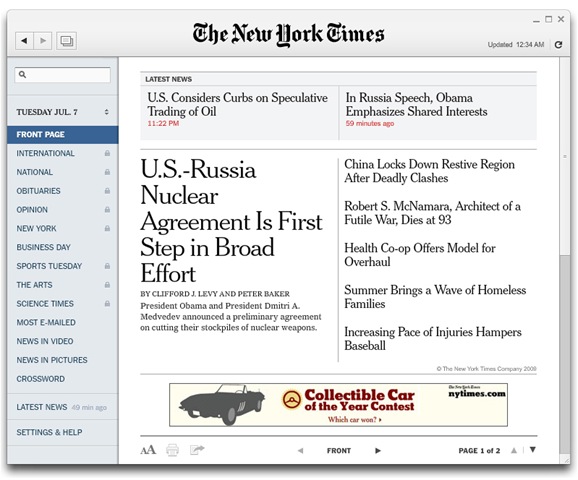
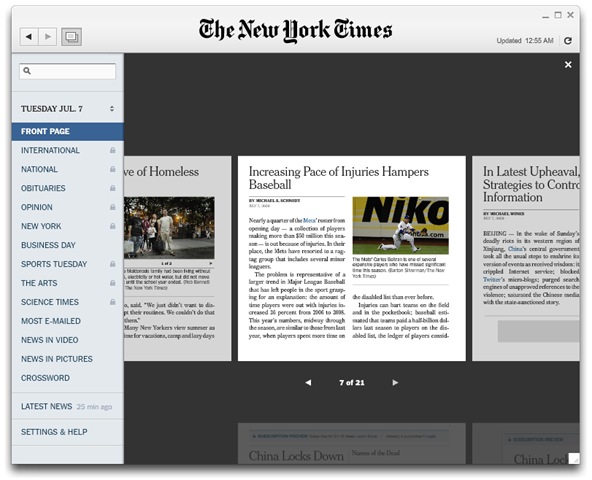
TimesReader 2.0 is a next generation news paper that offers a digital experience of The Times that’s very much like reading the printed newspaper. Its an Adobe AIR application that can be installed on Windows, Mac OS or Linux.

Ten striking features of Times Reader 2.0:

  1. Easy-to-read format: The format is very much like reading the printed newspaper and easy to read. The news sections are presented with the same story selection and editorial judgment as in the printed paper. The layout is preserved as expressed in the printed news paper.Times_1
  2. Ability to read offline: After you’ve synched, no Internet connection is needed, so you can take the most insightful journalism with you wherever you go
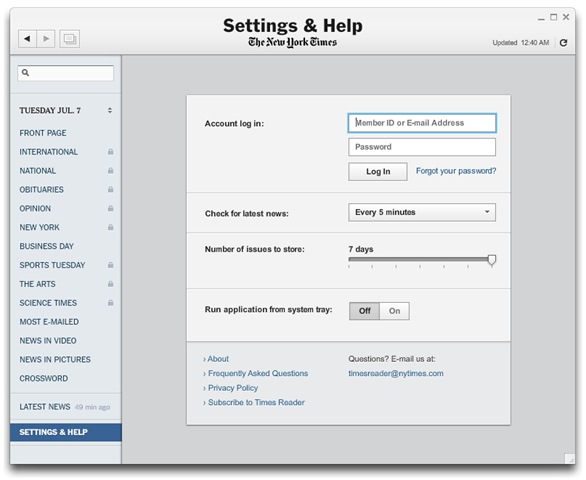
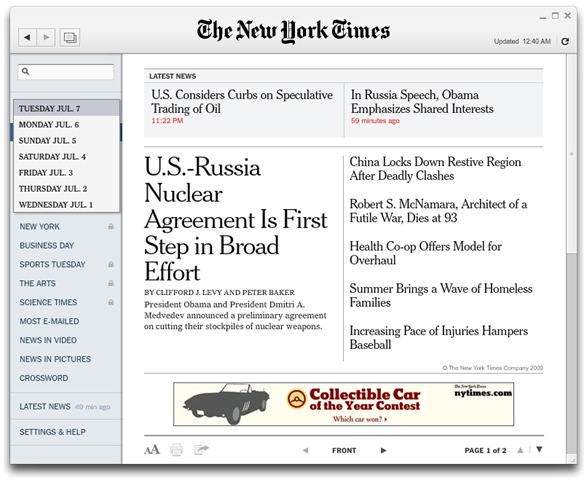
  3. Seven-day archive: You an configure to store seven days of issues. To access the full Times archive, go to www.nytimes.com.Times_sevenday0Times_sevenday
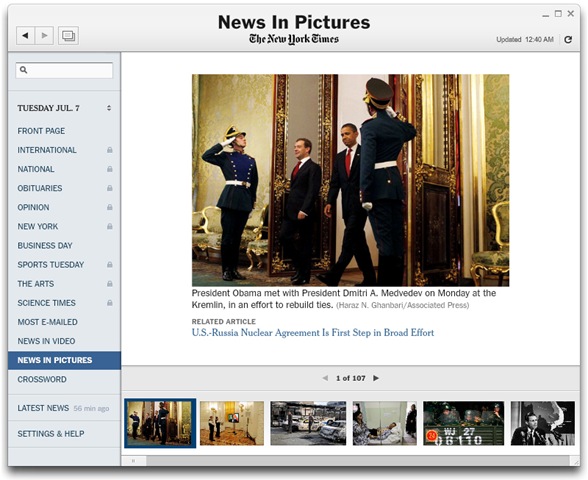
  4. News in pictures: Features all the images in a day’s issue.Times_news_in_picture
  5. Today’s News only: You will see only today’s stories, and only in the sections in which they were published in print
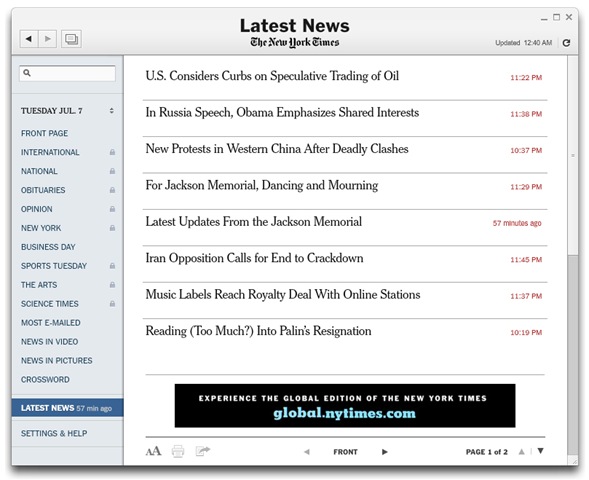
  6. Breaking news: A news feed from the home page of NYTimes.com downloads every five minutes into a “Latest News” section front. Also the top breaking news headlines appear at the top of the Front Page section.Times_latest_news
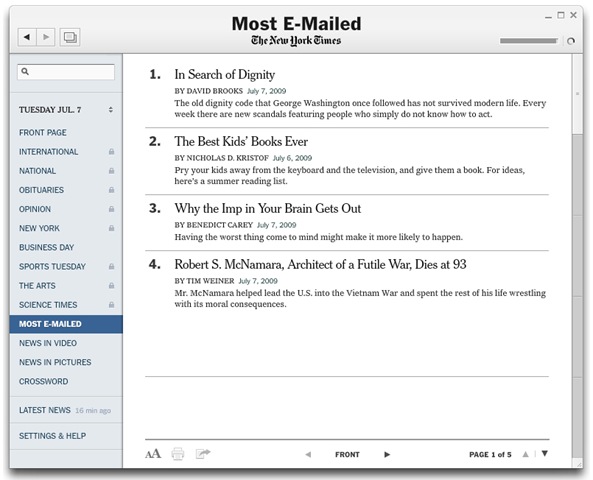
  7. Most emailed: The “most e-mailed” feature lists all news that were emailed the most.Times_most_emailed
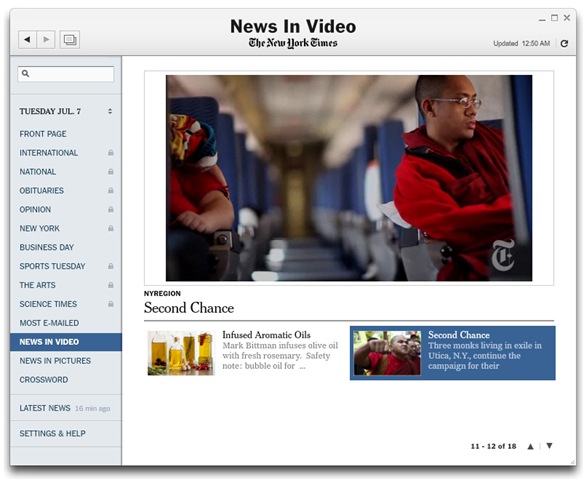
  8. News in videos: Video is now a part of the Times Reader. Click “News in Video” to see the latest set of clips from The Times. You’ll need to be online to watch video.Times_news_in_video
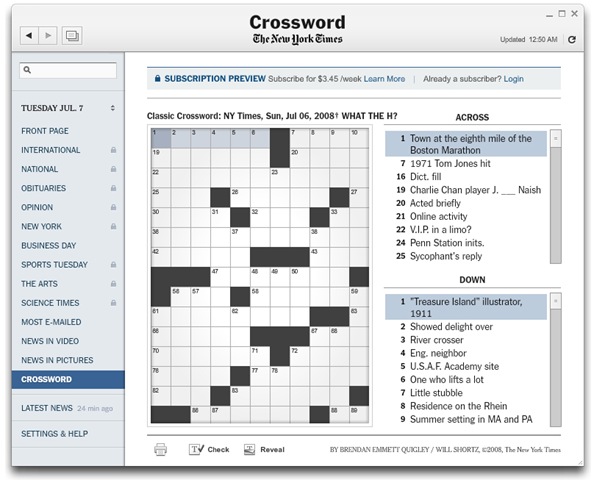
  9. Crossword insider Reader: There’s no longer a need to leave and open a separate application to do crossword. The framed Times crossword puzzle comes with options to erase, change answers and even get hints.Times_crossword
  10. Browse Feature: The “Browse” feature lets you fly above the pages of the paper. This is useful for scanning the news paper.Times_borwse

What is the cost?

Times Reader 2.0 is free to try, but only subscribers can get full content. Times Reader 2.0 is available as a monthly subscription for $14.95 per month ($3.45 per week on an annualized basis).

Home Delivery customers and other subscribers to The New York Times are eligible to receive Times Reader 2.0 for free as part of their newspaper subscription.

Download and try!

Times_download

Technorati Tags: ,,
del.icio.us Tags: ,,

Sharing violation issues? How to find opened/locked files on Windows?

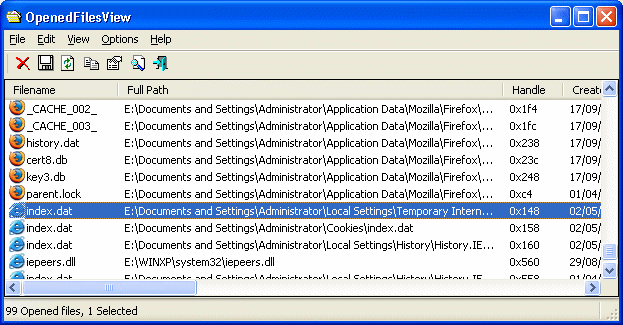
OpenedFilesView displays the list of all opened files on your system. It also shows a detailed additional information on handle value, read/write/delete access, file position, the process that opened the file, and a lot more on thos opened/locked files.

This utility is especially useful if you try to delete/move/open a file and you get one of the following error messages:

  • Cannot delete [filename]: There has been a sharing violation. The source or destination file may be in use.
  • Cannot delete [filename]: It is being used by another person or program. Close any programs that might be using the file and try again.
  • When you feel that a file is maliciously being used by a malware/spyware etc.

OpenedFilesView also lets you close those opened/locked files (except those opened by Windows kernel).

openedfilesview

You need to have Admin privileges in-order to run the tool. It mostly works on all newer versions of Windows (except Windows 95/Me/NT). OpenFilesView is a standalone executable, doesn’t need any supporting DLLs (that’s cool).

Well, How does it work?

As the Author puts it;

“OpenedFilesView uses the NtQuerySystemInformation API to enumerate all handles in the system. After filtering non-file handles, it uses a temporary device driver - NirSoftOpenedFilesDriver.sys for reading the information about each handle from the kernel memory. This device driver is automatically unloaded from the system when you exit from OpenedFilesView utility”

RSS Feed

Create your own fantasy 3D world using Vue 7 Pioneer for Free!

We had earlier featured 3D modeling software tools like Blender and K-3d. Here we have an amazing freeware 3D software that lets you create surrealistic fantasy world with ease.

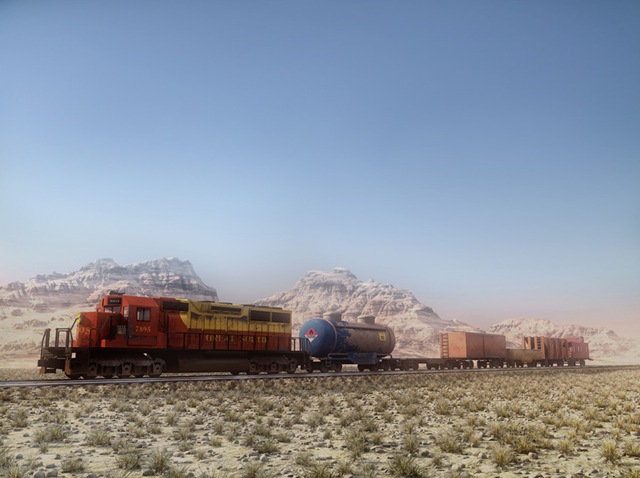
Create vast expanses of terrains, add trees, select the best point of view and render hyper-realistic images of your landscapes in moody atmospheres… in a few mouse clicks. Here is Vue 7 Pioneer which is absolutely free (not open-source) and a great way to learn 3D. It’s so easy to use that you’ll be composing amazing 3D landscapes in no time.

Vue 7 Pioneer includes free access to the Cornucopia3D community: get help, exchange tips and suggestions with other users, find inspiration by looking at their art, or show your own creations to the world!

Why should you care?

  • Easy to learn, easy to use!
  • Breathtaking 3D landscapes!
  • Photo-realistic results!
  • Wide selection of presets!
  • Unrivaled natural 3D power!
  • Renders at Full HD resolution!
  • Direct access to Cornucopia3D content!
  • Welcoming, hyper-active community!
  • It’s completely FREE!

Here are some of the fantasy worlds for you to ponder on!

main_long_2_big

Image by Eisbärchen
Winner of the Vue 3D Environment Competition 2006

Terrain_Long

Image by Vincent Ferrand

Small_Island_017_000044

Image by Philippe Bouyer

14480

Image by Jonj1611

21477

Image by Artur Rosa

Blockade-of-the-Hudson-eon

Image by Kenwas

FINALwszystko-zlaczone-LR

Image by Robert Czarny

Gathering-the-Strays-eon

Image by Kenwas

1217588251

Image by Artur Rosa

RSS Feed

Send and Receive large files over Internet easily!

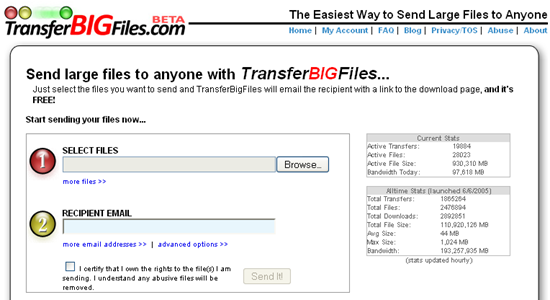
TransferBigFiles is probably the easiest way to share a bunch of files with friends, family or everybody in the world. There’s no registration required to use the website. You can just go to the home page and start uploading some files. But to make the process even easier, they have created a Windows System Tray tool that allows users to drag-and-drop files to the site. Files can be as large as 1GB and will be on their storage space for upto 5 days. Within that time, your recipient should download the file or else may not get it!

 51MKK9GMX6L._SL500_AA280_

TransferBigFiles uses a combination of in-house servers and Amazon’s S3 service for storage services to store your files. By leveraging Amazon’s S3, TransferBigFiles has virtually an endless amount of storage space.

image

As of now, TransferBigFiles is free and funded by Axosoft LLC and in future TransferBigFiles is hoping to get revenue from advertisements and sponsorships. We really hope that it remains free.

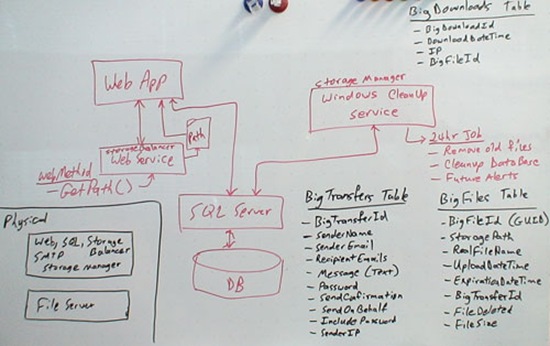
There is an interesting story on how TransferBigFiles was designed. Here is a Whiteboard design of TransferBigFiles;

whiteboarddesign

There are some good alternatives to TransferBigFiles and some of them are listed here:

FileMail

image

FileMail lets you transfer upto 2GB file for free without any registration! However, for commercial purposes, you need buy a suitable plan.

Verzend

image

Verzend.be is a free filehost, a place for you to upload your files (big or small) so you can link to them from your website, facebook, myspace.. or simply send the download link by email. Recipients are sent an email with instructions on how to download the file. Files are removed from the system after 30 days non activity, regardless if they have been downloaded or not.

FileApartment

image

FileApartment lets send files up to 1GB in size. No registration is needed.


Do let us know if you have anything better?

RSS Feed

Related Posts with Thumbnails