Archive for August 5, 2009

Ekiga – An Open Source alternative to Microsoft NetMeeting

Earlier, we covered most prominent free Web conferencing applications and Remote control tools for achieving virtual presence in enterprises.

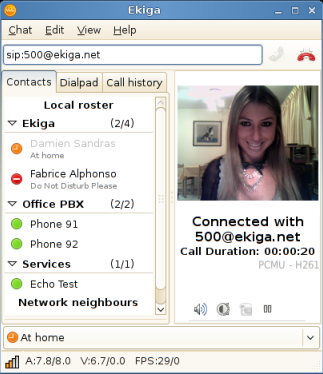
Here is another one, Ekiga (formely known as GnomeMeeting) is a free and open source VoIP and video conferencing application (software phone) for GNOME. Ekiga uses both the H.323 and SIP protocols. It supports many audio and video codecs, and is interoperable with other SIP compliant software and also with Microsoft NetMeeting. Ekiga in-fact is an open source alternative to Microsoft NetMeeting as there is a windows port available here.

image

Ekiga really supports plenty lot of features and here is a partial list;

SIP Features:

  1. Advanced call control features like Call Hold, Call Transfer, Call Forwarding on no answer etc
  2. SIP re-INVITE support
  3. SIP/SIMPLE Presence support
  4. Line Monitoring
  5. Extended presence publishing
  6. Full SIP capabilities exchange for codecs
  7. SIP INFO DTMF support
  8. Ability to simultaneously handle several network interfaces
  9. and plenty more…

H.323 Features:

  1. H.323v4 Compliant
  2. H.245 Tunneling and Fast Start
  3. Gatekeeper (RAS) Support
  4. H.235 Annex D. Support
  5. Gateway/Proxy Support
  6. H.450.1 Call Hold
  7. H.450.2 Call Transfer
  8. H.450.3 Call Forwarding on No Answer, on Busy, Always
  9. Configurable Port Ranges
  10. RFC2833, Q.931, and Inband DTMF support
  11. and more…

General Features:

  1. Integration with Novell Evolution
  2. LDAP Support
  3. Advanced Address Book
  4. Calls History
  5. Dialpad
  6. Rendez-Vous support
  7. In call Instant-Apply of Settings
  8. GConf and external Configuration
  9. Possibility for administrators to block some settings
  10. OSS and ALSA compatible soundcards support
  11. Video4Linux, Video4Linux 2 and Firewire Cameras support
  12. Devices Auto-Detection
  13. Configurable sound events
  14. Configuration Assistant
  15. Manual
  16. HIG compliant GUI
  17. KDE and GNOME compatibility
  18. and more…


T_Ekiga_in_a_Call

RSS Feed

7 Free Tools For Remote Desktop Control

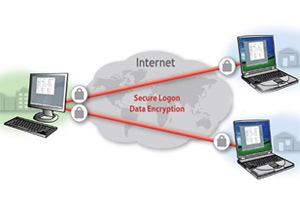
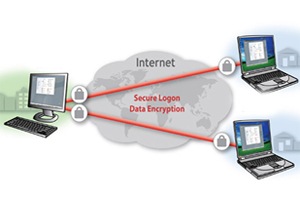
In our earlier post we had featured 8 Free Web Conferencing Tools. Here in this post we will be reviewing 7 Remote Desktop Controlling Software that lets you share and remotely control a Desktop.
Remote_Desktop_Control1

Original Image : http://www.realvnc.com

How can you use it?

Application of Remote Desktop software are wide including system administration, IT support and helpdesks. For the individual user one can use the software to help troubleshoot the computer of a distant less-technically-savvy relative. It an be used in education context also to allow a distributed group of students simultaneously to view a computer screen being manipulated by an instructor, or to allow the instructor to take control of the students’ computers to provide assistance.

Though there are many software that allows Remote Desktop Access, here are the most popular free ones:

1. LogMeIn FREE

LogMeIn

LogMeIn Free enables you for fast, easy remote access to your PC from any computer with an Internet connection. The free version has all the security features of the Pro version but it does not have features like file transfer, sharing, remote to local printing, file sync etc that are available in LogMeIn Pro version.

Download LogMeIn Free here

2. TeamViewer Free for non-commercial

Team_viewer

TeamViewer is the fast, simple and friendly solution for remote access over the Internet. You can instantly take control over a computer anywhere on the Internet, even through firewalls. It has some cool features like sharing files, chat, switching the direction during a teamwork session and browser based access.

Download the free copy here and try it out yourself.

3. UltraVNC
UltraVNC

UltraVNC is a powerful, easy to use and a free open source software by UltraVNC that supports Virtual Network Computing. Its key features include File transfer, Video driver, Optional Encryption Plugins, Text chat, Viewer Toolbar and Java Viewer with File Transfer. It has some cool add-ons like Repeater , SingleClick generator and NATtoNAT connectors , that help you to easily handle the most complex connection situations. It supports Windows operating systems (95, 98, Me, NT4, 2000, XP, 2003…) but with its embedded Java Viewer you can connect from a simple Web Browser on any Operating system supporting Java like Linux and Mac OS to an UltraVNC Server.

4. VNC Free Edition

RealVNC

Its an open source free software by RealVNC under the GNU General Public License. The free edition is a scaled down version of the Professional Edition and Enterprise Edition of RealVNC. It supports Windows NT 4, 2000, XP, Server 2003 and UNIX (Linux, Solaris, HP-UX, AIX). Windows Vista and Server 2008 are not supported in the free edition. The free software lacks other features like printing, file transfer etc but is good enough for limited use.

You can download the latest version here and try.

5. TightVNC

TightVNC

TightVNC is a free remote control software under the GPL license with full source code available. With TightVNC, you can see the desktop of a remote machine and control it with your local mouse and keyboard, just like other VNC software. Currently it is available for Windows and Unix, compatible with other VNC software.

You can download the executable and source code here. If you like the software please consider making a donation.

6. CrossLoop

CrossLoop

CrossLoop is a free, secure screen-sharing utility designed for people of all technical skill levels. CrossLoop extends the boundaries of traditional screen sharing by enabling non-technical users to get connected from anywhere on the Internet in seconds without changing any firewall or router settings. It also has an added advantage: If you have a problem and lack a tech-savvy friends who can help, the company that makes the software maintains a directory of thousands of geeks who can help you, usually for a fee. It supports both Windows and Mac.

Download it here for free.

7. NTRconnect Free

NTRconnet

NTRconnect offers you basic access to your PC or Mac from any computer. The free version supports up to 2 computers and provides secure access on multi platform ( Windows, Mac and Linux ). However it does not support key features like file sharing, remote to local printing, keyboard, mouse and screen blocking that are supported on NTRconnect Pro version.

Download the free version here.

rssfeed3

Rigs of Rods – An Open Source 3D Truck, Car, Airplane and Boat Simulator Game

Do you like driving? Then you must try your hands on this games. If you don’t like driving, never mind. Try Rigs of Rods and you will start liking it.

rigsofrods-thumb1

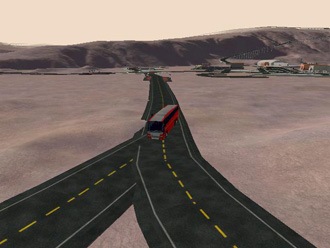
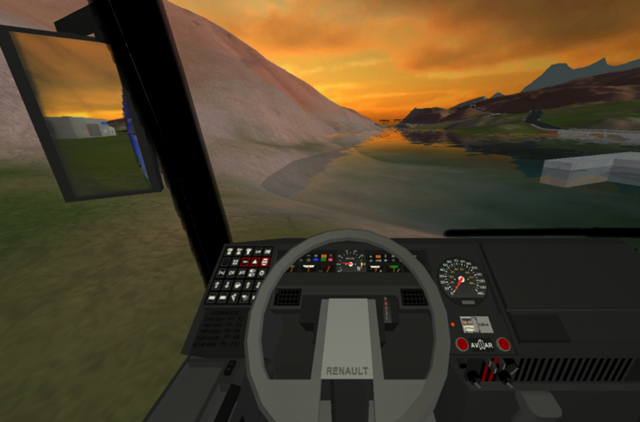
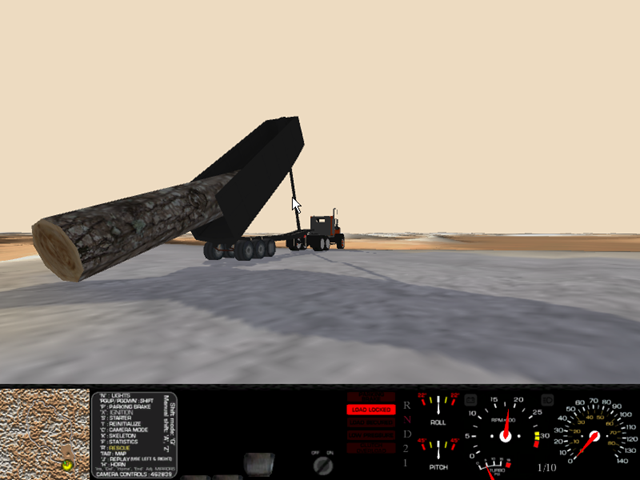
Rigs of Rods (also known as RoR), is an free open source truck, car, airplane and boat simulator game. You can drive, fly or crawl in total freedom in an open environment. What makes RoR different to most simulators is its unique soft-body physics: vehicles chassis and wheels are simulated in real-time as flexible objects, giving the simulation an extremely accurate behavior, while allowing the vehicles to be simply specified by their structural composition, as a network of interconnected nodes (forming the chassis and the wheels). In addition to its unique soft-body physics, RoR also features an advanced flight model based on blade element theory, allowing the accurate simulation of any airplane, base on their physical dimensions and wing airfoils. Crashing into walls or terrain can permanently deform a vehicle in a realistic manner.. It also features an accurate buoyancy model based on elemental pressure gradients, enabling boats with complex hulls to move realistically in the swell.

Here are some of the screenshots.

Rings_of_rods5

Light Vehicle.

Rings_of_rods1

Heavy Machinery.

Rings_of_rods2

Air vehicles.

Rings_of_rods3

Rings_of_rods4

Load Lifters

Here is a video.

Its source code is licensed under GPLv3 and you can download it here. The software is compatible on Windows and its source code is OS portable

Check other 12 Free Open Source Games That You Do Not Want To Miss.

Also check 10 More Free Open Source Games that you would not want to miss.

rssfeed3

Five Free Alternatives For Adobe Reader

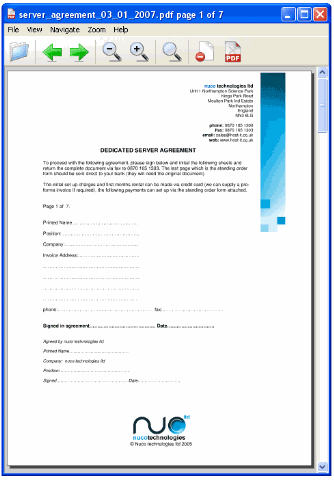
We all know that Adobe Reader has been a standard reader for reading PDF document. But there are a few PDF readers other than Adobe reader that does the job very well. The difficulty we exprience in the Adobe PDF reader is the time it takes to load and render the pages. Some of the readers that we have reviewed below loads quickly and also provide very nice features that are not supported by Adobe itself.

Reader1

Image Source : http://www.petflight.com

Lets take a look at five free alternatives to Adobe PDF reader and briefly summarize the features.

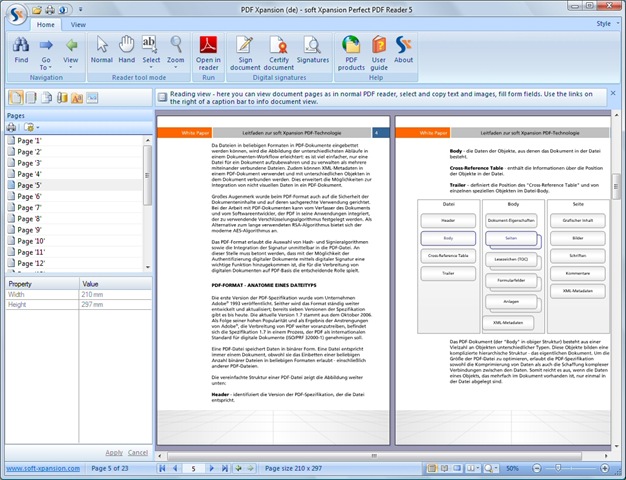
1. Perfect PDF Reader 5

Perfect PDF Reader, Soft Xpansion is a good alternative for Adobe Reader, it has also some additional functions. The main value added feature is that you can export pages from PDF file as the images (BMP, GIF, JPEG, PNG, Metafile) with different resolution.

Here is the list of features:

  • open, read, display any PDF file
  • print PDF documents
  • export PDF as plain text
  • export PDF by the page as images (not available in Adobe Reader!)
  • great number of navigation and display modes, zoom
  • rotate pages
  • send PDF file via email
  • extract text and images
  • clipboard
  • search function with appropriate options
  • fill, save and send PDF forms (not available in Adobe Reader!)
  • digital signatures

Perfect_PDF

You can download Perfect PDF Reader 5 from here.

2. Sumatra PDF

Sumatra PDF is a slim, free, open-source PDF viewer. It is not known for its number of features or abilities but for its speed. PDF pages are loaded instantly and it provides a huge number of keyboard shortcuts. Sumatra PDF is good for portable drives.

sumatra-PDF

You an download Sumatra PDF here and it is distributed under GPLv3 license.

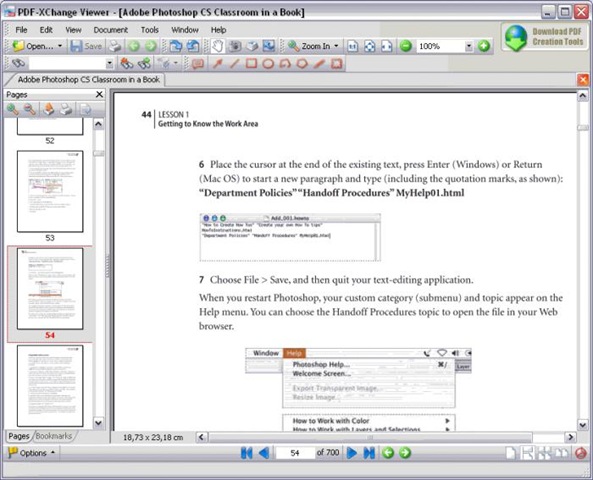
3. PDF-XChange Viewer

PDF-XChange Viewer by Softonic is another powerful PDF reader that is smaller, faster and more feature-rich than other available readers. It is very quick when it opens large PDF files and smoothly refreshes the pages as you scroll.

Here are some of the key features available in the PDF-XChange Viewer:

  • Add comments and annotations to any PDF file
  • Markup pages with text and objects
  • Type directly on any PDF page
  • Export PDF pages or entire files to BMP, JPEG, TIFF, PNG and more
  • Extract text from a PDF page or file
  • Make your navigation of large PDF files both simple and enjoyable with the Loupe and Pan tools

pdf-xchange

You can download here and try it for free.

4. Haihaisoft PDF Reader

Haihaisoft PDF Reader by is a very small size, free PDF document Reader and Printer. The size is only 1.7 MB and it launches extremely fast with rich feature set. Here are the key features:

  • Reads all Adobe PDF documents
  • Small Sized : The download size of Haihaisoft Reader is only 1.8 MB which is a fraction of Adobe Reader
  • Launches very quickly
  • High security and privacy: Haihaisoft PDF Reader doesn’t connect to the Internet in the background for updating
  • Read protected document: It supports protected PDF document by DRM-X platform. With DRM-X platform everyone can easily set different rights permissions and securely share your document.

Haihaisoft_PDF_Reader

You can download here and try.

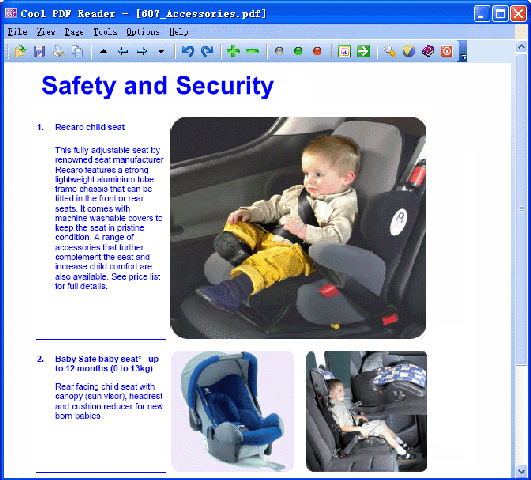
5. Cool PDF Reader

Cool PDF Reader is the world’s smallest PDF viewer/reader to view, print, and convert PDF files to TXT, BMP, JPG, GIF, PNG, WMF, EMF, EPS. It is only 655 kB to download and doesn’t need lengthy installation, just download, unzip, and run.
Key features include:
- View and Print PDF
- Convert PDF to BMP, JPG, GIF, PNG, WMF, EMF, EPS
- Extract PDF to TXT
- Support PDF files of all versions
- Work with 68+ different languages
- Zoom in and zoom out
- Rotate page displays
- Slide show PDF document with full screen.

Cool_PDF_Reader

You can download it here and install in just few seconds.

rssfeed3

Related Posts with Thumbnails