Archive for September 10, 2009

Stellar Phoenix Macintosh Data Recovery - A Complete Mac Data Recovery Software

You would have heard the saying “What’s done cannot be undone”. Well, Stellar Phoenix  proves it wrong by presenting a most powerful data recovery software for Mac for not just deleted data but also corrupted and formatted data. Stellar Phoenix Macintosh Data Recovery software is one of the most powerful and comprehensive Mac data recovery solution to recover data from lost Macintosh hard drives, USB Flash drives, Memory cards and Apple iPods.

Mac_data_thumb

It is compatible with popular file systems like HFS, HFS+, HFSX, HFS Wrapper and FAT and recovers data in a non-destructive manner without modifying the formally saved data on your hard drive. Its quick, accurate and safe! It supports Mac OS X 10.3.9 and above operating systems such as Mac OS X 10.5 Leopard, 10.4 Tiger. The software is powerful enough to recover data after the following events:

  • Hard drive corruption
  • Accidental deletion
  • Volume header or master directory block corruption
  • Catalog file corruption
  • Hard drive unmountable
  • Media files loss from iPod
  • Disk initialization

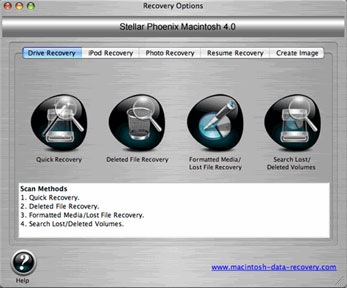
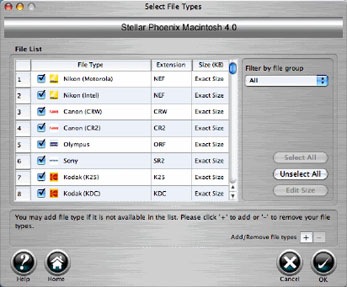
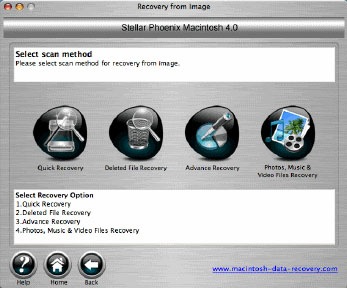
The software provides rich graphical support with self-explanatory user interface. Here are some of the screen shots.

Mac_data_rec1_1

Mac_data_rec1_2

Mac_data_rec1_3

Stellar Phoenix Macintosh Data recovery has a free trial version that scans and generates the list of recoverable files & folders which you can view. If you want to recover then you can purchase the software online.

If you are not satisfied with its performance, it offers a 30 days money back guarantee.

Please visit the Stellar Phoenix Macintosh Website for more.

rssfeed3

7 Easy To Install And Play - Free Adobe AIR Games

We had earlier featured some interesting Adobe AIR applications for Flickr fans. In this post we look at some simple, easy to install games that are similar to the simple DOS based games that we would have played in the past. They are Adobe AIR version, easy to install and quick to play. These games are are not as intricate as the games we had featured earlier.

AIR_games_thumb

Image Source: http://www.librarysample.com

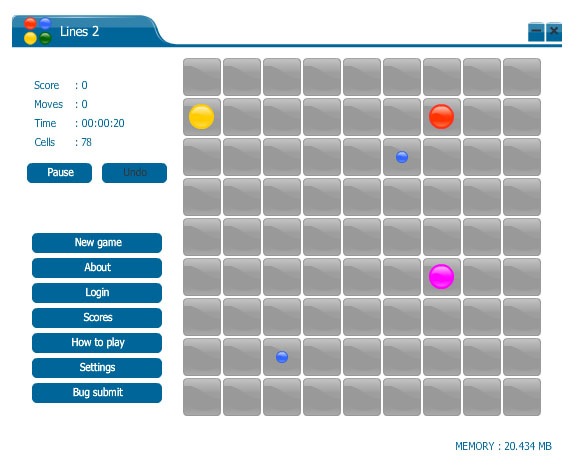
1. Lines 2 Puzzle Game

One of the most addictive games that you will easily get hooked on to. The game’s objective is to make as many lines a possible, by lining a minimum number of elements horizontally, vertically or diagonally (or combined). The minimum number of elements can be set in the game’s settings board and it varies between five and seven (seven is recommended for larger board sizes). The elements are colored in seven different colors, chosen as different as possible.

Lines2

You can install the software from here. Its free.

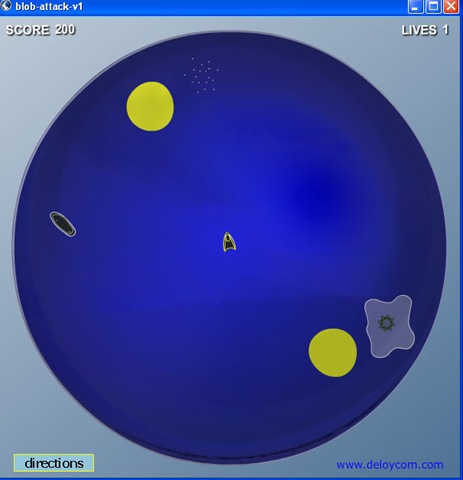
2. Blob Attack Game

You have a small black and yellow ship that fires missiles and shoot the yellow blob, black torpedos, mutant ameba that fires little guided green starfish missile. You can use the arrow keys to move the ship. This game is in beta currently.

blob_attack

Download this from here. Its free.

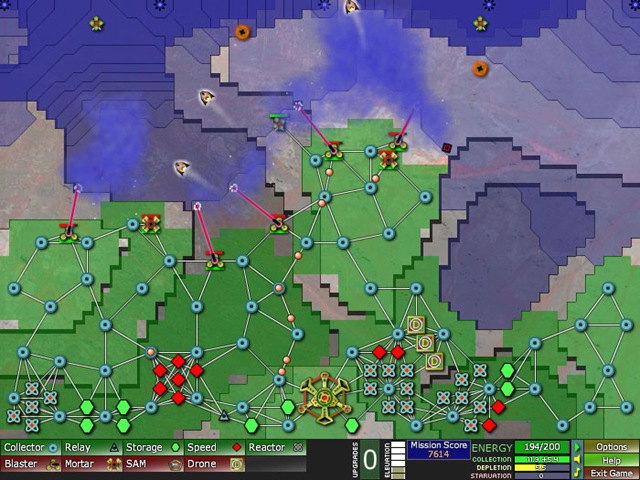
3. Creeper World

Creeper World is a unique and fresh look at Defense, RTS, and Management based games. What is different from this game from the other Tower Defense games, RTS games is that it has a new kind of enemy.

creeper_world

It has a free demo to try and buy a full version.

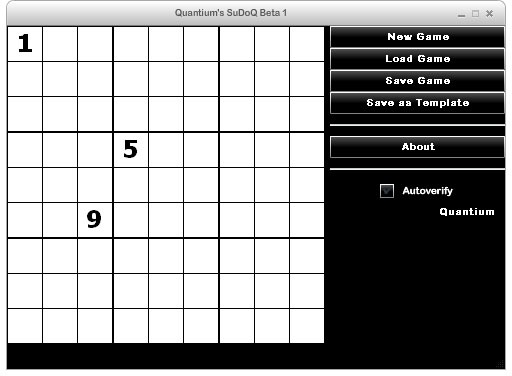
4. SuDoQ

If you like playing SUDOKU, this is a must try application. You can play SudoQ games, save templates and share templates with friends.

SudoQ

Download the software here. Its free.

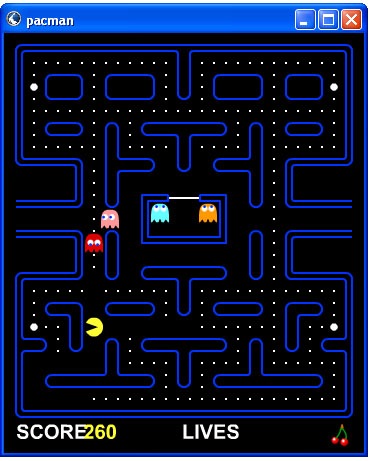
5. PacMan

This is the Adobe AIR version of the original PacMan game that you would have played on DOS.

PacMan

Download it here. Its free and quick to play.

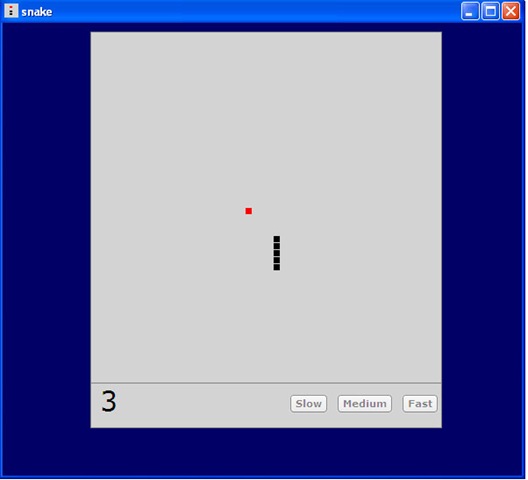
6. Classic Snake Game

This is a simple game of Snake that you would have played before. It lets you to select a speed then use your arrow keys to attempt and eat the apple(red block). But watch out for the walls! At any time you can pause the game by pressing the space bar.

Classic_Snake

Its free and download it here.

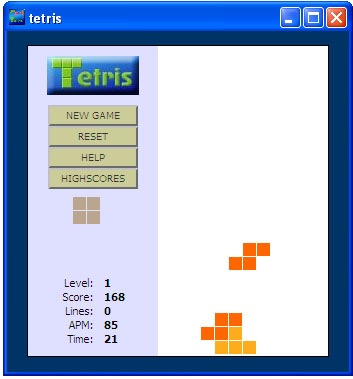
7. JavaScript Tetris

This is the classic falling blocks game written in JavaScript.

FallingBlock

Its free. Download here and play.

Well, try these games and let us know if you like them.

rssfeed3

Open Source Gods That Showed The World The Power Of Community Development

We had earlier featured many open source software, but here is a list that is the God of all the open source software, the software that is matured, well-established, popularized open source development and the use of free open source products. These projects are serving as a foundation to many software development projects, business networks and the public Internet for years and showed the world the power of community development.

Community1

1. Linux Kernel

Though Linux was not the first open source software project, it was the one that proved the world how powerful community development on an Internet scale could be. Linux is a clone of the operating system Unix, written from scratch by Linus Torvalds with assistance from a loosely-knit team of hackers across the Net. It is a product of thousands of project contributors all over the world. The stable, reliable, and malleable Linux kernel is the foundation of an enormous variety of operating system distributions.

2. GNU Utilities and Compilers

Windows VPS starting at $17

Every developer on Linux would have definitely come across the mighty collection of GNU utilities. The GNU Project is a flag ship of the free software movement. The GNU tools and utilities when combined with the Linux kernel, provides a complete operating system. Linux kernel, the GNU utilities and the GNU Compiler Collection make up the holy trinity of the Linux world.

3. Ubuntu

The edge Windows had on Linux initially was the easy of use. However, Ubuntu over took with its principle of ease-of-use, making it the Linux distribution of choice for novice users and for sellers of PCs with Linux pre-installed. Derived from Debian GNU/Linux, it is a community developed, Linux-based operating system that is perfect for laptops, desktops and servers. It contains all the applications you need - a web browser, presentation, document and spreadsheet software, instant messaging and much more.

4. FreeBSD, NetBSD and OpenBSD

FreeBSD is famous for superior reliability and performance. NetBSD is famous for supporting a wide range of hardware platforms, including embedded systems and mobile devices. OpenBSD is advertised as possibly the most secure Unix-like operating system, with a security audit that never stops.

5. Samba

There is Linux/Unix and there are Windows. In-between there is the Sama. Samba bridges the gaps between Linux/Unix and Windows. It allows Linux and Unix servers to provide file and print services to Windows clients, and it allows Linux and Unix clients to work with Windows file servers.

6. MySQL

There is a huge active MySQL user community attest that has adopted MsSQL because of its easy of administration, excellent read performance, and transparent support for large text and binary objects. It had become the number one choice for many Web sites.

7. BIND

BIND (Berkeley Internet Name Domain) is the most popular DNS (Domain Name System) server since the dawn of the Internet. BIND is by far the most widely used DNS software on the Internet. It provides a robust and stable platform on top of which organizations can build distributed computing systems with the knowledge that those systems are fully compliant with published DNS standards.

8. Sendmail

Sendmail was born before the Internet was standardized. It served as the backbone of the Internet mail system throughout the 1980s and 1990s. It has lost ground to Postfix, Qmail, Exim, and Microsoft Exchange in recent years, but still it is among the most popular mail transfer agents.

9. OpenSSH and OpenSSL

Secure internet communication would not have been easy with tools such as rlogin and telnet, which send usernames and passwords in clear text. OpenSSH encrypts shell communications to remote computers, addressing the deficiency in tools such as rlogin and telnet. OpenSSL is a software library that allows developers to incorporate SSL or TLS into their Internet applications.

10. Apache

Half of the world’s Web sites run on Apache that puts the “A” in the LAMP. It its still fast, flexible and secure with broader operating system and web programming language support and many of modules available to extend the functionality. The application is available for a wide variety of operating systems, including Unix, GNU, FreeBSD, Linux, Solaris, Novell NetWare, Mac OS X, Microsoft Windows, OS/2, TPF, and eComStation

These are the best of open source software in the InfoWorld Bossies Hall Of Fame.

rssfeed3

OrangeHRM – Best Free HRM (Human Resource Management) Software

For any company, Human Resource is the most valuable and important asset. Companies success or failure mainly depend on the Human Resource, everyone knows that. Many ERP Software Tools have a sub module on HR Management. But, OrangeHRM stands tall because of its totally flexible, Free and Open Source software solution for managing Human Resource for Small and Medium companies. OrangeHRM is simple but comprehensive and best of all, it is available absolutely Free of Cost. However, you will not get any support from OrangeHRM team if you got it for free. They do offer Customer Support, Online Hosting Service if you didn’t want to maintain it in-house, Updates and more for a very reasonable price.image

OrangeHRM helps by providing modules for personnel information management, employee self service, leave, time & attendance‚ benefits and recruitment companies are able to manage the crucial organization asset – people.

What are the major features of OrangeHRM?

OrangeHRM has various modules for solving HR management in a better way.

  1. Admin Module - The part of the system where the HR Manager or other appointed personnel perform all system administration tasks. This include defining company structure‚ pay grades and other information that serves as the backbone for the rest of the system. Security issues are taken care of through this module as well by defining user rights etc.
  2. Personal Information Module - This core module maintains all relevant employee related information‚ including different types of personal information‚ detailed qualifications and work experience‚ job related information etc. Picture of employee is included as well. Information captured in this module is utilized by all other modules‚ thus eliminating data redundancy.
  3. Employee Self Service - Employee self service is a powerful tool providing employees of the company with the ability to view relevant information such as personal information‚ updating personal information with web - enabled PC without having to hassle the HR staff. The functionality of this module spans through the entire system‚ making information available anywhere‚ anytime. Of course all information is subject to company defined security policy‚ where everyone can only view the information he / she is authorized to. Time and cost saving effects from this solution are tremendous.
  4. Report Module - This feature produces customized reports according to your needs. Any number of reports can be defined by selecting from a range of search criteria and report fields. Report definitions can be saved to avoid repeating this task. Once the report definition is saved‚ the report can be generated by providing the required criteria data.
  5. Leave Module - A comprehensive leave management module‚ with extensive possibilities of defining leave types and more. It caters for all application and approval processes and is able to display information on leave entitlement‚ balance‚ history etc. Thanks to the web-enabled and self-service concepts‚ it significantly streamlines all leave related procedures‚ eliminates paperwork and saves costs.
  6. Time and Attendance Module - The module automates time tracking related processes. The offered functionality enhances the organization’s performance by eliminating paperwork and manual processes associated with time and attendance needs. The sophisticated module helps to efficiently organize labor data‚ improve the workforce management and minimize errors in enforcement of company’s attendance policies.
  7. Benefit Module - Integrated platform to manage benefit-related tasks. Covers medical and welfare benefits‚ with possibilities to define new benefits‚ by type‚ provider and several other areas. Assigning benefits to employees happens in a variety of ways‚ individually‚ designation-wise or other. Benefits history and other information can be displayed through rich reporting capabilities.
  8. Recruitment Module - Comprehensive solution for the entire recruitment process‚ including requests for staff‚ approval of vacancies‚ entering requirements‚ capturing candidates information‚ short-listing‚ interview notes and other features. The module also allows HR professionals to generate templates and documentation to streamline the whole recruitment process.

How do you install OrangeHRM?

Installing OranegHRM is very simple. You can install it in LAMP (Linux, Apache, MySQL, PHP). You can even use XAMPP (Windows, Linux, Solaris, Mac OS etc) that has the Apache web server, MySQL, PHP, Perl, a FTP server and phpMyAdmin. This is needed because OranegHRM is developed using PHP and it needs MySQL to store database.

However, it should be noted that OranegHRM installation is simple and if you are concerned about setting up the right environment, dont worry, OrangeHRM comes with a One Click installer (around 70MB) and it will make your life a lot simpler :).

A note on Commercial OrangeHRM

  • For a nominal fee, you can get expert help from trained OrangeHRM support staff on Installation, Maintenance as well as Customization as per your requirements. That is really helpful for larger companies.
  • If you want S-a-a-S (Software as a service) or no installation/maintenance way, then you can try their Hosted On Demand HRIS which will be a Web 2.0 style Application.

Verdict

A very stable, cross platform HR management software and a must for HR department! Lots of customizations are possible. Very detailed reports and a lot more other features that will make HR management a breeze!

Download OrangeHRM

Download OranegHRM here. Download page contains a very detailed Video Tutorial on how to Install OrangeHRM. OrangeHRM-Appliance for Windows (Includes Apache, MySQL, PHP,OrangeHRM) one click installation is also available on the Download page.


RSS Feed

Geek’s Laptop – Dual Screen Laptops for Multitasking!

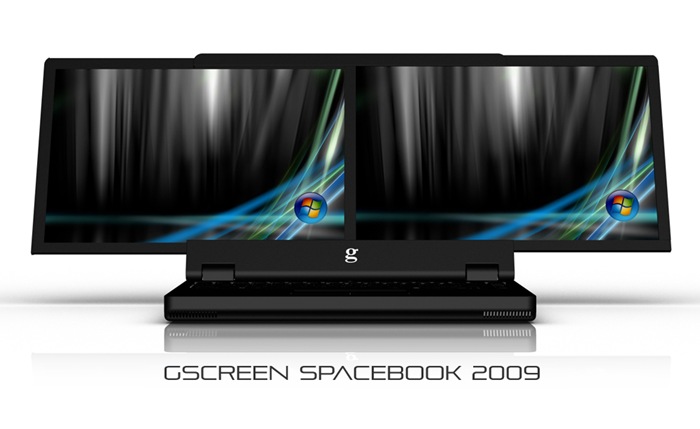
Well, we have seen Multi Screen monitor computers and they are sort of cool! When ever we see such systems we just say Wow! But how about a Dual Screen Laptop!! Isn’t that cool? We would love that! We can have Windows Live Writer on one screen and on other we can just go on searching for better tools for you to play with :) hmm.. Hopefully, we get it someday! image

gScreen, Anchorage, Alaska based company is releasing this Spacebook (What a name! rightly said) and this will be released in few countries initially! This is a must have for every Geek around the world :)

GSCREEN-G400-Spacebook-dual-screen-laptop-blackVista

Specification:

  • 2 LED backlit display screens
  • Windows VISTA/ WIN XP PRO (optional)
  • Intel Core 2 Duo P8400 2.26-GHz
  • 4 GB of RAM (2GB DDR2 SO-DIMM x 2)
  • 320GB 7200-rpm HD
  • NVIDIA® GeForce® 9800M GT with 512MB dedicated memory (or) NVIDIA® Quadro FX 1700M Graphics with 512MB dedicated memory
  • 9-cell battery
  • IEEE 1394 1 Graphics Card Output (15-pin, D-Sub) X 1, HDMI X 1
  • Mic-in X 1, Line-in x 1, Headphone X 1 PCI Express Card X 1 AC Power Adaptor Output: 19V DC, 90W Input: 100~240V AC, 50/60Hz universal Battery Pack Li-ion 9 cells

Via http://www.gscreencorp.com/ (Picture) and Source: Gizmodo

RSS Feed

Related Posts with Thumbnails