Archive for Alternatives

Five Free Resources To Identify Songs Easily

Most of the time we tune into the radio and listen only to part of the song not knowing who it is by. We keep humming the song and wish we could listen to it again without knowing who sung it. We wish we had a service that can identify the song that is locked in your head.

Recommended Reading:

To help you out of such musical dilemma we have identified a list of handy resources that will identify the song for you for free.

1. LyricRat

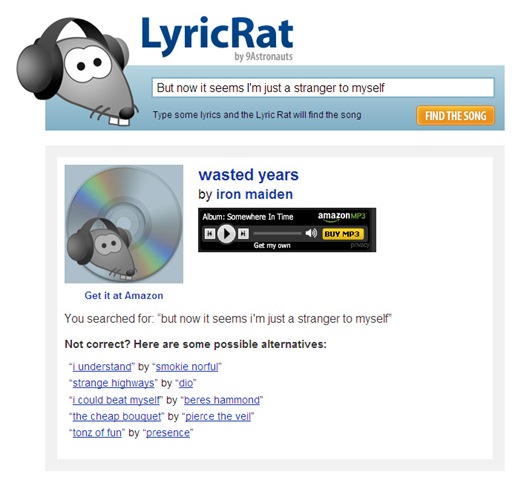
Lyric Rat is naming that tune in 140 characters or less. When tried to search for “But now it seems I’m just a stranger to myself” it took 3 seconds and came up with the result “Wasted Years by Iron Maiden”.It also lists some alternatives. You can make sure by listening to a shot clip of the song online to confirm its the same tune you were looking for. To buy the album, just click on the title or artist that would take you to amazon where you can directly buy.

Lyrics

More info here.

2. Tunatic

Tunatic is free downloadable software for PCs and Macs. Its not a web-based service like the other ones but it does need an Internet connection to access the database to find the track. When you let Tunatic hear the song, you will get the artist’s name and the song’s title within seconds. Tunatic is the very first song search engine based on sound for your computer. All you need is a microphone and Internet access.

button-tunatic-active

More info here.

3. Midomi

Midomi offers the ultimate music search by offering a service that is just perfect for those tune-stuck-in-your-head moments. You can sing into the microphone and even hum. It efficiently manages to isolate the tracks you  were attempting to sing. Its a perfect service where you do not know the exact lyrics by can hum the song.

Midomi

More info here.

4. Musipedia

Musipedia uses the "Melodyhound" melody search engine. You can find and identify a tune even if the melody is all you know. You can play it on a piano keyboard, whistle it to the computer, simply tap the rhythm on the computer keyboard or use the Parsons code.

musicpedia

More info here.

5. Name My Tune

Name My Tune is another neat service that lets you sing or hum a tune into the microphone and you will get an email when the song gets identified. who identifies the songs? well the songs are identified by the visitors.

name-my-tune

More info here.

10 Best Parental Control Software That Lets You Have peace Of Mind

How many parents can relax with peace of mind when your child is browsing the internet? Not many unless you have a Parental Control Software installed. In today’s world its very easy for a child browsing the internet bump into inappropriate content on the web. With Parent Control software, you have the peace of mind of knowing that you are protecting your children and family by filtering internet from those inappropriate contents. The parent control software also known as Content-control software,or censorware or web filtering software are designed and optimized for controlling what content is permitted to a reader.

parental-control-software

Image Source: www.my-security-software.com

Recommended Reading:

Here in this post we have 10 Parental Control software using which you can be assured that your child is protected while on the internet. Some of these software are free while other have free trial and can be purchased. They have many useful features that lets you configure what sites are accessible to the user, manage the time, block contents etc.

 Free

1. Parental Control Bar

The Parental Control Bar is a free public service that helps concerned parents prevent their children from accessing adult-oriented web sites. Its free and has a simple three-step installation process to start controlling your family’s online activity. When your child attempts to access a website the toolbar first checks if the site is self-labeled, compares this site label to your parental settings and determines whether to block or allow access. If the site is not self-labeled, then the toolbar scans the extensive list of 3rd-party labels before deciding whether to block or allow.

More info here.

2. K9 Web Protection

K9 Web Protection is a free Internet filtering and control solution for the home. With K9, you get the same advanced Web filtering technology used by enterprise and government institutions worldwide — all with a user-friendly interface that allows you to control Internet use in your home. It enables you to block entire categories of content, such as pornography or gambling, or block specific Web sites, such as Facebook.

More info here.

3. Big Mother

Big Mother provides multifaceted, password-protected interface using which parents can easily block Internet access or other online features that may be tempting to little ones, such as uploading and downloading files, surly URLs, e-mails, games, and chats. Or, parents can grant limited access by developing scheduled access times. Big Mother even allows you to limit the amount of uploaded and downloaded data by file sizes.

More info here.

Free Trial and Buy

4. Browser Lock

Browser Lock designed by professional developer is designed to protect your children from online predators by blocking Internet access with Browser Lock. Browser Lock runs quietly in the background and prevents access to the Internet, via a browser, while you’re away. To enable access to the Internet you just need to put in your password. You have a free trial version and purchase it for a nominal fee.

More info here.

5. Anti-Porn

Anti-Porn software helps users keep their computer away from sexually questionable material online. With its strong blocking mechanism and additional protective options parents can protect their children from accessing objectionable online materials. Anti-Porn’s interface will instantly be understood by users as the controls are simple, mostly consisting of sliders and clickable buttons

More info here.

6. Parental Control Internet Filter

Parental Control Internet Filter is a free Parental Control Filter software program that helps parents to monitor and control the child’s use of the Internet. With the free Parental Control Filter you can filter-out websites, blogs, e-mails and instant messages if they contain inappropriate words. It lets you specify days and hours when Internet is allowed and limit the  amount of data that can be sent or received via Internet. You can also set the lists of allowed and blocked Internet programs and get ‘in time’ e-mails notification and see detailed reports about visited web sites and used programs.

More info here.

7. PC Tattletale

PC Tattletale offers a complete Internet Monitoring and Parental Control Software solution, that’s unmatched in the industry. It is the premier Internet monitoring & parental surveillance software to Keep your children safe online. This is a life saver program for parents who want to monitor their children’s activities.

More info here.

8. WebBounds

WebBounds gives adults peace of mind when kids play on the Internet. WibBounds allows your children to enjoy the educational and entertainment benefits of the Internet while ensuring that they are safe from other dangers. You can create an Allowed Sites list with all of your children’s favorite websites. When WebBounds is enabled, the user on the web can only access these sites.

More info here.

9. KidsWatch

KidsWatch parental control software is one of the fastest and easiest solution to safeguard your children’s’ Internet experience and maximize the
efficiency of the time they spend on the computer.
KidsWatch is much more than the best-rated time management solution. It is loaded and preloaded with many optional benefits and features that improve the security and the quality of the Internet your children see. Installing KidsWatch on your computer is customizing the Internet, by child, the way you want your kids to experience it.

More info here.

10. Net Nanny

Net Nanny is a powerful internet filtering tool that allows you to determine what Internet content enters your home. It comes with maximum protection and pre-set monitoring functions, which you can easily customize to meet your family’s unique needs. The new Net Nanny integrates seamlessly with "Safe Search" options found in popular search engines such as Google, Yahoo, Dogpile, AltaVista, Lycos, AllTheWeb, and MSN. This means your children can’t search on a search engine and even see links to blocked sites.

More info here.

5 Easy To Use Software To Generate Barcode Easily

A barcode is an optical machine-readable representation of data, which shows certain data of products. For today’s supply chain compatibility requirement, printing high-quality barcode labels in an efficient manner for manufactured goods are increasingly important. It helps in making your valued product stands out in a crowd. Whether it is supply-chain packaging requirement or medical & pharmaceutical requirement or a factory inventory control, you need to have good barcode generators that are Easy-to-use to generate one dimension or two dimension barcodes. Here in this post we have presented 5 barcode generator software that help in complying to the supply chain requirement

barcode

Recommended Reading:

1. iBarcoder

With iBaroder you can create up to 20 types of bar codes and it  allows you to produce bar code labels in moments. It includes more then 800 Avery labels, cards, and other media type templates that lets you add the descriptive text and graphics to finish your label and print.

More info here.

2. BarCodLabgen

BarCodLabgen is a labeling and bar coding software that supports several languages. Using the software you can print labels that can have up to 3 barcodes, 10 text lines, 5 fixed text lines. These labels can be fully defined by the user and are printed from data in the database of the software.

More info here.

3. 2P Label Creator

2P Barcode Creator is a powerful yet very easy-to-use barcode creator program which you can trust to meet your barcode everyday needs anywhere your business leads to. It supports most 1D/2D barcode types and supports Postscript.

More info here.

4. Morovia Barcode ActiveX Professional

Morovia Barcode ActiveX is an extremely powerful ActiveX control for creating high quality barcode images. It can be used in any ActiveX-compliant environment such as Microsoft Excel, Word, Visual Basic, Visual C++, Delphi, C++ Builder and Visual Studio .Net

More info here.

5. PDF417 Barcode Generator

PDF417 Barcode Generator lets you easily create and print professional quality barcode images. You specify the value to encode, barcode size (or X-Dimension and barcode height), resolution, barcode options and get high-quality barcode image for printing or embedding into your graphics.

More info here.

10 Best Software Tools To Conduct Root Cause Analysis and Solve Complex Problems

Root cause analysis (RCA) is a structured evaluation method that is conducted to identify the root causes for a problem or a undesired outcome.

The resulting actions are adequate to prevent recurrence of the problem. A Root Cause Analysis helps to determine what happened, how it happened, and why it happened. Here there are many techniques like 5 Whys, Fault Tree analysis etc. there are few software tools that guide you through the process of performing a RCA. While there is intelligence needed to do a RCA, these software tools are designed so well that it can intelligently guide you through the process and determine the cause. Another advantage of using a software tool to do a RCA is that it would be a independent assessment of the problem was it is machine driven.

RCA

Image Source : http://www.rootcause.com

Recommended Reading:

Here in this post we have reviewed 10 best software that help you perform and document an RCA-based Corrective Action.

1. REASON Root Cause Analysis Software

The REASON Root Cause Analysis Software is designed for organizations that have commitment to operations excellence.  It is an expert system software that guides you to uncover the root causes of your operations problems, enables you to manage and track your corrective action plans and communicates the lessons learned from your problem solving activities. It aims to preserve and communicate the knowledge learned from identifying and correcting the root causes of their problems.

More info here.

2. TapRooT Software

TapRooT software was once was just a great root cause analysis tool and is now an Investigation Management System. It provides tools to manage  from reporting of an incident to validating the effectiveness of corrective actions. You  can use one the software to report incidents, analyze root causes, develop corrective actions, write and approve reports, track fixes, validate the effectiveness of the fixes, and trend performance in a secure, password protected environment. TapRooT Software is unique, advanced and it has been patented.

More info here.

3. NASA Root Cause Analysis Tool (RCAT) Software

The NASA Root Cause Analysis Tool (RCAT) is designed to facilitate the analysis of anomalies, close calls, and accidents and the identification of appropriate corrective actions to prevent recurrence. The RCAT software provides a quick, easy, accurate, and repeatable method to perform and document root cause analysis, identify corrective actions, perform trending, and generate data usable in precursor analysis and probabilistic risk assessment.

If you are interested in your company receiving a copy of the software, you could complete the online form by providing the required information and request for a copy of the software.

More info here.

4. XFRACAS

ReliaSoft’s XFRACAS software tool is a Web-based, closed-loop, enterprise-wide incident reporting / failure reporting, data analysis and corrective action software system. The XFRACAS software provides all of the tools that any organization will need to troubleshoot issues as they occur in the lab or in the field, capture the data required for important reliability, quality, safety and other analyses, work as a team to resolve underlying problems and build a “knowledge base” of lessons learned that will be instrumental to future troubleshooting and development efforts.

More info here.

5. PathMaker

Pathmaker helps you to systematically improve quality, solve problems, execute projects, and design innovative products and services. It has tools to brainstorm together, create flowchart together,, create charts and graphs together, Analyze problems, track progress and indicators, think of solutions and accelerate your projects.

More info here.

6. RealityCharting

RealityCharting is a powerful, user-friendly software solution created to help people better understand their problems and identify effective solutions that prevent recurrence. Whether you are a professional incident investigator, facilitator or just one of many interested parties, RealityCharting will help you understand and document your problem better than you ever have before. A Wizard window guides the new or occasional user through the rules of the Apollo method and leads them towards completion of a Realitychart. Creating a Realitychart is accomplished in an iterative five-step process integrally connected to implementation of the Apollo RCA process.

More info here.

7. Solve

Solve makes the root cause analysis very simple as the software is is designed to be extremely easy to use. The software helps you to build the Root Cause Tree directly on the screen and analyze all elements in a Path to Failure in one simple view. It lets you examine the entire Root Cause Tree in the Overview screen and instantly see the big picture to come up with relevant actions to address the cause.

More info here.

8. Tripod Beta

Tripod Beta is a systematic and structured process of incident investigation and analysis. It makes unknowns and uncertainties visible during the investigation and provides insight into the effectiveness of control mechanisms, latent failures and lists the remedial actions to achieve sustainable improvement. It generates a Tripod Beta tree that is a graphical representation of the investigated incident. The tree is easy to interpret and is a powerful tool for presenting and communicating the investigation results.

More info here.

9. PROACT

The PROACT® RCA Enterprise Suite enables your organization the ability to collaborate on and share root cause analysis data with your investigation team and management personnel within your facilities worldwide. Build fact driven logic trees, import/export numerous file types, organize analysis data, and customize automatically generated analysis reports then print and share.

More info here.

10. Investigation Catalyst

Investigation Catalyst is a new genre of self-directing, collaborative investigation support software for documenting, understanding, analyzing and improving phenomena and processes of all kinds of problems faster and better.  It is process design, investigation and improvement support software, developed to support the management and conduct of process development, hazard analyses, accident and incident investigations and analyses, investigation report quality assurance, and change management tasks.

More info here.

Technorati Tags:

del.icio.us Tags:

10 Free Tools to Compose Your Own Music

For music lovers it also fun to create your own music by editing and mixing. The digital audio applications on computers provide an easy way to record, edit and compose your own music. Some of them provide advanced features like mixing multiple sound sources/tracks, combining them at various volume levels and add some simple and advanced sound effects. These tools give freedom to try your creativity and compose your own tracks.

Recommended Reading:

music-composer

Here in this post we review 10 free software and digital audio editors that are either free or free open source available to unleash your creativity and compose your own music.

1. LMMS - Linux MultiMedia Studio

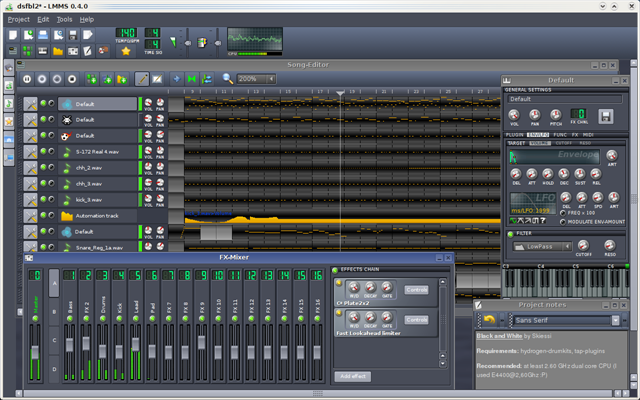
LMMS is a free cross-platform alternative to commercial programs like FL Studio®, which allow you to produce music with your computer. This includes the creation of melodies and beats, the synthesis and mixing of sounds, and arranging of samples. You can have fun with your MIDI-keyboard and much more; all in a user-friendly and modern interface. It supports Windows, Mac and Linux.

lmms

More info here.

2. Audacity

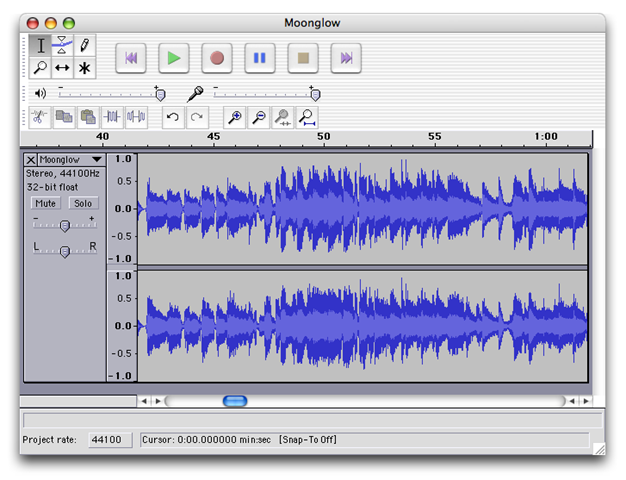
Audacity is a free, open source software for recording and editing sounds. It is available for Mac OS X, Microsoft Windows, and Linux. With Audacity, you can Record live audio, Convert tapes and records into digital recordings or CDs, Edit Ogg Vorbis, MP3, WAV or AIFF sound files, Cut, copy, splice or mix sounds together and Change the speed or pitch of a recording.

audacity-macosx

More info here.

3. Jokosher

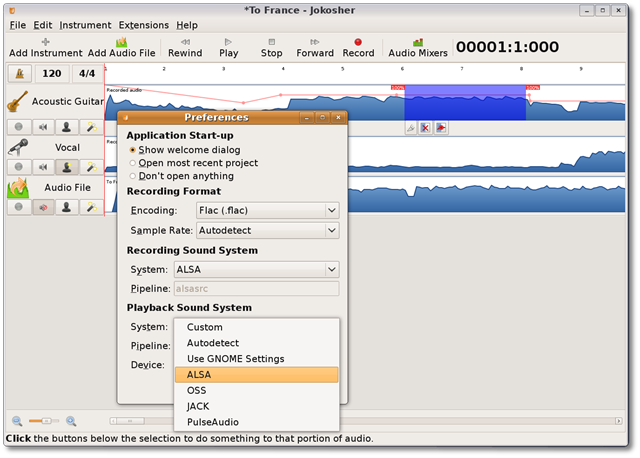
Jokosher is a simple and powerful multi-track studio. Jokosher provides a complete application for recording, editing, mixing and exporting audio, and has been specifically designed with usability in mind.

jokosher

More info here.

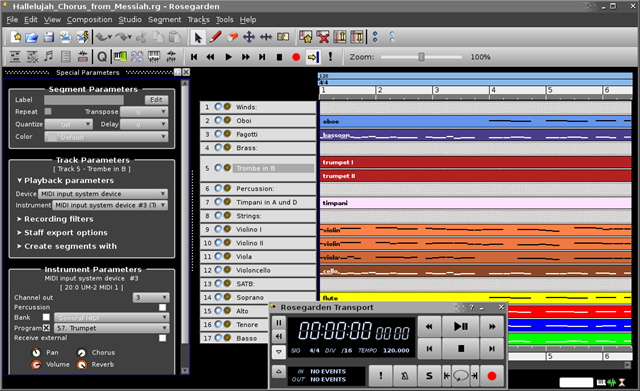
4. Rosegarden

Rosegarden is a well-rounded audio and MIDI sequencer, score editor, and general-purpose music composition and editing environment. Rosegarden is an easy-to-learn, attractive application that runs on Linux, ideal for composers, musicians, music students, and small studio or home recording environments.

rosegarden

More info here.

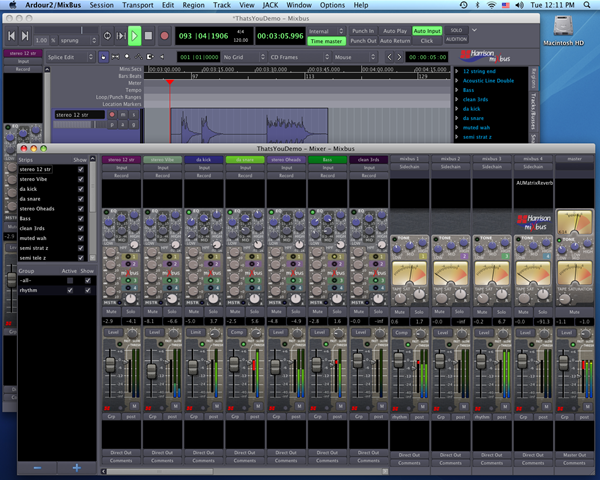
5. Ardour

Ardour is a free software that is a hard disk recorder and digital audio workstation application that runs on Linux, Mac OS X and FreeBSD. It provides the ability to record, mix, edit and collaborate.

Ardour

More info here.

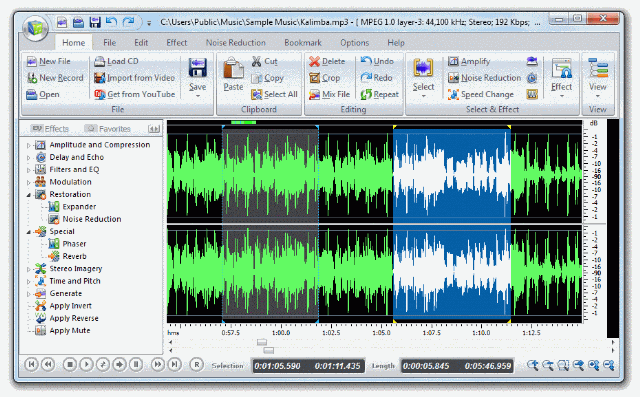
6. Free Audio Editor (FAE)

Free Audio Editor lets you to edit audio files visually, record audio from a microphone or any other available input device, apply various effects, burn audio CDs from MP3, WMA, WAV, and OGG. It has a powerful audio recording feature that lets you to edit audio files visually and apply various effects easily.

FAE

More info here.

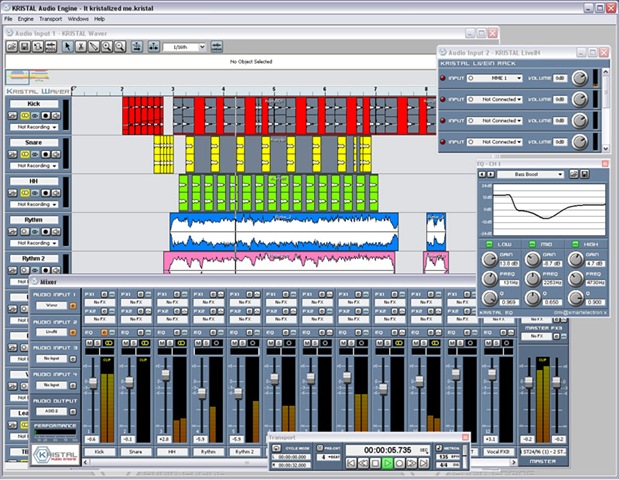
7. KRISTAL Audio Engine ( KRISTAL or KAE)

KRISTAL Audio Engine is a digital audio editor, multi-track recorder and sound mixer. It operates on Windows compatible PCs and is capable of managing up to 16 separate channels of audio.

KRISTAL

More info here.

8. Frinika

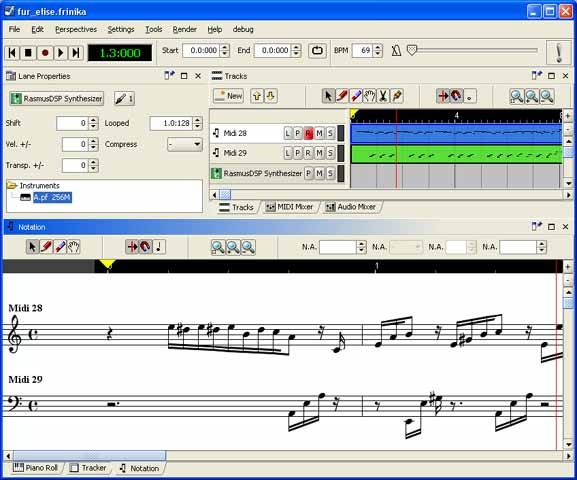
Frinika is a free complete music workstation software containing sequencer, midi support, soft synthesizers, audio recorder, piano roll/tracker/notation editing and more. The goal of Frinika is to be a complete platform for making music with your computer, using the versatile Java platform to be able to run on several operating systems, and being open source to be able to embrace the best open source technology being available at any time. 

Frinika

More info here.

9. Qtractor

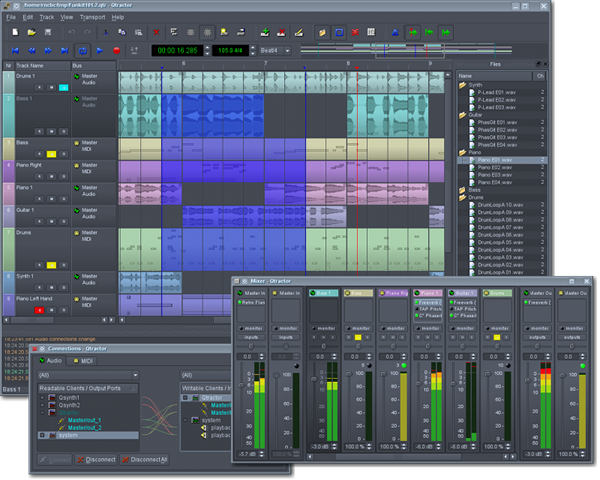
Qtractor is an Audio/MIDI multi-track sequencer application that runs on Linux. It has the Jack Audio Connection Kit (JACK) for audio, and the Advanced Linux Sound Architecture (ALSA) for MIDI as the the main infrastructures for Linux desktop audio workstation GUI specially dedicated to the personal home-studio. Qtractor is free and  open-source software.

qtractor

More info here.

10. Myna

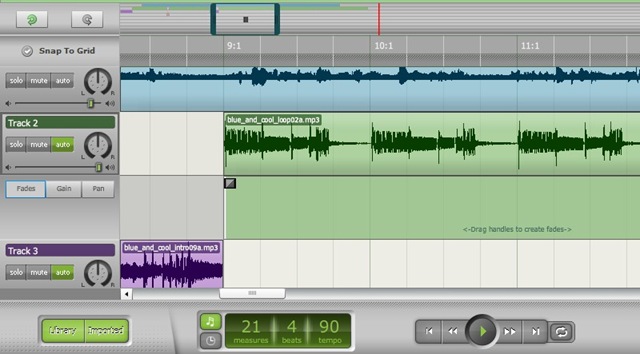
Myna is a free online sound editor. Myna let you to to remix music tracks and audio clips. You can apply sound effects and record your own voice or instruments.

myna_screen

More info here.

Technorati Tags: ,
del.icio.us Tags: ,
Related Posts with Thumbnails