Free Productivity Booster Applications – Find Applications Fast and Easy

We install so many applications on our PCs and Laptops that improve our life in a better way. Over a period of time, we would have a ton of Apps scattered around our Hard Drive. It is sometimes very hard to find Apps via the usual Windows Start Menu or Mac OS Doc etc. You need to literally glance through every App that you have installed! It is frustrating and takes a lot of time. Definitely, a need came up on finding applications when we type the name. Tools such as Launchy can find files in seconds if you know the name or at least partial name. We have listed a few lightweight apps that are know as Keystroke Launchers.
Launchy (Open Source and Cross platform)
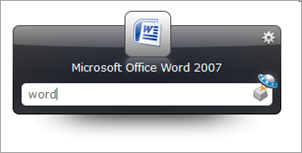
Launchy is a free cross-platform utility designed to help you forget about your start menu, the icons on your desktop, and even your file manager. Launchy indexes the programs in your start menu and can launch your documents, project files, folders, and bookmarks with just a few keystrokes! It is available for Windows, Linux as well as Mac OS. Check out Launchy. Pres ALT + TAB and type the App name and ENTER. That simple!
Executor (Windows only)
A multi purpose launcher and more advanced and customizable freeware windows run replacement and much more features are supported. Visit WebSite.
KeyBreeze (Open Source and For Windows)
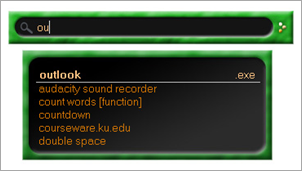
Perform any task in a second – Open files, apps, launch plug-ins, automate tasks and much more. Visit them at WebSite.
Google Desktop
Google Desktop search lets you search your computer as easily as you search the web with Google. More importantly, it lets find and launch applications and files with just a few keystrokes. Visit here to download.