Top 3 Free Vector Graphics Editors That Are Open Source

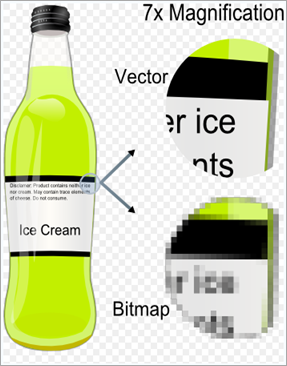
Vector Graphics Editors allow users to interactively edit and compose Vector Graphics (primitives such as lines, points, curves etc forming the whole image). Vector Graphics Editors are best suited for creating Logos, Page Layout, Graphic Design, Illustrations like ClipArts etc, Where as Bitmap Editors (like GIMP or Adobe Photoshop) are more suited for Image Processing. Adjacent picture is taken from Wikipedia article on Vector Editors. A fine example that shows Bitmap Graphics are based on pixels and degrade as the Zoom factor increases where as Vector Graphics is not affected.image
Most well known commercial Vector Graphics Editors are Adobe Illustrator, CorelDRAW and Xara Extreme (Except Linux version). They are very capable but expensive too. But, the Open Source community is not far behind. There are very good Free and Open Source Vector Graphics Editors and Here we list 3 of them.

Inkscape (For Linux, Mac OS and Windows)

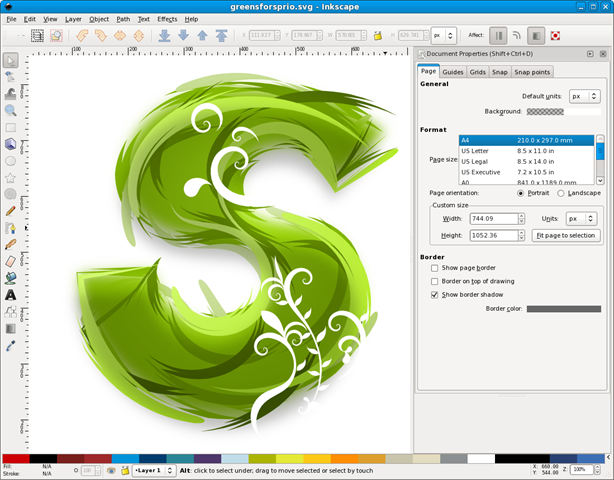
  • Inkscape is an Open Source Vector Graphics Editor using SVG (Scalable Vector Graphics) file format. Comparable to CorelDRAW, Adobe Illustrator and Xara Extreme.
  • Inkscape supports many advanced SVG features (markers, clones, alpha blending, etc.) and with a streamlined interface. It is very easy to edit nodes, perform complex path operations, trace bitmaps and much more in Inkscape. There is an active user and developer community that is open, community-oriented development.
inkscape-0.47-spiro-typography

Xara Extreme (For Linux)

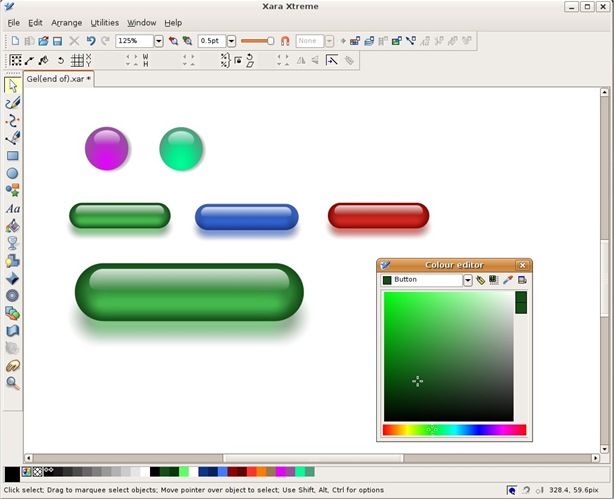
Xara Xtreme for Linux is a powerful, general purpose graphics program for Unix platforms including Linux, FreeBSD and (in development) OS-X. It is however not free on Windows Platform.

  • Is very fast, very slick to use.
  • Offers some of the most powerful graphics tools available.
  • Is simple to use and learn.
  • Has a clean, un-cluttered user interface. Few floating dialogs, palettes, menus etc.
  • Has a huge resource of learning material, tutorials, movies, tips and a very active enthusiastic and growing user community.
Xara

Skencil (For Unix Like and Mac OS)

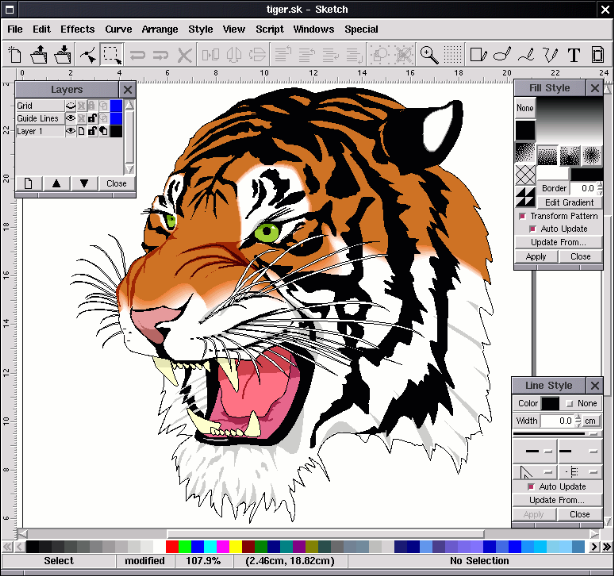
Skencil is a Free Software interactive vector drawing appliction. Known to run on GNU/Linux and other UNIX-compatible systems, it is a flexible and powerful tool for illustrations, diagrams and other purposes.

It is developed using Python and very powerful with following features.

  • Bézier Curves
  • Transformed text and images
  • Bézier curves, rectangles and ellipses can be used as guides
  • Gradient fills
  • Blend groups
  • Writes EPS files
  • Text along a path

tiger 

There are other Open Source Vector Graphics Editors like OpenOffice Draw, Scribus, Karbon14, SK1 etc. They are also worth exploring.

Which one do you like? Do you agree with us? Please comment.

RSS Feed

50 Refreshing Bing Wallpapers For Nature Lovers

If you are fascinated by the stunning wallpapers on the Bing, then here is a collection of 50 spectacular wallpapers for those who love nature. Bing wallpaper images are copyright to their respective owners

2009-06-01

2009-06-04

2009-06-03

2009-06-12

2009-06-08

2009-06-09

2009-06-10

2009-06-11

YadingMountain_ZH-CN1997853377

2009-06-15

2009-06-25

2009-06-26

2009-06-28

2009-06-29

2009-07-03

2009-07-05

2009-07-07

2009-07-09

2009-07-10

2009-07-11

2009-07-12

2009-07-13

2009-07-25

Alberta_EN-US907828139

Algeria_EN-US54300917

AngkorWat_EN-US801419884

BlydeRiver_EN-US790776420

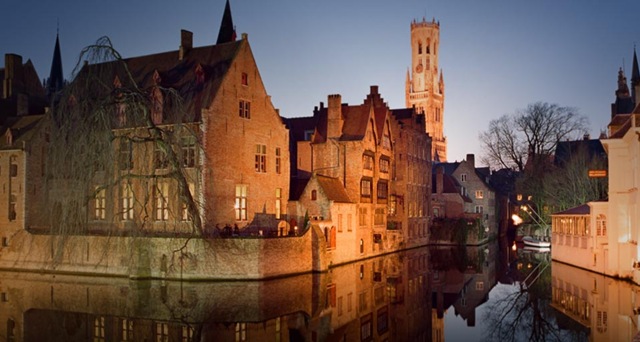
Bruges_EN-US927652948

CastellondelaPlana_EN-US152372484

ConwyCastle_EN-US2075073633

Coveredbridge_EN-CA2131411244

GrandTetons_EN-US1853127779

HavasuFalls_EN-US3057751693

JP_4-8-2009

JP_17-8-2009

JP_18-8-2009

JP_19-8-2009

JP_12345

Lavender_ROW3240965000

Lebanon_EN-AU1963773181

Lupines_EN-US755910023

MilfordSound_DE-DE309284735

MtShuksan_EN-US1544124948

NiagaraFalls_DE-DE2685959930

PangkorBeach_JA-JP997181076

SG_6-8-2009

TibetDesert_ZH-CN52609807

US_24-8-2009

Vinyard_ROW1462820605

Technorati Tags:
del.icio.us Tags:

Karmic Koala – Ubuntu 9.10 The Fastest Booting Release So Far?

Ubuntu 9.10 (code named Karmic Koala) is in its final Alpha 6 and will be in Beta soon. Lots of improvements especially much much faster boot performance. Tests show that the Ubuntu 9.10 can boot in few seconds and on SSD based storage, booting time drastically comes down to like 5 seconds. That is just amazing. Here is the boot chart and XORG comes up in just 2 seconds. Courtesy – Canonical External Developer Relations Coordinator, Jorge Castro.image

Canonical, the sponsors of Ubuntu, has been targeting a boot time of about 10 seconds in their 10.04 Release which is expected to come out sometime in 2010 and it looks doable considering the boot performance improvements in release 9.10 Alpha 6.

This is just good news for Ubuntu lovers and in 9.10 there are other things which are improved. Ubuntu 9.10 is the first to use GRUB2 and Ext4 by default. It also replaces HAL (Hardware Abstraction layer) with DeviceKit. Pidgin has been replaced in favor of Empathy, Ubuntu One Cloud Client is also included by default and much more.


Download Ubuntu 9.10 Alpha 6 and try for yourself. By late October or early November, 9.10 is expected to come out of Beta.

Good Luck Ubuntu Team! We’re waiting…

via arstechnica

RSS Feed

Game Machine - Delivers The Greatest Free Online Games to Your Desktop

For all the online game lovers, here is an ultimate Adobe AIR application that is unbelievably cool!

GameMachine_thumb

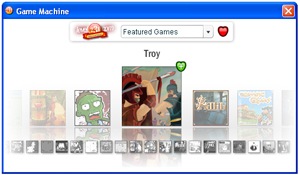
Game Machine from Candyland Studios delivers the latest online games directly on to your computer desktop without the need for you to search for them on the web. The Game Machine offers the latest published games from 10 different categories from Board games to Strategy Games.

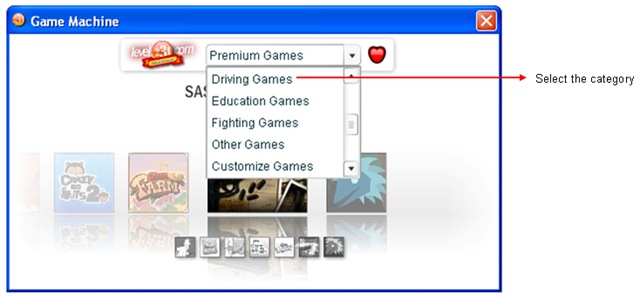
Select the Category

GameMachine_categories_select

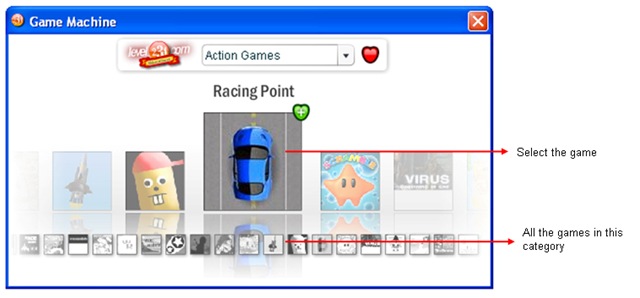
Select the Game

GameMachine_Game_select

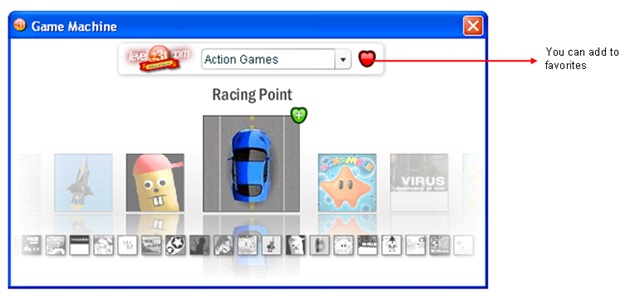
Add to favorites if you like the game

GameMachine_Game_select_fav

Start playing!

RacingPoint

This is the easiest way to play an online game and its free. Just download the Adobe AIR application for your desktop here.

Candyland Studio also provides an option to add a widget on your iGoogle-home or to your own web site.

To add the Game Browser Widget on your website, just put this JavaScript into the source code of your HTML:

<script type=”text/javascript” src=”http://apps.candylandstudios.de/gamebrowser/mochi/js/gamemachine.js></script>

How To Get Windows 7 For Cheap or Even Free?

Well, the new Microsoft Windows 7 is anyway around the corner and lots of improvements are promised by Microsoft. If you are planning to go for Windows 7 then wait, you can get serious discounts in several ways or even you may get it for free :) Here is some ways to get that serious discount! image
  1. Firstly, it is highly recommended that you follow their Twitter updates that announces such kind of programs where you get to know Microsoft Offers! Follow them @MSWindows.
  2. If you are a Windows Developer or Products Testing company, then it is most likely that you may have MSDN or MS TechNet subscriptions in place. If so, then what are you waiting for? You get most of the new MS releases for free (Note that these are Developer versions and only for testing purposes) and try them in your office. Yeah, if you use your office laptops then hell, yeah you can use for your regular usage
  3. 90 days Windows 7 Enterprise Trial Edition – Well, MS offers this as a way to test your apps if they run good on Windows 7 before you buy. Get it here
  4. Students can get Windows 7 for real cheap. If you are part of Microsoft Academic Alliance (Microsoft AA) then you could get Windows products for very less. Access Microsoft AA and learn more.
  5. If you are not part of Microsoft AA then, don’t be sad, here is another way for Students to get a massive discount on Windows 7. Enter this Microsoft Special Promo of Windows 7 for Students. You can get Windows 7 Pro under 30$!
  6. Attend MS Conference and get Windows 7 for Free with you! Check here. Free entry registration.
  7. Well, all the above ways may not be as easy as getting a Windows 7 Family Pack! Apple Mac OS had this a while ago and now as usual Windows 7 team followed them. A Family pack of Windows 7 can save more than 70$ per copy. For about 150$, you can load Windows 7 on 3 of your computers! That’s a cool one.

Well, so many ways to get Windows 7 discount or entirely free. But, still you yawn and say what’s in a Windows 7? :) Well get over to Ubuntu like we did… he he, no need to buy family pack, no seminar, you dont need to be a student but all you need to be is human!

via downloadsquad + our Ubuntu suggestions :)

Related Posts with Thumbnails