


If you would like to edit a music file in MP3 or WAV formats with your Android handset, then you just need to install Rindroid. Its an free Android application for recording and editing sounds, and creating ringtones, directly on the handset.
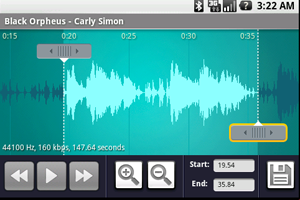
First you need to copy the song that you want to edit on to your mobile’s SD card.
1. Connect your handset to the computer using the USB cable supplied. Your handset will appear on your computer just like a flash drive.
2. Copy the MP3 file that you want to edit on to your SD card.
3. Then unmount the drive and disconnect
After you’ve copied songs to your handset, you can edit them using Ringdroid.
4. Open the MP3 file using Ringdroid.
5. View a scrollable waveform representation of the audio file at 5 zoom levels.
6. Set starting and ending points for a clip within the audio file, using an optional touch interface.
7. Play the selected portion of the audio, including an indicator cursor and auto scrolling of the waveform.
8. You can play anywhere else by tapping the screen.
9.Save the clipped audio as a new audio file.
10. You can mark it as Music, Ringtone, Alarm, or Notification.
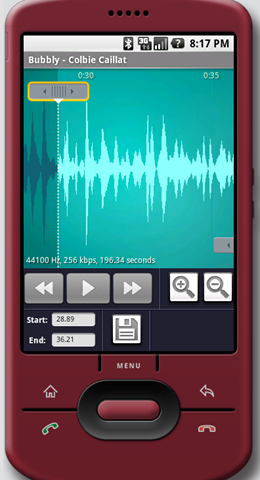
You can also use Ringdroid to record a new audio clip on the handset and edit.
Supported file formats are:
|
Check the Android Market for Ringdroid and download.
