Tag Archive for Alternatives

AssaultCube – Open Source 3d Game

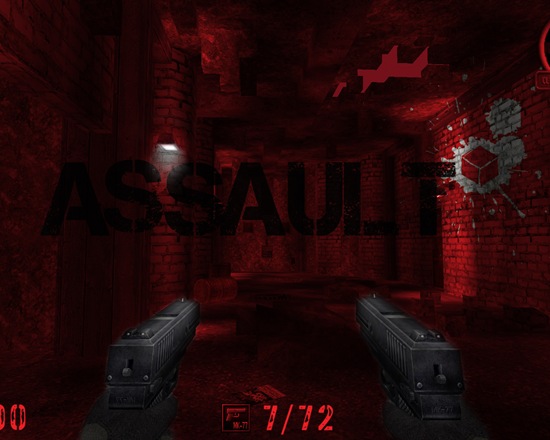
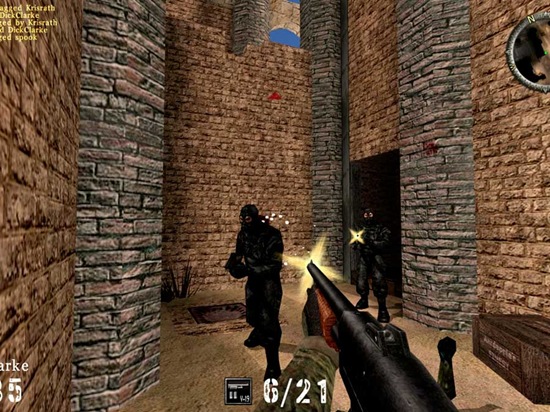
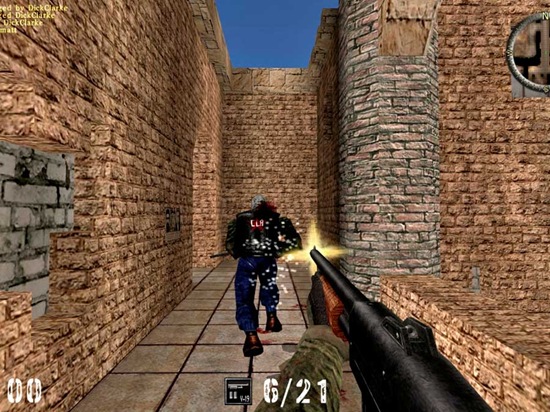
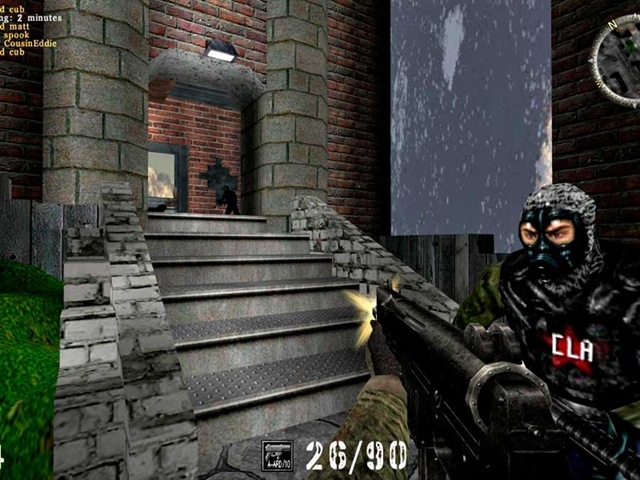
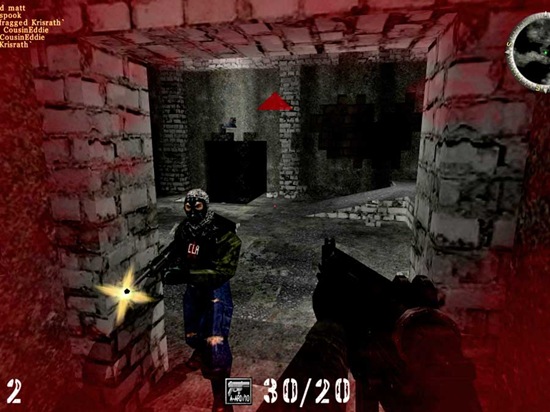
AssaultCube (formerly ActionCube), is a free first-person-shooter based on the game Cube. Set in a realistic looking environment, as far as possible, while game play stays fast and arcade. This game is all about team oriented multiplayer fun. A lot of effort has gone in to the making of AssaultCube – 9 developers, a $1 million cost with countless hours of hard work. It is a must try for every 3d game lover and open source enthusiast.

ScreenShots:

Assault

AssaultCube1

AssaultCube2

AssaultCube3

AssaultCube4

Download AssaultCube here

12 Free Open Source Games That You Do Not Want To Miss

RSS Feed

Commander Stalin – Open Source Free Strategy Game

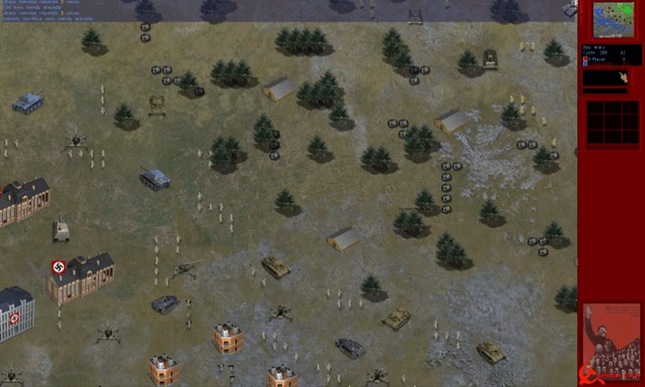
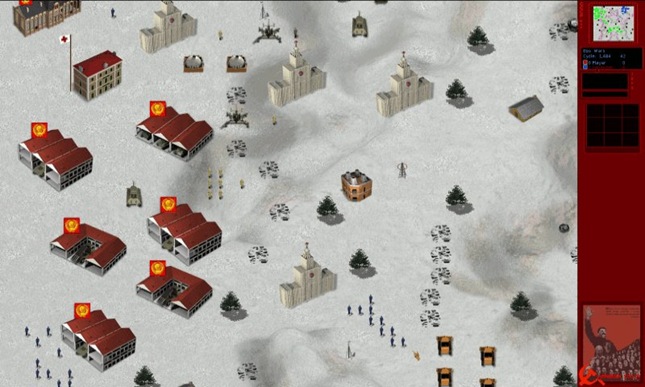
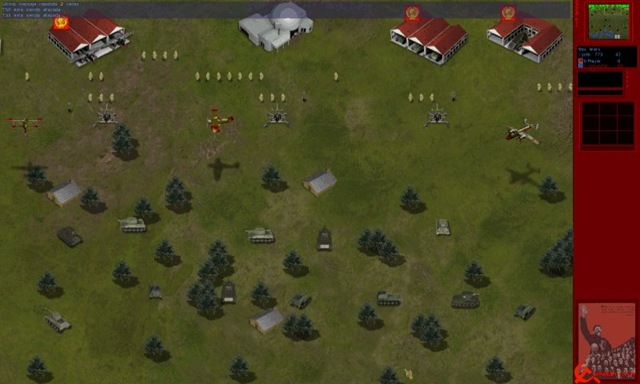
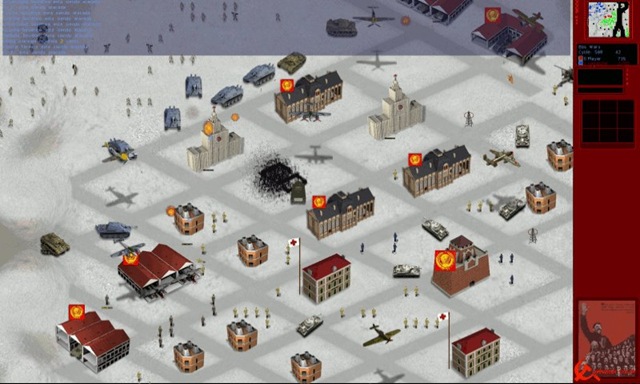
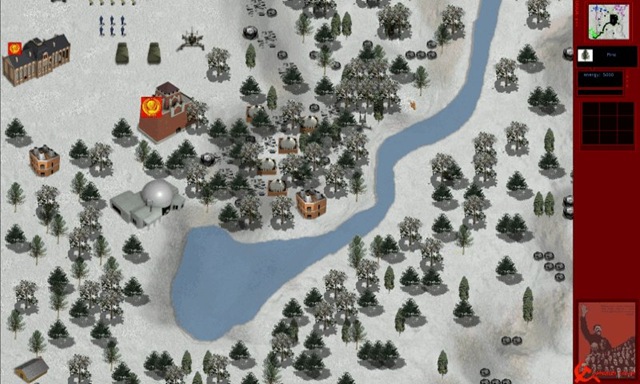
Commander Stalin, is a free and open source strategy game. The game is set in the Soviet Union ruled by Stalin. The player is Stalin. He must organize the state, industrialization and turn it into a major power. This should effectively manage their resources, creating a broad base of social support (workers), launching the existing industry and develop science and technology.

Screenshots:

Captain Stalin 121

Captain Stalin 1

Captain Stalin 12

Captain Stalin 14

Captain Stalin 15

Download Commander Stalin here


12 Free Open Source Games That You Do Not Want To Miss

RSS Feed

Five Free Alternatives For Adobe Reader

We all know that Adobe Reader has been a standard reader for reading PDF document. But there are a few PDF readers other than Adobe reader that does the job very well. The difficulty we exprience in the Adobe PDF reader is the time it takes to load and render the pages. Some of the readers that we have reviewed below loads quickly and also provide very nice features that are not supported by Adobe itself.

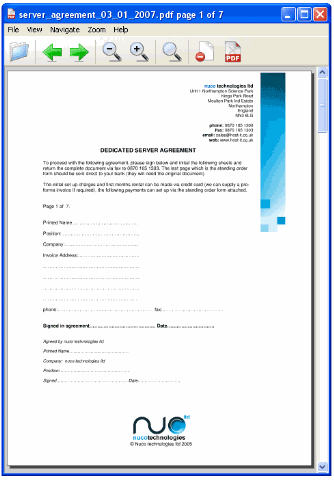
Reader1

Image Source : http://www.petflight.com

Lets take a look at five free alternatives to Adobe PDF reader and briefly summarize the features.

1. Perfect PDF Reader 5

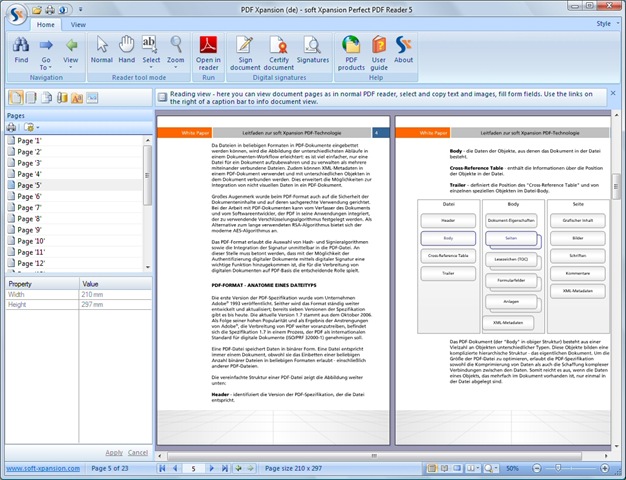
Perfect PDF Reader, Soft Xpansion is a good alternative for Adobe Reader, it has also some additional functions. The main value added feature is that you can export pages from PDF file as the images (BMP, GIF, JPEG, PNG, Metafile) with different resolution.

Here is the list of features:

  • open, read, display any PDF file
  • print PDF documents
  • export PDF as plain text
  • export PDF by the page as images (not available in Adobe Reader!)
  • great number of navigation and display modes, zoom
  • rotate pages
  • send PDF file via email
  • extract text and images
  • clipboard
  • search function with appropriate options
  • fill, save and send PDF forms (not available in Adobe Reader!)
  • digital signatures

Perfect_PDF

You can download Perfect PDF Reader 5 from here.

2. Sumatra PDF

Sumatra PDF is a slim, free, open-source PDF viewer. It is not known for its number of features or abilities but for its speed. PDF pages are loaded instantly and it provides a huge number of keyboard shortcuts. Sumatra PDF is good for portable drives.

sumatra-PDF

You an download Sumatra PDF here and it is distributed under GPLv3 license.

3. PDF-XChange Viewer

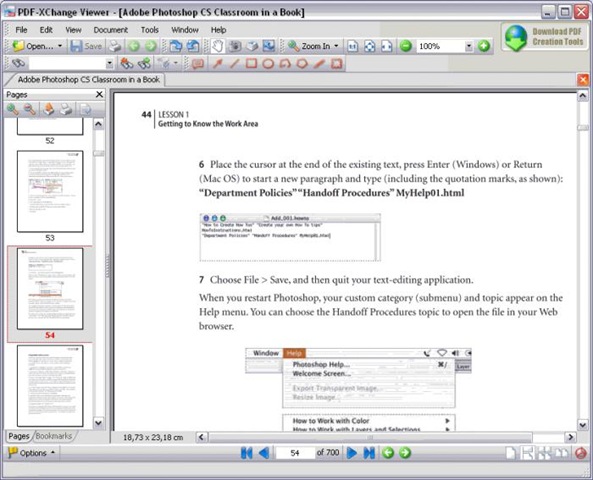
PDF-XChange Viewer by Softonic is another powerful PDF reader that is smaller, faster and more feature-rich than other available readers. It is very quick when it opens large PDF files and smoothly refreshes the pages as you scroll.

Here are some of the key features available in the PDF-XChange Viewer:

  • Add comments and annotations to any PDF file
  • Markup pages with text and objects
  • Type directly on any PDF page
  • Export PDF pages or entire files to BMP, JPEG, TIFF, PNG and more
  • Extract text from a PDF page or file
  • Make your navigation of large PDF files both simple and enjoyable with the Loupe and Pan tools

pdf-xchange

You can download here and try it for free.

4. Haihaisoft PDF Reader

Haihaisoft PDF Reader by is a very small size, free PDF document Reader and Printer. The size is only 1.7 MB and it launches extremely fast with rich feature set. Here are the key features:

  • Reads all Adobe PDF documents
  • Small Sized : The download size of Haihaisoft Reader is only 1.8 MB which is a fraction of Adobe Reader
  • Launches very quickly
  • High security and privacy: Haihaisoft PDF Reader doesn’t connect to the Internet in the background for updating
  • Read protected document: It supports protected PDF document by DRM-X platform. With DRM-X platform everyone can easily set different rights permissions and securely share your document.

Haihaisoft_PDF_Reader

You can download here and try.

5. Cool PDF Reader

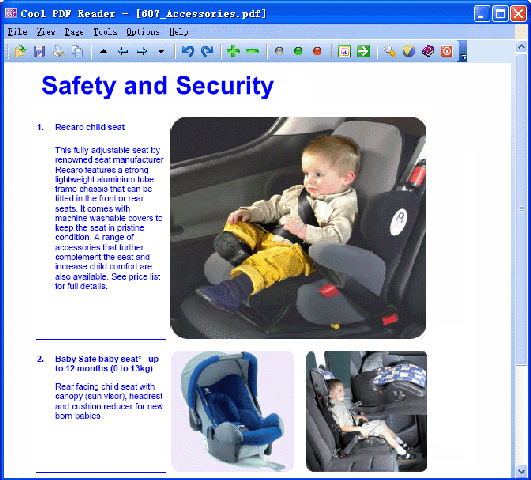
Cool PDF Reader is the world’s smallest PDF viewer/reader to view, print, and convert PDF files to TXT, BMP, JPG, GIF, PNG, WMF, EMF, EPS. It is only 655 kB to download and doesn’t need lengthy installation, just download, unzip, and run.
Key features include:
- View and Print PDF
- Convert PDF to BMP, JPG, GIF, PNG, WMF, EMF, EPS
- Extract PDF to TXT
- Support PDF files of all versions
- Work with 68+ different languages
- Zoom in and zoom out
- Rotate page displays
- Slide show PDF document with full screen.

Cool_PDF_Reader

You can download it here and install in just few seconds.

rssfeed3

10 Free Web Conferencing Tools

We had earlier covered how telepresence helps to save cost. Similarly, virtual meetings too can save money and support environment by eliminating travel. Online presentations, meetings are now normal and pretty much every organization makes use of some form of virtual meeting on the internet. WebEx is one of the pioneer in Web Conference technology  and now it is part of Cisco. There are others like GoToMeeting, IBM Sametime etc that offer compelling features. But these services are expensive and small companies, group of people can not afford such higher premium price.

image

Fortunately there are couple of Free (or much cheaper) alternatives to easy web conferencing tools that are equally packed with features. Here we list some of them. All of these work on multiple platforms like Windows, Mac and Linux.

Mikogo (Absolutely Free!)

image

This one is just amazing, Mikogo is an easy-to-use cross-platform desktop sharing tool, ideal for free web conferencing, online meetings or remote support. And it’s FREE for both commercial and private use. The fact is, We weren’t even aware of! Until someone from Mikogo team added a comment below! Everything looks amazing but Linux support is missing altogether. Mac is mostly supported. So, Mikogo works good on Windows. We feel that it may soon support Linux and that would be a thing to wait! Anyways, Thanks to Mikogo for the all free meeting suit,  free web conferencing tool, it really helps. Website is very neat, features are plenty without limitation and that’s the reason why it is listed in the first place!

Features:

  1. Desktop Sharing (for Mac/Windows)
  2. Multiple Meeting Participants(for Mac/Windows)
  3. Switch Presenter(for Mac/Windows)
  4. Remote Keyboard and Mouse Control(for Mac/Windows)
  5. Meeting Scheduler(for Windows)
  6. Meeting Recording and Playback (for Windows)
  7. Whiteboard (for Windows)
  8. Transfer Files(for Mac/Windows)
  9. Application Selection(for Windows)
  10. Back Monitor(for Windows)
  11. Pointer(for Mac/Windows)
  12. Copy/Paste/Email Meeting Info(for Mac/Windows)
  13. Pause Transmission(for Mac/Windows)
  14. Voice Conferencing Service(for Mac/Windows)

Vyew (Free with Limited features)

image

Vyew is a new and powerful platform for real-time and always on interaction between people and content. It is a great way to do free web conferencing and lets you have unlimited meetings, SSL Secure login, 10 real time participants and more.

Features:

  1. Browser based, No download is needed. It works on Windows, Mac as well as Linux.
  2. Hundreds of Active/Archived Meetings per User
  3. Flexible, PowerPoint-like Authoring
  4. All meeting content is auto-saved in real-time, always available to authorized users.
  5. Publish your meetings via direct URL or embedded in a webpage/email.
  6. Customizable interface with colors and your logo.
  7. Built-in Voice over IP )VoIP, Webcam and Free teleconferencing that use standard phones within the USA to call into a conference call system.
  8. and much more

Vyew is always free, but additional capacities and features exist for low monthly fees. Here is the pricing details.

OnWebinar (Free)

image

OnWebinar is a free web conf service that allows you to organize distance learning, business meetings, online coaching, videoconferences and interactive communication. The service includes video broadcasting, private chat, public chat, shared resources area (whiteboard, slide show presentation, desktop sharing, files and links), polling tools, videoconferencing etc.

BigBlueButton (Free and Open Source)

image

BigBlueButton is an active open source project that focuses on usability, modularity, and clean design — both for the user and the developer. The project is hosted at Google Code

DimDim (Unfortunately a paid service now after Salesforce acquisition)

image

DimDim delivers synchronized live presentations, whiteboards and web pages while sharing your voice and video over the Internet - with no download.  It is a good Free commercial Web Conferencing solution for team of up to 20 with features like,

  1. Browser based, It works on Windows, Mac as well as Linux.
  2. Share and Present documents
  3. Share Computer Screens, WebPages
  4. Share microphones (up to 4 people for Free)
  5. Share whiteboards
  6. Built-in VoIP support and more…

DimDim is capable and unofficially known as an alternative to WebEx that can really save money on Pro accounts. However, DimDim gained faster publicity by going open source, referred to as a free/cheaper alternative to WebEx. Apparently, they had a cynical plan to get sold for a quick bucks :)

Yugma (Free with Limited features)

image

Yugma offers free, pro and enterprise service for desktop sharing, web conferencing, online meetings, and web collaboration for Mac, Windows, and Linux users. Yugma has solutions for individuals, organizations, and small or large businesses. Yugma is perfect for web conferencing, online meetings, webinars, web meetings, web collaboration, desktop sharing, sales presentations, online training, and remote support. Yugma for Skype is also available and provides instant desktop sharing and interactive collaboration tools for Skype users. Yugma is free web conferencing solution with limited features.

Features:

  1. Yugma Free allows 20 attendees host a meeting (premium versions support up to 500 attendees)
  2. Desktop Sharing
  3. Free Teleconferencing
  4. Public and Private Chat
  5. Customizable Widget
  6. Works on Windows, Mac and Linux
  7. Skype Integration

Adobe ConnectNow (Free with Limited features)

image

Adobe ConnectNow, one of the Acrobat.com services, is a great way to share ideas, discuss details, and complete work together — all online. Reduce travel costs, save time, and increase productivity with a web conferencing solution that’s easy to access and simple to use.  Use screen sharing, chat, notes, audio, and video to conduct meetings online that can be as interactive and productive as in-person meetings. Adobe ConnectNow is free web conferencing solution with limited features.

Features:

  1. Screen sharing
  2. Whiteboards
  3. Remote control
  4. Integrated audio choices
  5. Meeting URL
  6. Video conferencing and more…

YuuGuu (Free with Limited features)

image

Yuuguu offers cross network instant messaging, instant screen sharing, real time collaboration, free web conferencing and remote support. YuuGuu Free is good for starters with Screen Sharing support up to 5 participants and features like;

  1. Integrated chat and real time collaboration
  2. Screen sharing in real time
  3. High Quality Global Audio Conferencing

YuuGuu has premium paid versions too that support more features.

OpenMeetings (Free)

image

OpenMeetings, an Open Source Free Web Conferencing tool that is worth trying. It supports a lot of features…

Features:

  1. Video/Audio
  2. See Desktop of any participant
  3. Whiteboard with drawing, write & edit, dragNDrop, Resizing, Images (DragNDrop from Library), Symbols
  4. Safe/export Drawings from whiteboard and load it next time, edit and resave
  5. Document Importing
  6. Send invitation and direct links into a conference room
  7. LDAP-Connector
  8. Remote SOAP-Gateway for Single Sign On, integration and remote administration
  9. Moderating System, User-/Organisation-/Moderating- System
  10. Private and Public (Organisation only) Conference-Rooms

WebHuddle (Free)

image

WebHuddle (free web conferencing tool) makes it easy to meet with the people you need to, when you need to — all it takes is a web-enabled PC and something to say. Using WebHuddle, you have options and flexibility. Meetings can be conducted either in conjunction with an enterprise’s existing teleconferencing service, or utilizing WebHuddle’s optional voice over IP. WebHuddle also offers recording capabilities — presentations can easily be recorded for playback over any web browser for those who missed the live meeting. WebHuddle is Open Source.


RSS Feed

Top 8 free CD, DVD Burning Tools

CD/DVD Burning tools are essential and part of everyone’s life, whether it is burning music CDs or Photo Album or Movie Backups, they are always needed. There are many such commercial tools. Out of them Nero and Toast are very famous and successful ones. Also, there are many Free CD/DVD burning tools and can be good alternatives to Nero or Toast burning software. Here is a list of 8 such tools for various OS flavors ranging from UNIX to Windows to Mac OS!

Duplication

1. ImgBurn (Windows, Linux/UNIX)

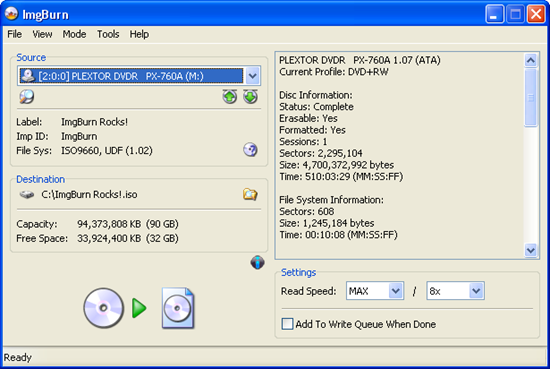
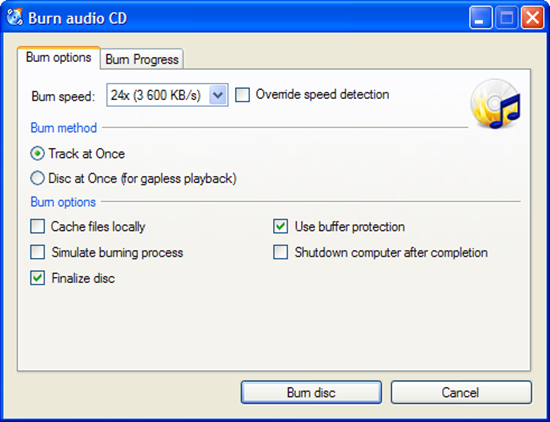
ImgBurn is a lightweight CD / DVD / HD DVD / Blu-Ray burning application that is very capable. It can burn Audio CD’s from any file type supported via DirectShow / ACM - including AAC, APE, FLAC, M4A, MP3, MP4, MPC, OGG, PCM, WAV, WMA and WV. You can use it to build DVD Video discs (from a VIDEO_TS folder), HD DVD Video discs (from a HVDVD_TS folder) and Blu-ray Video discs (from a BDAV / BDMV folder) with ease. ImgBurn supports all the Windows OS’s - Windows 95, 98, Me, NT4, 2000, XP, 2003, Vista, 2008 and 7 (including all the 64-bit versions). If you use Wine, it should also run on Linux and other x86-based Unixes.

screenshot_read

2. CDBurnerXP (Windows)

CDBurnerXP is a free application to burn CDs and DVDs, including Blu-Ray and HD-DVDs. It also includes the feature to burn and create ISOs, as well as a multilanguage interface. Everyone, even companies, can use it for free.
CDBurnerXP

3. InfraRecorder (Windows)
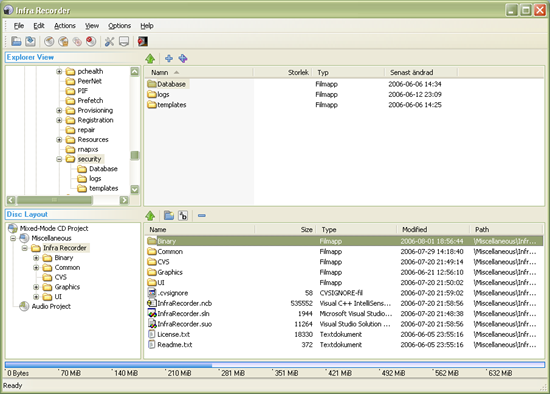
InfraRecorder is a free CD/DVD burning solution for Microsoft Windows. It offers a wide range of powerful features; all through an easy to use application interface and Windows Explorer integration. It supports, Dual layer DVD, various music files like Wav, MP3, OGG and more.

InfraRecorder

4. K3B (Linux)

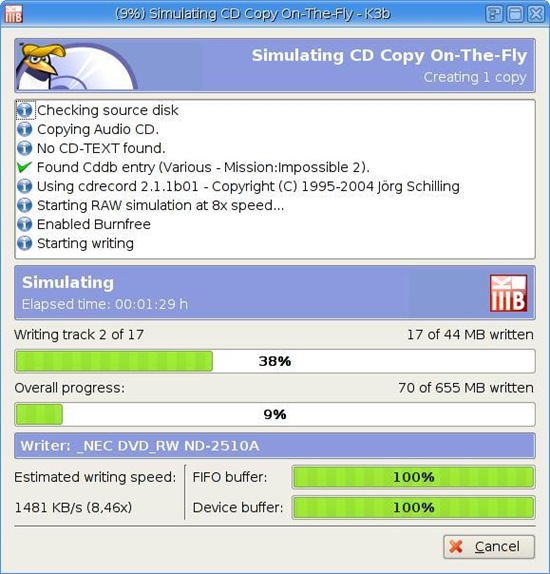
K3B is CD/DVD authoring software for KDE/Linux and great features. It can also do CD to CD/ DVD to DVD copy and more.

k3b

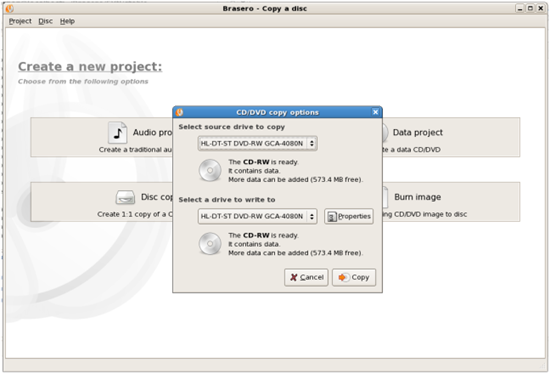
5. Brasero (Linux)

Brasero is a application to burn CD/DVD for the Gnome Desktop. It is designed to be as simple as possible and has some unique features like file filtering etc to enable users to create their discs easily and quickly.

Brasero

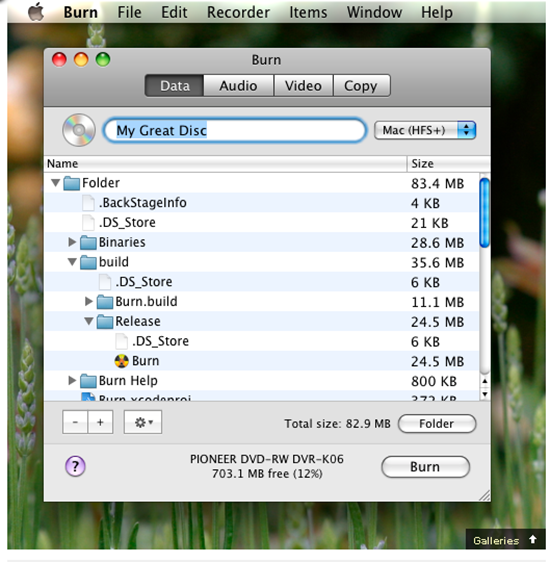
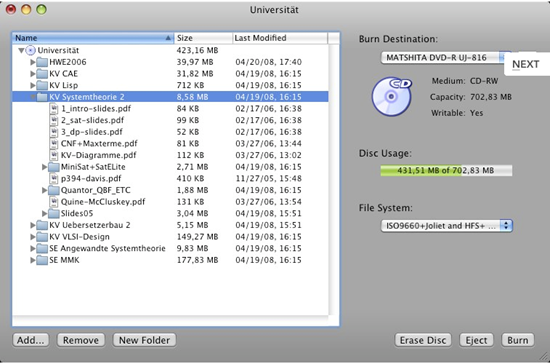
6. Burn (Mac OS)

Simple but advanced CD/DVD burning software for Mac OS.

image

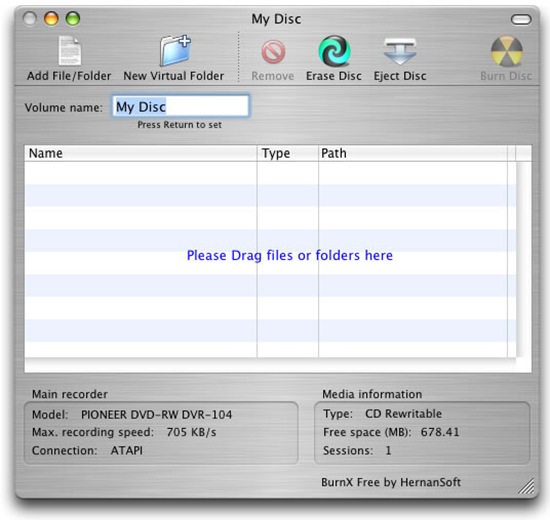
7. BurnX Free (Mac OS)

BurnX Free makes it very easy to burn CD’s with multiple sessions in an hybrid format for compatibility with other platforms. Available only for Mac OS X, this application lets you burn a CD or DVD by dragging and dropping files or folders to the main window, you can use sessions so multiple burns can be done in the same disc (CD only). It also has the ability to erase a CD or DVD.

BurnX 

8. SimplyBurns (Mac OS)

SimplyBurns is a Mac OS X application with a GUI, which allows the user to burn CD / DVD media.

image

Do you know any better ones? Please have your comments and we will check them out!


RSS Feed

Related Posts with Thumbnails