Tag Archive for Alternatives

Insert YouTube videos right in to your PowerPoint slides!

Have you always wondered or wished to insert your favorite YouTube video in to your PowerPoint slide? or Are you the kind of a person who hates to minimize the PowerPoint slide presentation just to show a video that is on YouTube?

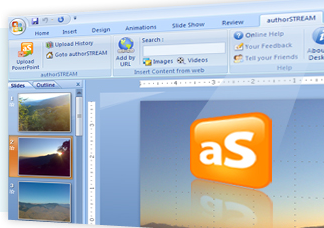
…then you are at the right place :) This free plug-in, authorSTREAM Desktop for PowerPoint is THE one that you need. This plug-in can be a real time saver and can make your presentation a lot smarter and simpler if you heavily use YouTube videos in your presentations.
image

AuthorSTREAM Desktop highlights

  • It lets you search for images with in PowerPoint (from Bing) and videos (from YouTube) and then insert those in PowerPoint slides.
  • You can also use a URL of an Image or YouTube video and insert them directly in your slide.
  • You can upload your presentation directly to authorSTREAM without having to visit the website and share it with the world!

Everything is good about AuthorSTREAM Desktop except that it is compatible with PowerPoint 2007 only (at-least for now). Other requirements are, Windows XP/Vista or 2003, Adobe Flash Player.

Here is an Intro Video on the plug-in

RSS Feed

Twitter directly from your Outlook Inbox

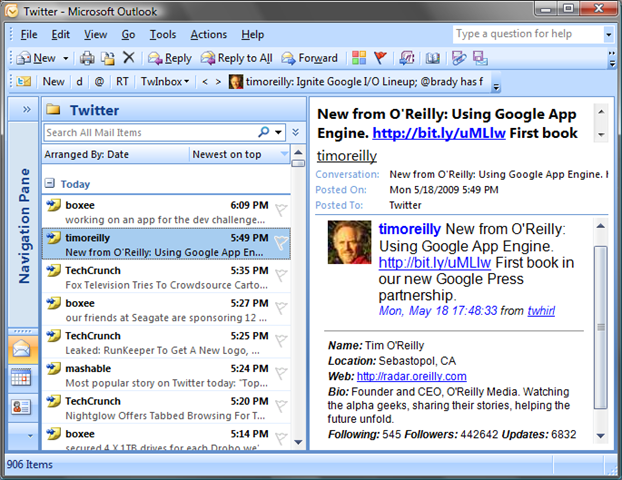
A good news for Twitter addicts who are mostly on Microsoft Outlook. There is a Twitter Client, TwInBox for Outlook that lets directly interact with your Twitter profile, update your Twitter status, see your friends’ updates and do much more! We have been using TwInBox for a while and been addicted to it. Having a Twitter client on Outlook is very advantageous :) as Outlook is a kind of a tool that remains open until shutdown your computer and having regular update from twitter lets you be in touch with the friends.

twitter_bird_follow_me

TwInBox is a perfect Twitter client for Outlook, whether you are a twitter newbie or an advanced user. It supports a lot of features to quench your Twitter thirst :)

ot 

Here is a list of features;

  • Update your Twitter status directly from Outlook.
  • Receive your friend updates in Outlook.
  • Archive, manage, group and search your tweets the
    same way you manage your email (details).
  • Search, track keywords. TwInbox will automatically download ALL tweets matching the keywords you specify, even if you are not following the tweet sender. This feature is perfect for keeping up to date with the Twitter buzz on your name, brand, interests, etc.
  • Group tweets by sender, topic, etc using the Search feature.
  • Upload and post picture files and Outlook email attachments.
  • See new tweets at a glance (details).
  • Assign custom folder and categories to new messages.
  • Use Outlook’s "Reply" and "ReplyAll" commands to send twitter direct messages and @replies.
  • Automatically sort new tweets into per-sender folders.
  • Shorten URLs with tinyurl.
  • See graphs of your Twitter usage statistics.
  • Tweets sent to you (@replies and direct) are marked with high importance, so you can see them at a glance.


RSS Feed

Send and Receive large files over Internet easily!

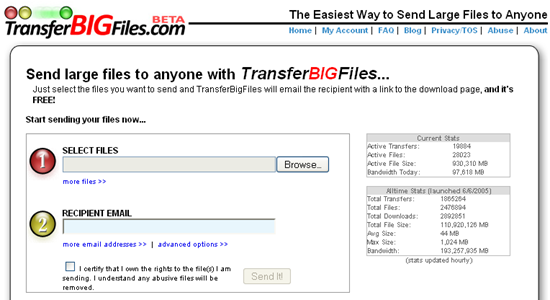
TransferBigFiles is probably the easiest way to share a bunch of files with friends, family or everybody in the world. There’s no registration required to use the website. You can just go to the home page and start uploading some files. But to make the process even easier, they have created a Windows System Tray tool that allows users to drag-and-drop files to the site. Files can be as large as 1GB and will be on their storage space for upto 5 days. Within that time, your recipient should download the file or else may not get it!

 51MKK9GMX6L._SL500_AA280_

TransferBigFiles uses a combination of in-house servers and Amazon’s S3 service for storage services to store your files. By leveraging Amazon’s S3, TransferBigFiles has virtually an endless amount of storage space.

image

As of now, TransferBigFiles is free and funded by Axosoft LLC and in future TransferBigFiles is hoping to get revenue from advertisements and sponsorships. We really hope that it remains free.

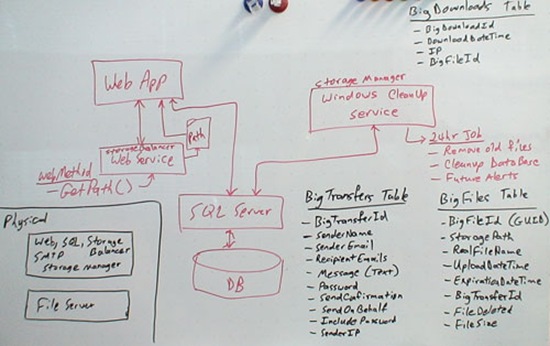
There is an interesting story on how TransferBigFiles was designed. Here is a Whiteboard design of TransferBigFiles;

whiteboarddesign

There are some good alternatives to TransferBigFiles and some of them are listed here:

FileMail

image

FileMail lets you transfer upto 2GB file for free without any registration! However, for commercial purposes, you need buy a suitable plan.

Verzend

image

Verzend.be is a free filehost, a place for you to upload your files (big or small) so you can link to them from your website, facebook, myspace.. or simply send the download link by email. Recipients are sent an email with instructions on how to download the file. Files are removed from the system after 30 days non activity, regardless if they have been downloaded or not.

FileApartment

image

FileApartment lets send files up to 1GB in size. No registration is needed.


Do let us know if you have anything better?

RSS Feed

5 programs to defragment your Hard Drive!

Last week, we had featured Registry Cleaning programs for Windows to keep Windows top. This is a follow-up for that post, here we explore file fragmentation and its impact on computer performance.

Why do you need Disk Defragmenter?

All modern day operating systems like Microsoft Windows (sometimes on Linux, Mac OS) etc are prone to file fragmentation. File fragmentation is a condition where file blocks are way too scattered and this condition considerably slows down your computer’s performance. Primary reason for this is that your Hard Disk head needs to move (seek) around too much to read the file blocks. Disk seeks are slow comparatively and slows down your overall system performance. Fragmentation of files is very common on Windows, however, not a major problem on operating systems like Linux.

So it is recommended that you keep defragmenting the files with the help of tools that bring all file blocks which are best kept sequentially together.

This is is shown in the following animation (Source Wikipedia)

FragmentationDefragmentation

List of free programs to defragment your disk (for Windows)

1. JkDefragis an open source disk defragmenting utility for Microsoft Windows platform. It is extremely fast compared to the default Windows Defragment utility and efficient.

http://upload.wikimedia.org/wikipedia/en/5/57/Defraggler_icon.png

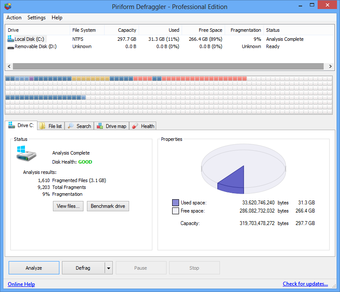
2. Defraggler It can defrag individual file or group of files on FAT32 or NTFS (Windows) file system. Defraggler is again from the same company that gave you the amazing registry cleaner CCleaner that we featured a while ago.

File:Defragglerscreen.png

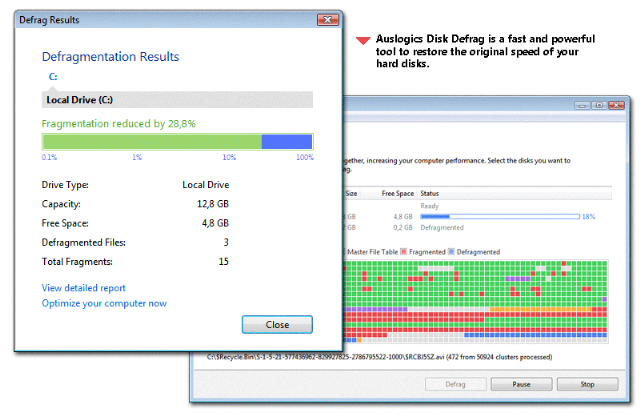
3. AusLogic’s Disk Defrag – It is also a fast and reliable defragmenter for Windows file systems like NTFS, FAT16/32. It supports a lot of features and useful.

overall

4. WinContig – It is an easy-to-use, fast and stand-alone defragmentation tool that doesn’t create any installation directories or Registry entries on your computer. It is designed for Windows operating system.

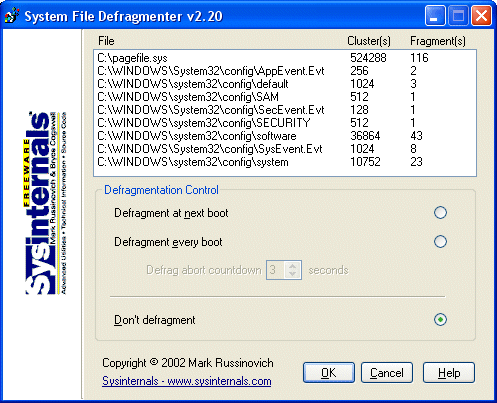
5. PageDefrag – is from SysInternals team and a fast defragmenter for Windows.

bb897426.PageDefrag(en-us,MSDN.10)

Rssfeed

K-3D - 3D Modeling and Animation Software with Complete Freedom

In our earlier post we had reviewed Blender, one of the most Competent free 3D modeling alternative to Autodesk’s 3ds Max, Maya, RenderMan etc. While Blender has an exhaustive feature set, the K-3D has a potential to get more features added because of its good design and "everything is a plugin" philosophy. Blender has a built-in render engine, and poor support for integrating third-party render engines such as Aqsis. On the other hand any rendering engine can be integrated to K-3D because everything in K-3D is a plugin, including render engines, lights, and materials.

K-3D_plus_MakeHuman

Author Tim Shead began work on in early 1994, on an Amiga computer. At that time, the program was called Equus-3D and work was subsequently moved to Win32. The application evolved and the plan was to commercialize the product under the name K-3D. However, in 1999 Tim opted to release K-3D under the free-as-in-freedom GNU General Public Licence, which led to K-3D’s slogan: "Seven Degrees of Freedom".

K-3D is a complete free-as-in-freedom 3D modeling, animation and rendering system that  features a robust plugin architecture and visualization pipeline, designed to scale to the needs of professional artists. K-3D is designed from-the-ground-up to generate motion-picture-quality animation using RenderMan-compliant render engines. Volunteers have built K-3D on nearly any platform you can imagine, including Linux, Mac OSX, Windows, BSD Unix, and Solaris.

The main features of K-3D include:

  • Record interactive tutorials and macros.
  • Unlimited undos / redos
  • Create and edit documents in multiple realtime OpenGL solid, shaded, texture-mapped views
  • Scripting interface supports K3DScript and Python, with an open API for other scripting languages
  • Model, animate, and interact with animations while they play back for maximum productivity
  • Highly-evolved architecture allows complete extensibility at runtime through third-party plugins
  • Animated geometric procedural effects
  • Powerful control-spline based animation in a uniform interface
  • Uses the Pixar Renderman Interface to render motion-picture-quality images with a wide variety of rendering engines
  • Supports Renderman Subdivision Mesh output.
  • Background rendering and batch rendering.

Here are some images from the Still Gallery:

  • Tribble

    Joe_mushroom_town_original

    Old_logo

    20041112-burt

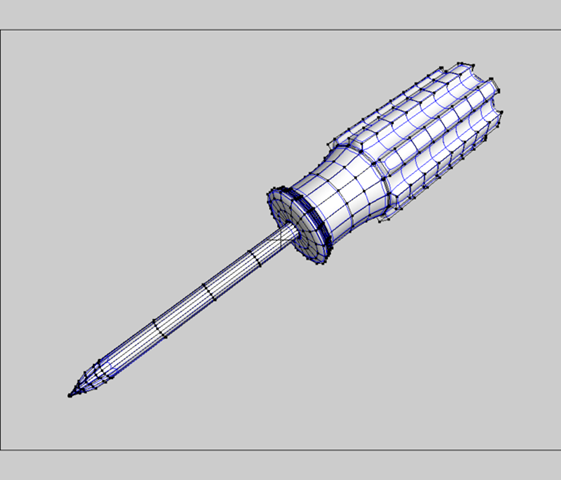
    700px-Screwdriver

    Checkout the Animation Gallery here.

    rssfeed3

  • Related Posts with Thumbnails