Mind Mapping is a useful tool that improves the way you take notes and supports a creative problem solving. They hold information in a format that your mind finds easy to remember and quick to review.
Tony Buzan developed Mind Map while he was at university as he was frustrated because the traditional notes taking method took much time to create and review. He argued that Mind Map is an efficient way of taking notes from lectures or books. His brother Barry Buzan who co-authored the book The Mind Map Book, suggested that the Mind Map technique can not only be used to capture notes from lectures or books, but also to capture notes from one’s own creative ideas.
Five advantages of MindMaping:
|
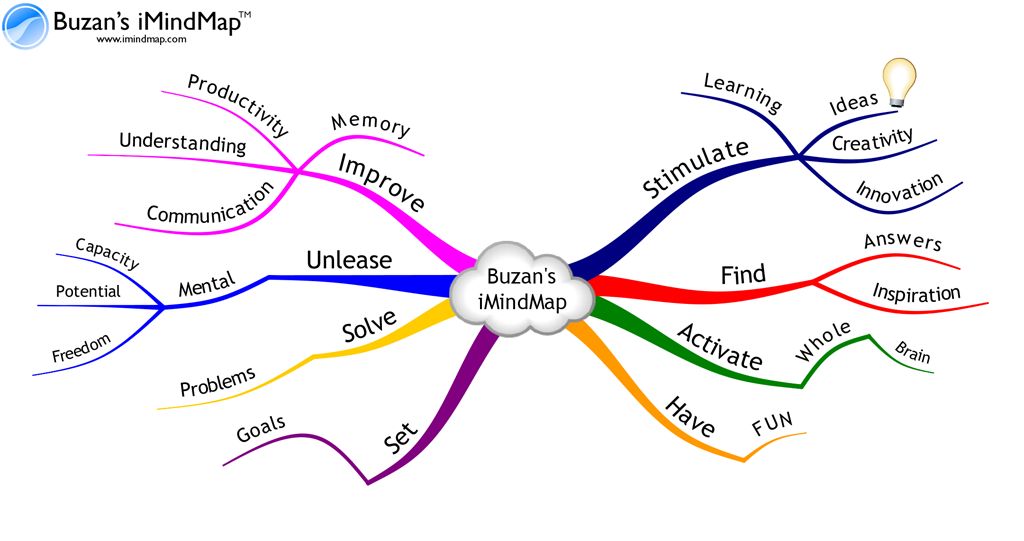 Mind mapping software is used to create diagrams of relationships between ideas or other pieces of information. There are online and Desktop MindMap software available. Here are some of the popular MindMap software that are paid. Check here for top 12 best free MindMap tools.
Desktop ( offline ) MindMap Tools
3D Topicsape is a MindMap tool from Topic Scape that lets you create 3 dimensional MindMaps. It supports import/export from other MindMap tools like FreeMind, MindManager and PersonalBrain. Its quite a exhaustive tool that has all the features that you could possibly use and think of. 3D interface giving flight with seven degrees of freedom. Degrees of freedom is used when flying in the landscape like: Slide up and down; Slide left and right; Fly forward and backward; pitch up and down; Swivel left and right; Zoom to and from a topic; Zoom to the center of the view.Flexible structure: Topics may have many children and many parents (’cloned’ topics supported without copying). When you build mindmapping hierarchies in 3D Topicscape, you can do this freely with no limit on the number of levels. Nor is there a theoretical limit on the number of children, grandchildren and so on that a topic may have. The practical limits would relate to memory size and disk size, but we have never reached such limits yet, even when using very large 3D Topicscapes of thousands of topics, built specifically to test these limits.
ConceptDraw MINDMAP is business and personal productivity software that combines the most commonly used methods of listing and organizing information within single productivity toolbox. It is simple to use and pro
- Visual mind mapping technique which uses radial diagrams to capture and organize information
- An outline method - a traditional way of hierarchical display of related items
- Brainstorming methods - the technique that enables individuals and teams to generate multiple ideas.
Online MindMap Tools
MindMeister is an Online Mind Mapping tool. MindMeister is a free web-based collaborative mind mapping tool for brainstorming and project-management. MindMeister provides four editions: Basic, Premium, Business and Acadamic. The MindMeister Basic Edition is free with limited functionalities.
- Store unlimited mind maps
- Share and collaborate on maps
- Import maps from FreeMind and MindManager™
- Export maps as image / PDF / RTF
- Publish maps to blogs and websites
- Export maps to FreeMind and MindManager™
- Add file attachments to topics
- Create and edit maps offline
- Full SSL encryption
- Search in Maps
Best of all the features is that the The MindMeister API allows anyone to write applications that interact with MindMeister. Checkout how
Box.net integrates MindMeister.
Mindomo is a versatile Web-based mind mapping tool, delivering the capabilities of desktop mind mapping software in a Web browser - with no complex software to install or maintain. Just create, edit mind maps, and share them with your colleagues or your friends.Mindomo provides four editions: Mindomo Basic, Mindomo Premium, Mindomo Business and Mindomo Education. Mindomo Basic is free edition that allows you to store up to 7 private maps only. It allows conversion to a flash swf file, the most convenient way to do things like zooming out