Tag Archive for open source alternative

Save Your valuable Data With These Valuable Software For Free

We all know the danger of loosing data and loosing data happens easily like hard disk break up, a virus attack, accidental deletion of files and various other calamities. Though the value of the date is price less, we are not ready yet to pay for expensive backup software that backs up our expensive data. In the earlier post we had reviewed online services available to backup your data. In this post we review some open source back up software that will come to use for those of you who don’t want to spend too much in buying backup software. Here are 4 open source backup software for Windows system that one must try before buying commercially available backup software.

backup

Image Source : http://blog.maplecitywebhosting.com

1. Areca Backup

Areca Backup is an Open Source personal backup solution which is released under the General Public License (GPL) v2. It basically allows you to select a set of files / directories to back-up, choose where and how (as a simple file copy, as a zip archive, …) they will be stored, and configure post-backup actions (like sending backup reports by email or launching custom shell scripts). For more features check the site here and download the software from here.

2. Backup PC

BackupPC is an open source  high-performance, enterprise-grade system for backing up Linux and Windows desktop PC and laptops to a server’s disk. BackupPC is highly configurable and easy to install and maintain. Given the ever decreasing cost of disks and raid systems, it is now practical and cost effective to backup a large number of machines onto a server’s local disk or network storage. You can download the latest version of Backup PC software here. For more information on the features, check the site here.

3. Bacula

Bacula is a set of Open Source, enterprise ready, computer programs that permit you (or the system administrator) to manage backup, recovery, and verification of computer data across a network of computers of different kinds. Bacula is relatively easy to use and efficient, while offering many advanced storage management features that make it easy to find and recover lost or damaged files. You can download the latest software here. For details on the features, check the site here

4. DirSync Pro

DirSync Pro is an open source synchronization and backup utility for Windows, Linux and Mac OS X.. Its small, but powerful utility for file and folder synchronization. DirSync Pro can be used to synchronize the content of one or many folders recursively. Using DirSync Pro you can make incremental backups. In this way you’ll spare lots of time because you don’t have to copy all the files each time you want to update your backup; only new/modified/larger files would be copied. You can download the software from here. For details on the features, check the site here.


60+ Open Source Developer Tools That Will Boost Your Productivity, Improve Quality

Though there are so many commercially available tools with good customer support, developers are always on the lookout for free and Open Source tools. Here in this post we present 60+ open source tools that any developer can pick and choose from according to the requirements. These tools improve the quality of work and boost the productivity of developers.

Tools


7 Open Source UML Modelers

The Unified Modeling Language (UML) is the most popular open method used to specify, visualize, construct and document the artifacts of an object-oriented software-intensive system that is under development. UML Modelers is another must have design tool.

10 Free Text Editors

Text and Source Code editors are always needed for any developer and editors with lots of features always a best companion for a developer. All these editors are customizable, support multiple file formats, syntax highlighting and support compiler integration. There editors are followed by a huge user base who cannot leave without them.

5 Open Source Code Review Tools

Code review is another area where most developers have problems with. This is basically due to the lack of quality tools available forcing developers to perform code reviews via emails. There are good open source code review tools available to assist the developers to perform code review process effectively

10 Code Coverage Tools for C & C++

Code coverage is a measure used in software testing that describes the degree to which the source code of a program has been tested. It a form of white box testing as it is a form of testing that inspects the code directly. To measure how well the software is tested by a test suite, one or more coverage criteria are used. The tools featured here provide an easy way to measure code coverage with a number of code coverage criteria’s like function coverage, statement overage, decision coverage etc.

12 Source Code Profilers for C & C++

Code Profilers are very distinct from traditional debuggers. They are able to catch the trivial and non fatal coding errors which are often hard for humans to catch. These trivial bugs later claim weeks of debugging and extra cost to fix. Code profilers will save you hours of debugging time. These tools can automatically detect many memory management and threading, etc bugs. These 12 tools featured here will give you the confidence that your programs are free from many common bugs, some of which would take hours to find manually, or never be found at all.

11 free tools for static code analysis

Static code analysis is the analysis of a code that is performed without actually executing program build. The analysis is performed by tools varying from those that only considers the behavior of individual statements and declarations, to those that include the complete source code of a program in their analysis. These 11 tools highlights possible coding errors (e.g., the lint tool), possible memory leaks etc

8 Best of All Open Source Developer Tools

10 hand picked top free and open source tools for RIA platform, AJAX framework, business rule management system, parallel programming, version control package, object database, Web service test tool, and HTTP client library

Top Free Desktop Publishing alternatives to Microsoft Publisher, Adobe InDesign

Desktop Publishing (DTP) software tools help Publishers create the prototype of the printable media that later can be printed using a high resolution printer. This is a very important software and all publishers love using such tools. Back in the mid 1980’s Aldus Corporation had a dominant DTP Software, PageMaker. Desktop PublishingPageMaker was ruling the DTP market until mid 1990’s and slowly gave its market share to QuarkXPress (Which still exists today and popular). Adobe bought Aldus in 1994 and now PageMaker is no more actively developed. instead, Adobe now has Adobe InDesign and is competing against QuarkXPress, Microsoft Publisher. However, with Open Source gaining strong traction, there is a very functional and a right alternative to these proprietary DTP Software like Adobe InDesign, Microsoft Publisher and QuarkXPress.

Scribus is the Open Source answer!

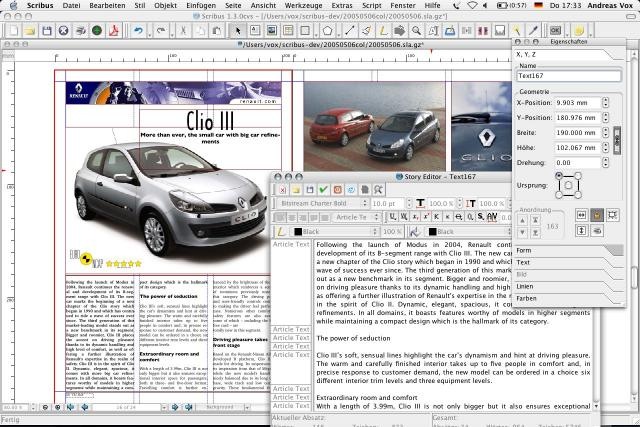
Scribus is an open-source program that brings a professional Page Layout to Linux/UNIX, Mac OS X, OS/2 and Windows desktops with a combination of “press-ready” output and new approaches to page layout. Scribus supports professional publishing features, such as CMYK color, separations, Spot Colors, ICC color management and versatile PDF creation and a user friendly Interface.

The file format of Scribus is SLA and is based on XML. Text can be imported from OpenDocument text documents, as well as OpenOffice.org Writer, Microsoft Word and HTML formats with exceptions.

Unfortunately, Scribus can not open or import proprietary file formats of InDesign or MS Publisher or QuarkXPress due to legal obligation.

However, Scribus supports mostly all serious features that one expect from a DTP software and a good free alternative to commercial DTP tools.

aqua2.preview

Download Scribus here.

RSS Feed

Zimplit – The Simplest Open Source CMS Software

We had featured WordPress, Joomla! and Drupal in our earlier post as the top three Open Source Content Management System (CMS) software. While they are for advanced users, here is a simple CMS software for normal people and not for IT gurus. In other words, Zimplit is the simplest open source CMS software for dummies!

zimplit1

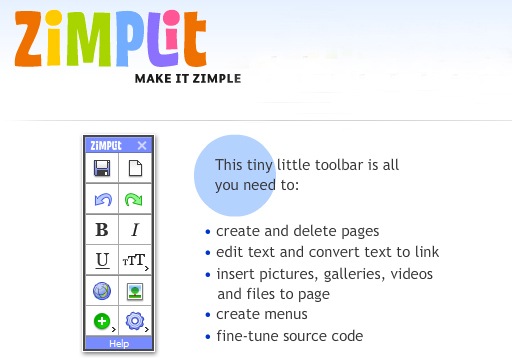
Zimplit, includes a browser add-on, as a button in your browser. To create or edit a page, just click at the Zimplit button in your browser. It provides a tiny little toolbar that allows you to create, edit pages, edit text, add link to text, create menus and fine tune the source code. It provides a verity of templates to choose from.

zimplit

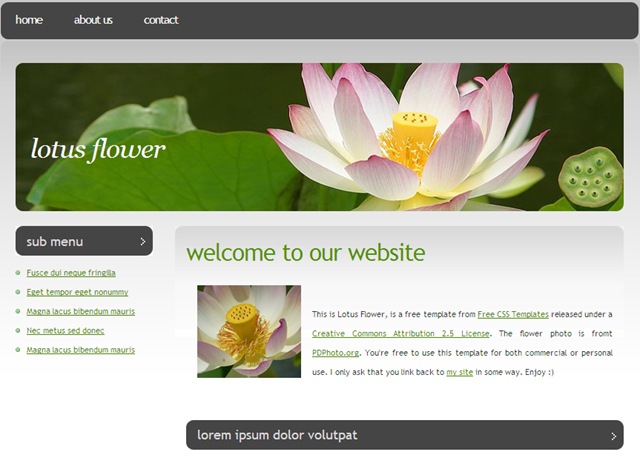
Zimplit is the easiest CMS (Content Management System) ever made. It is extremely lightweight, simple and customizable. Easy to install, and easy to use via a simple web interface. If you feel WordPress, Joomla! and Drupal are complicated, jut download Zimplit and give it a try!

5 Free and Open Source Desktop Project Management Tools

Project Management Software applications help Project Manager to track Schedule, Performance, Cost and Resource utilization. Microsoft Project is the industry leader and a proprietary software that costs significant amount of money. If money is a constraint, then don’t think again because there are equally good Project management software applications that cost nothing!

Project_Management_Page-23

Image Source: TrueSolutions (Project Management Services)

1. GanttProject (Alternative to Microsoft Project)

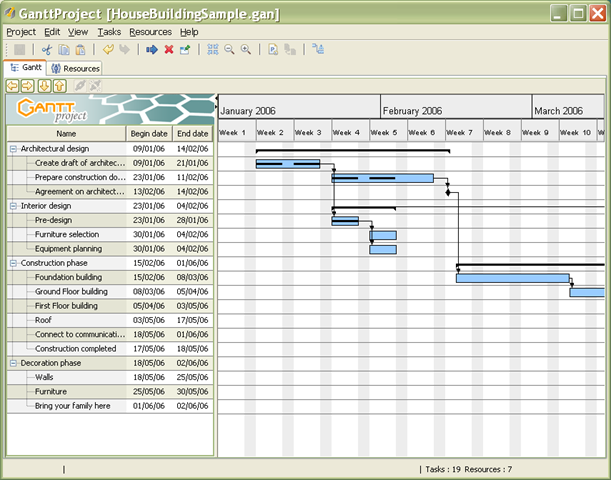
We had already featured GanttProject last month, which is a cross-platform desktop tool for project scheduling and management. It runs on Windows, Linux and Mac OS X, it is free and its code is open source.

Ganttproject-house-building-sample

2. KPlato

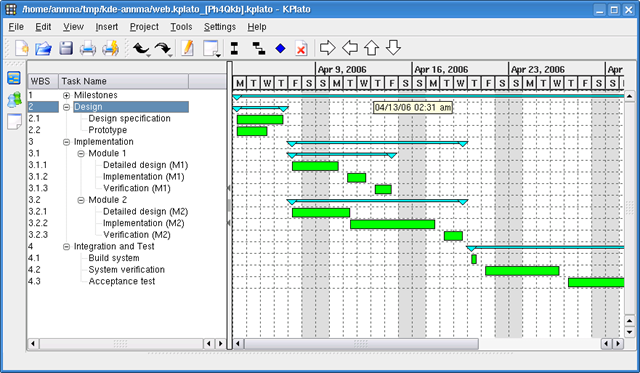
KPlato (part of KOffice on K Desktop Environment-KDE) is a project management application for Linux. It supports resource allocation, work breakdown structure, critical paths, Gantt chart and many more. A complete project management application for Linux

gantt_small_2006_01

3. OpenProj (Alternative to Microsoft Project)

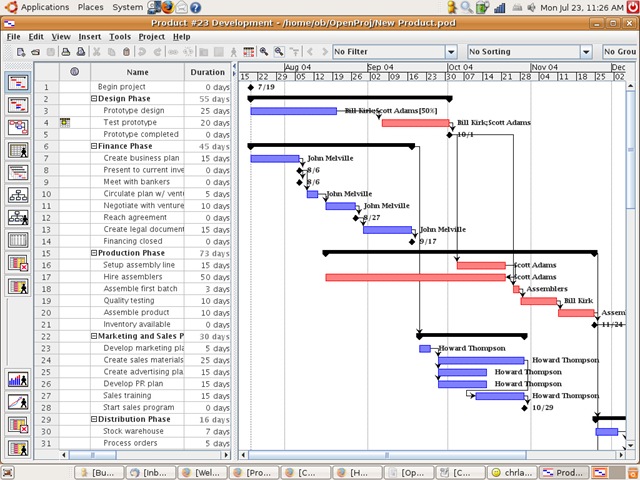
OpenProj is a free, open source project management solution. OpenProj is a complete desktop replacement of Microsoft Project and other commercial project solutions. OpenProj shares the industry’s most advanced scheduling engine with Project-ON-Demand and provides Gantt Charts, Network Diagrams (PERT Charts), WBS and RBS charts, Earned Value costing and more. It is very popular and crossed more than a million downloads in the few months since its launch.

OpenProj_big

4. Open Workbench (Alternative to Microsoft Project)

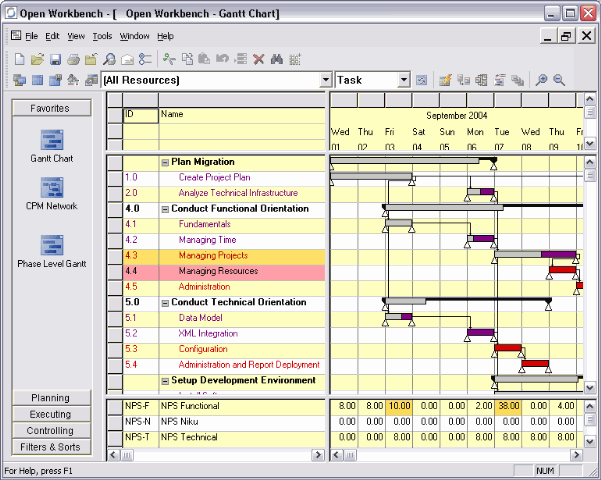
Open Workbench is an open source desktop application that provides robust project scheduling and management functionality. Already the scheduling standard for more than 100,000 project managers worldwide, Open Workbench is a free and powerful alternative to Microsoft Project. It runs on Windows platform with Sun JRE 1.3.1 or higher.

OpenWorkbench

5. TaskJuggler

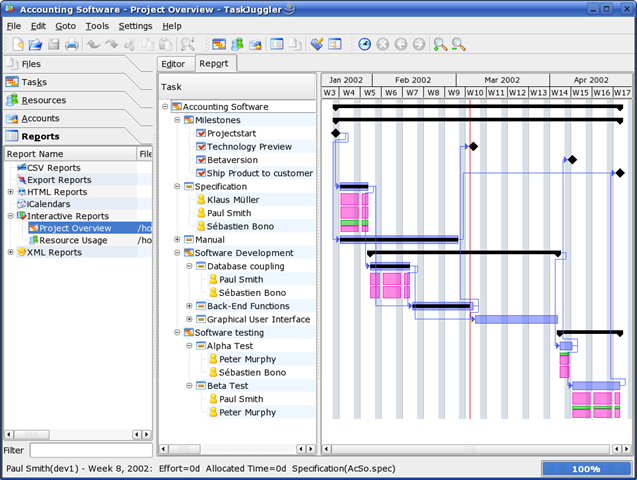
TaskJuggler is a modern and powerful, Open Source project management tool. Its new approach to project planning and tracking is more flexible and superior to the commonly used Gantt chart editing tools. It has already been successfully used in many projects and scales easily to projects with hundreds of resources and thousands of tasks. TaskJuggler runs on Linux/Unix. However, there are ports for Windows and Mac OS exist. For more info, please click here.

Task Juggler

Related Posts with Thumbnails