Tag Archive for Open Source

15+ Awesome Open Source Graphics Software List

Cenon - Cenon is a graphical tool of a special kind. Build upon a modular graphical core, Cenon offers a wide variety of possibilities and applications. image
The best of all, the Cenon core is free software, available with full source codes, and at home on many computer platforms. It is capable of doing Desktop publishing, vector graphic transformation etc.

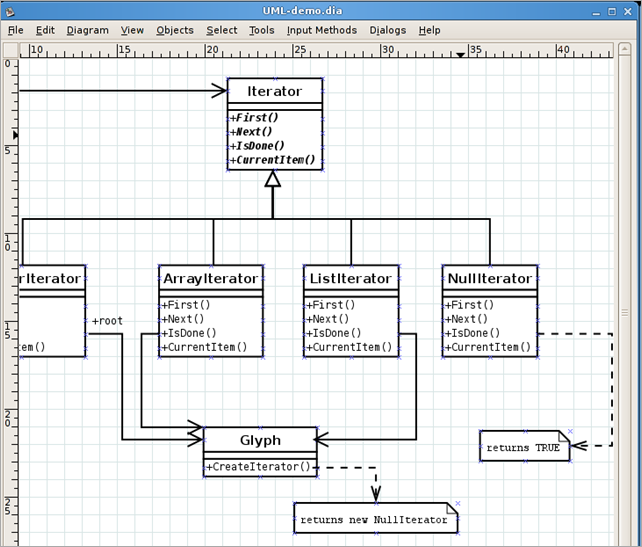
Dia - Dia is roughly inspired by the commercial Windows program ‘Visio’, though more geared towards informal diagrams for casual use. It can be used to draw many different kinds of diagrams. It currently has special objects to help draw entity relationship diagrams, UML diagrams, flowcharts, network diagrams, and many other diagrams. It is also possible to add support for new shapes by writing simple XML files, using a subset of SVG to draw the shape.
image

GimpShop - GIMPshop is a modification of the free/open source GNU Image Manipulation Program (GIMP), intended to replicate the feel of Adobe Photoshop. Its primary purpose is to make users of Photoshop feel comfortable using GIMP.
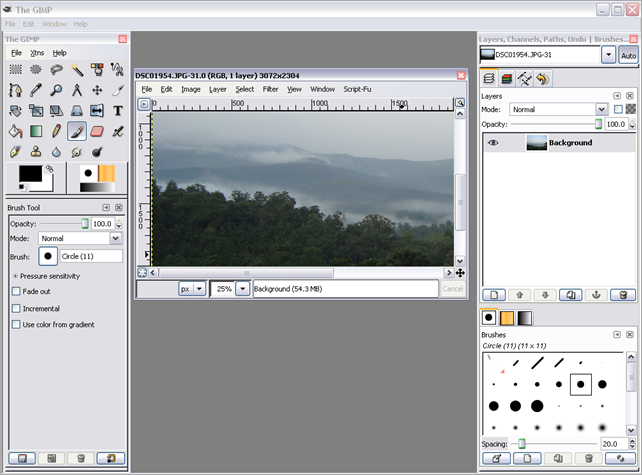
image

Hugin – It is an easy to use cross-platform panoramic imaging toolchain based on Panorama Tools. With Hugin you can assemble a mosaic of photographs into a complete immersive panorama, stitch any series of overlapping pictures and much more.

Inkscape - An Open Source vector graphics editor, with capabilities similar to Illustrator, CorelDraw, or Xara X, using the W3C standard Scalable Vector Graphics (SVG) file format. Inkscape supports many advanced SVG features (markers, clones, alpha blending, etc.) and great care is taken in designing a streamlined interface. It is very easy to edit nodes, perform complex path operations, trace bitmaps and much more. We also aim to maintain a thriving user and developer community by using open, community-oriented development.
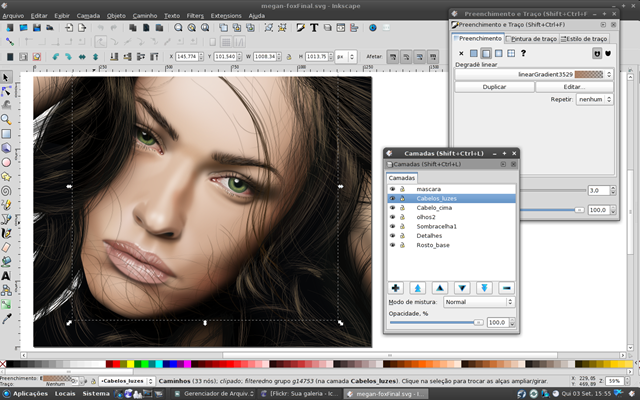
image

KoverArtist - KoverArtist is a program for the fast creation of covers for cd/dvd cases and boxes. The main idea behind it is to be able to create decent looking covers with some mouseclicks. There is no Open Source App for Windows, however there is a freeware called UnderCoverXP.

gLabels - gLabels is a program for creating labels and business cards for the GNOME desktop environment. It is designed to work with various laser/ink-jet peel-off label and business card sheets that you’ll find at most office supply stores. gLabels is free software and is distributed under the terms of the GNU General Public License

KTooN – It is a free 2D Animation Toolkit like Macromedia Flash kit.

Krita - Krita is a KDE program for sketching and painting, offering an end–to–end solution for creating digital painting files from scratch by masters. Fields of painting that Krita explicitly supports are concept art, creation of comics and textures for rendering. Modelled on existing real-world painting materials and workflows, Krita supports creative working by getting out of the way and with snappy response.
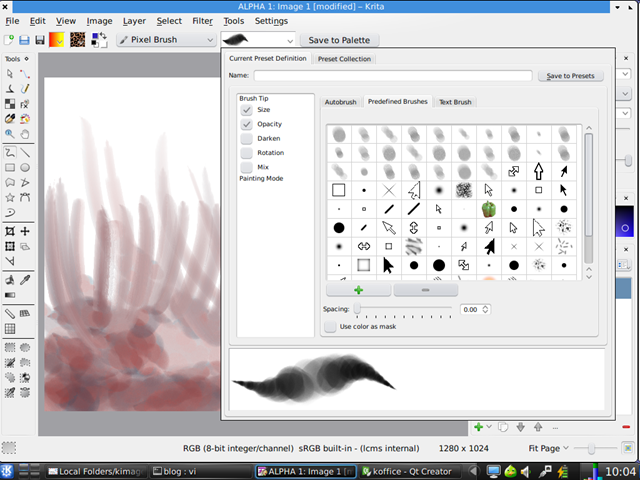
image

MyPaint – Open Source Painting - MyPaint is a fast and easy open-source graphics application for digital painters. It lets you focus on the art instead of the program. You work on your canvas with minimum distractions, bringing up the interface only when you need it.
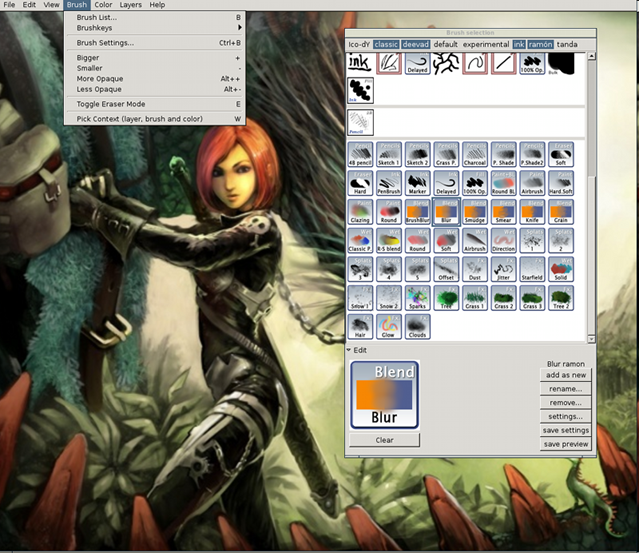
image

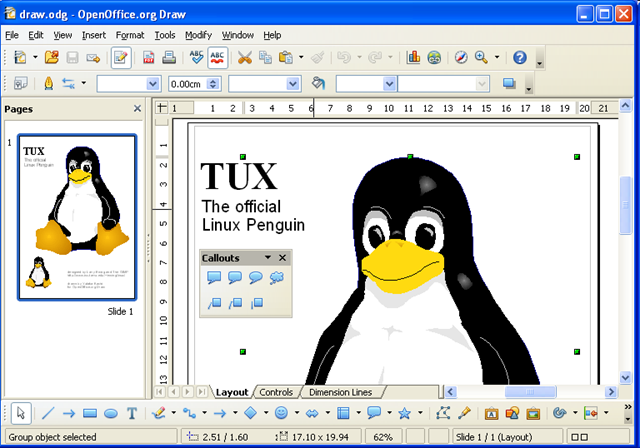
OpenOffice Draw – DRAW lets you quickly sketch a complex plan, DRAW gives you the tools to communicate with graphics and diagrams. With a maximum page size of 300cm by 300cm, DRAW is powerful tool for creating technical or general posters, etc.
image

Panorama Tools - As the name suggest, it is a set of Software, to View, Create, Edit and Remap Panoramic Images:

  • PTStitcher: High quality, simple to use, all format stitching software.
  • Panorama Tools: Photoshop plug-in for panorama creation, editing and remapping.
  • PTViewer: High quality spherical viewer, Standalone and java versions for many platforms.

Pixelize - Pixelize works by splitting up the image you want rendered (or duplicated) into a grid of small rectangular areas. Each area is analyzed, and replaced with an image chosen from a large database of images. Pixelize tries to pick images that best match each area.

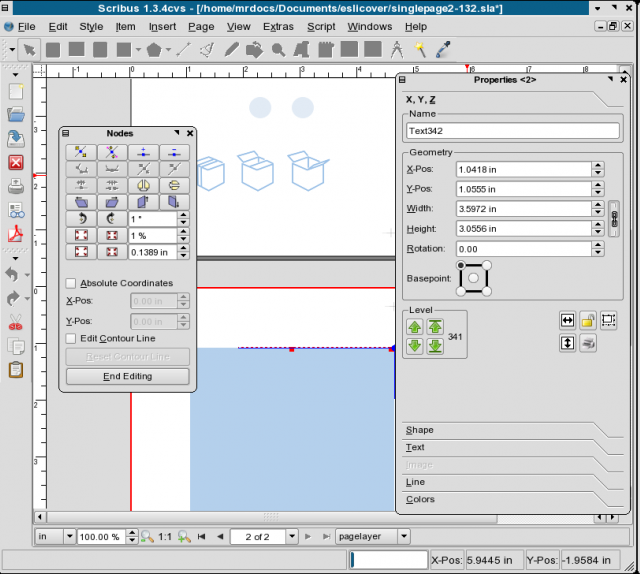
Scribus - Scribus is an Open Source program that brings award-winning professional page layout to Linux/UNIX, Mac OS X, OS/2 Warp 4/eComStation and Windows desktops with a combination of “press-ready” output and new approaches to page layout. Underneath the modern and user friendly interface, Scribus supports professional publishing features, such as CMYK color, separations, Spot Colors, ICC color management and versatile PDF creation.
image

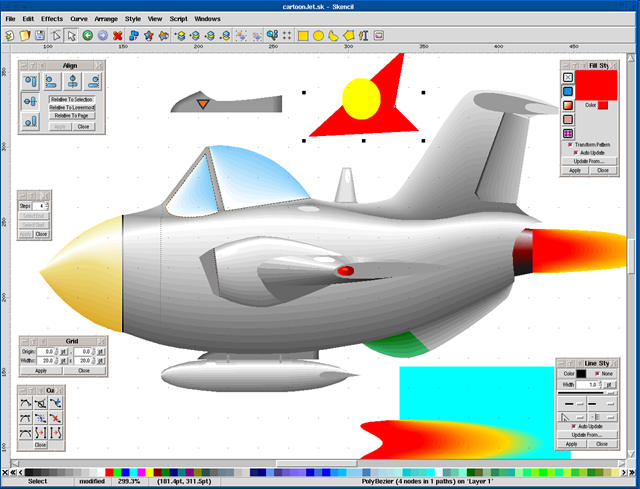
Skencil - Skencil is a Free Software interactive vector drawing application.
image

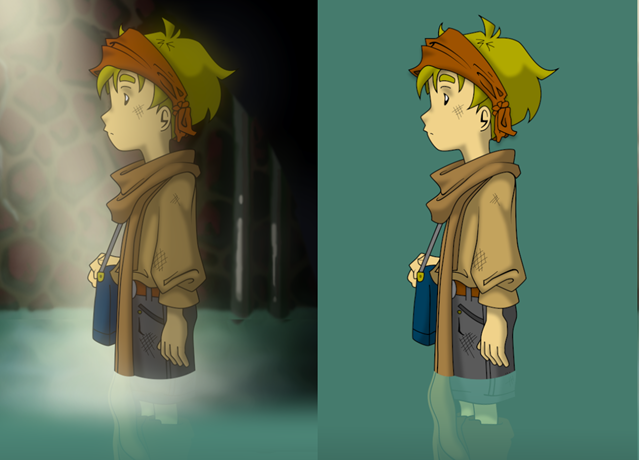
Synfig - Synfig is a powerful, industrial-strength vector-based open-source 2D animation software package, designed from the ground-up for producing feature-film quality animation with fewer people and resources. While there are many other programs currently on the market to aid with the efficient production of 2D animation, we are currently unaware of any other software that can do what our software can.
image

Xara Extreme - Xara Xtreme for Linux is a powerful, general purpose graphics program for Unix platforms including Linux, FreeBSD and (in development) OS-X.
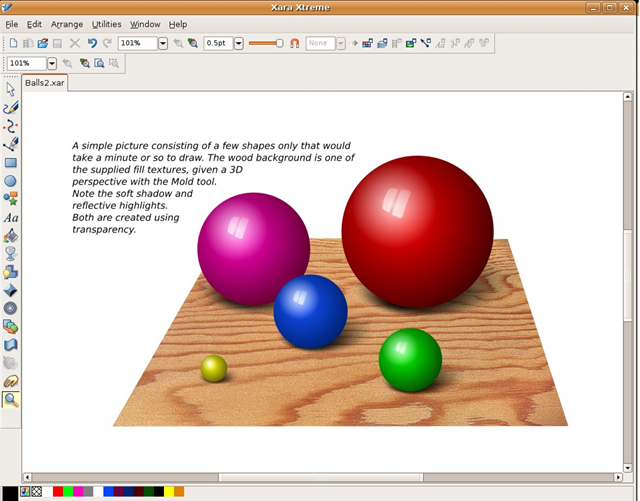
image

OpenOffice Calc Review – Best Free Microsoft Excel Alternative

OpenOffice 3.1 has been around quite sometime and now there is an updated version 3.2 just released on Feb 11th, 2010. Many companies like Oracle (earlier Sun), Red Hatimage, IBM etc have worked on this community driven Office Software suit. Great features and extra stability have been introduced post OpenOffice 3.0. We had earlier carried out a review of OpenOffice Writer. Here is our review on OpenOffice Calc, a worthy alternative to the most popular Spreadsheet software, Microsoft Excel.
Calc Features

  • OpenOffice Calc is Open Source and Free software.
  • Calc is cross platform, runs on Linux, Windows, Mac OS etc.
  • OpenOffice Calc is mostly able to read Microsoft office format like XLS (up to a certain extent XLSX)
  • Native support for Open Document Format (ODF)
  • Supports Macros, Complex Formulas, Graphs
  • Plug-in or Extension support that gives extra features in the form of 3rd party add-on’s to make Calc more interesting.
  • Export to PDF option.
  • Database support with OpenOffice Base.
  • Word Art, Fancy fonts support.
  • Great compatibility with Microsoft Office 1997-2003 file formats.
  • CSV import facility
  • Auto-correction, Spell-check and much much more…

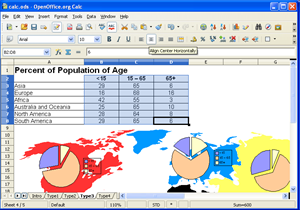
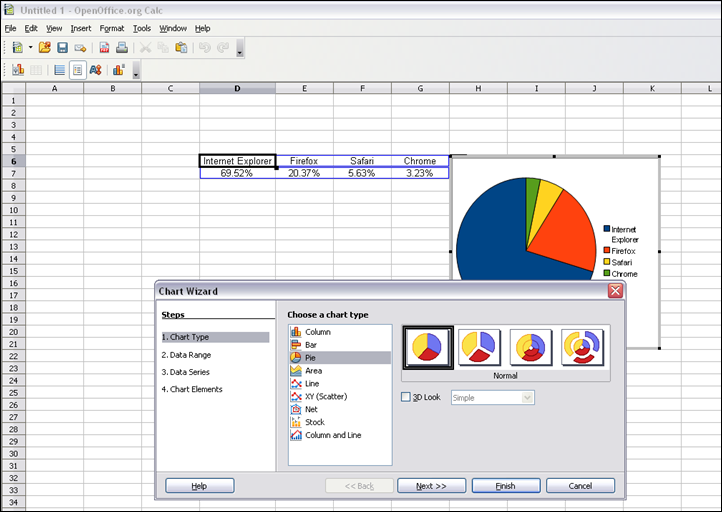
Graph Support – Calc offers a various graph support just like Microsoft Excel. Very easy to plot Graph, modify, rename axes etc.

image

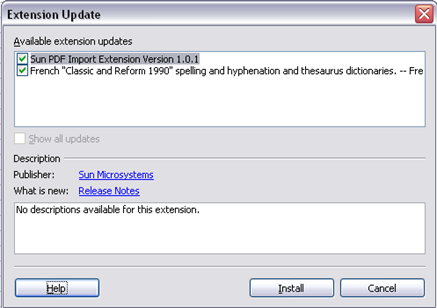
Extension Support – Lots of Extensions available on OpenOffice web page. Plenty of customizations are possible.

image

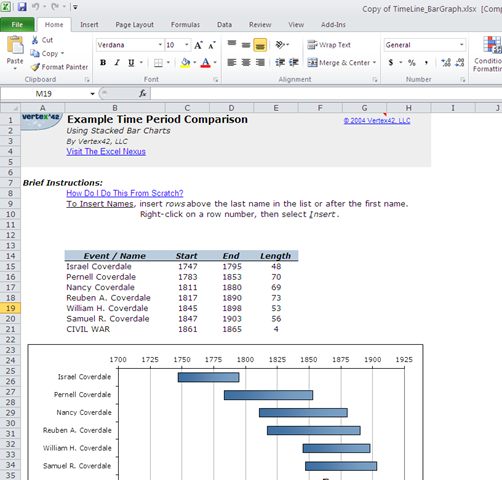
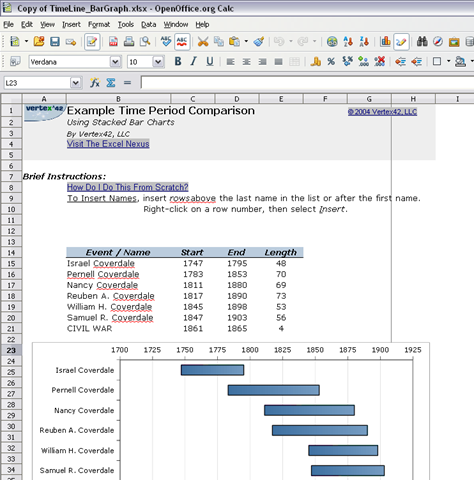
Microsoft XLSX Format support – OpenOffice Calc is able to read Microsoft’s new document format not completely but mostly accurately. Here is a XLSX file opened in Microsoft Office 2010 as well as OpenOffice Calc 3.1.

image image

Office 2010 OpenOffice Calc 3.1

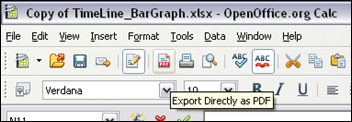
Export to PDF option – OpenOffice Calc is able to directly export the current document to PDF which is very handy most of the times.

image

Short-comings of OpenOffice Calc

Well, OpenOffice Calc is highly capable but however, at times, Calc seems to be slower compared to Microsoft Excel. Not much compatibility between Microsoft Excel Macros and Calc Macros. XLSX format support is still improving. Extension feature is great but you will have limited extensions to try out though.

All said and done is, OpenOffice Calc is highly capable and challenger to Microsoft Excel. It is free and can be used in Enterprise environment without any legal obligation.

If you have any feature of Calc that you like, then please add a comment below.

Save Your valuable Data With These Valuable Software For Free

We all know the danger of loosing data and loosing data happens easily like hard disk break up, a virus attack, accidental deletion of files and various other calamities. Though the value of the date is price less, we are not ready yet to pay for expensive backup software that backs up our expensive data. In the earlier post we had reviewed online services available to backup your data. In this post we review some open source back up software that will come to use for those of you who don’t want to spend too much in buying backup software. Here are 4 open source backup software for Windows system that one must try before buying commercially available backup software.

backup

Image Source : http://blog.maplecitywebhosting.com

1. Areca Backup

Areca Backup is an Open Source personal backup solution which is released under the General Public License (GPL) v2. It basically allows you to select a set of files / directories to back-up, choose where and how (as a simple file copy, as a zip archive, …) they will be stored, and configure post-backup actions (like sending backup reports by email or launching custom shell scripts). For more features check the site here and download the software from here.

2. Backup PC

BackupPC is an open source  high-performance, enterprise-grade system for backing up Linux and Windows desktop PC and laptops to a server’s disk. BackupPC is highly configurable and easy to install and maintain. Given the ever decreasing cost of disks and raid systems, it is now practical and cost effective to backup a large number of machines onto a server’s local disk or network storage. You can download the latest version of Backup PC software here. For more information on the features, check the site here.

3. Bacula

Bacula is a set of Open Source, enterprise ready, computer programs that permit you (or the system administrator) to manage backup, recovery, and verification of computer data across a network of computers of different kinds. Bacula is relatively easy to use and efficient, while offering many advanced storage management features that make it easy to find and recover lost or damaged files. You can download the latest software here. For details on the features, check the site here

4. DirSync Pro

DirSync Pro is an open source synchronization and backup utility for Windows, Linux and Mac OS X.. Its small, but powerful utility for file and folder synchronization. DirSync Pro can be used to synchronize the content of one or many folders recursively. Using DirSync Pro you can make incremental backups. In this way you’ll spare lots of time because you don’t have to copy all the files each time you want to update your backup; only new/modified/larger files would be copied. You can download the software from here. For details on the features, check the site here.

5+ Best Free File Compare and Merge Software List

When your work involves comparison between files and folders, an efficient software becomes a must to assist you to do your work efficiently. Though there are many file compare and merge software that are commercially available, here we present some neat file comparison and merging software that are comparable to the commercially available ones. These applications not only help in comparing files and folders but also help in merging the changes.

spot_the_difference1

Source: www.sharpbrains.com

1. WinMerge

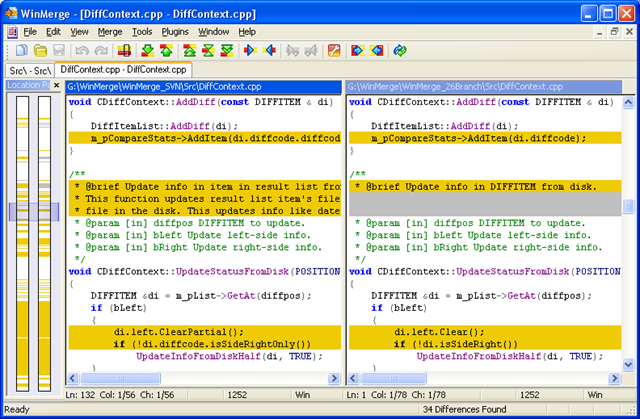
WinMerge is an open source differencing and merging tool for Windows that can compare both folders and files, presenting differences in a visual text in a easy to understand format. WinMerge is highly useful for determining what has changed between project versions, and then merging changes between versions.

winmerge

Download the software here.

WinMerge Download

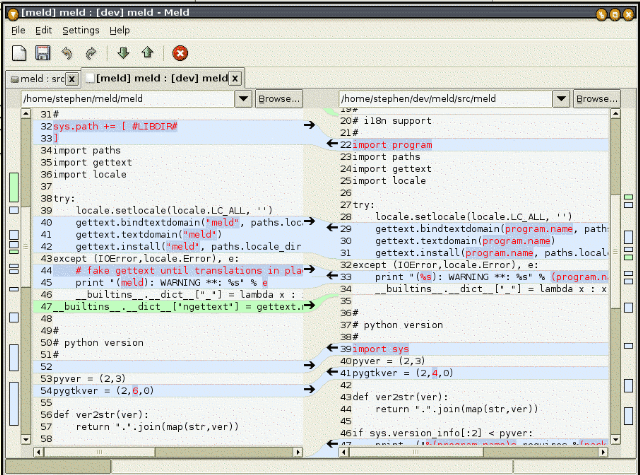
2. Meld Meld is a open source, visual diff and merge tool for Mac and Linux. You can compare two or three files and edit them in place. The diffs updates dynamically. It also allows comparing two or three folders and launching file comparisons in them. It allows viewing a working copy from version control systems such as CVS,Subversion, Bazaar-ng and Mercurial.

meld

Download the software here. Meld Download

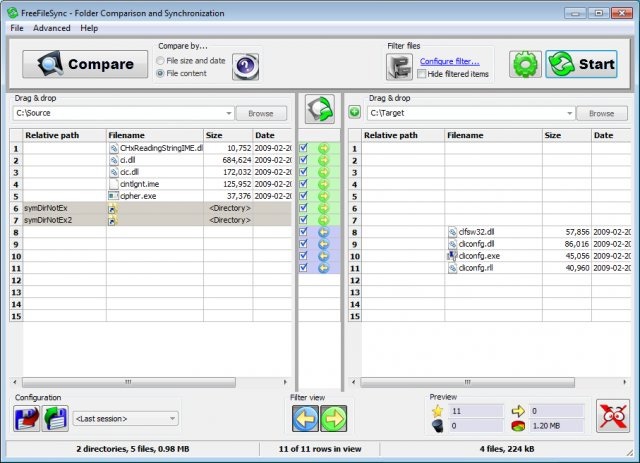
3. FreeFileSync FreeFileSync is an open surce folder comparison and synchronization tool for Windows. It is structured very clearly with a very impressing and simple user interface.

FreeFileSync Download the software here.

Download FreeFileSync

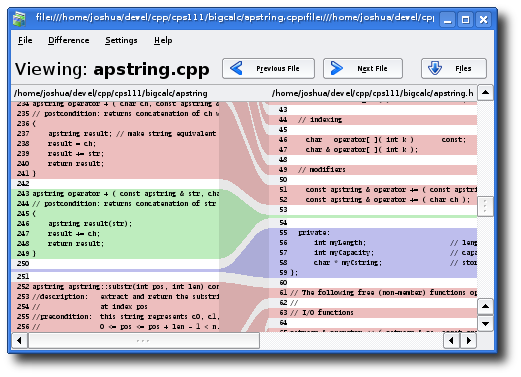
4. Kompare

Kompare is a open source graphical difference viewer for Linux that allows you to visualize changes to a file. This tool comes handy for developer comparing source code or seeing difference between research paper draft and the final document.

Kompare

Download the software here.

Download Kompare

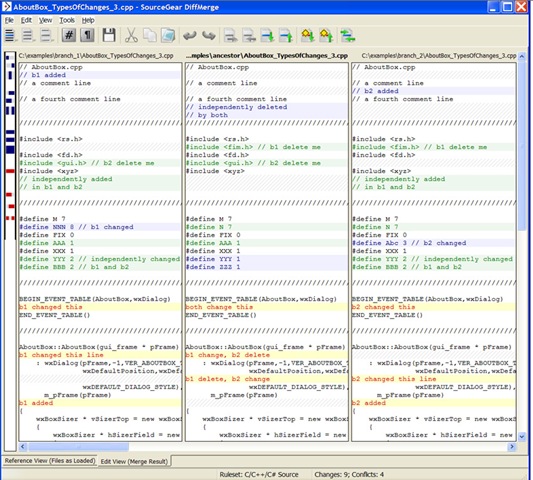
5. DiffMerge

DiffMerge is an free (not open source) application to visually compare and merge files for Windows, Mac OS X and Unix.

diffmerge

Download the software here.

Download DifferMerger

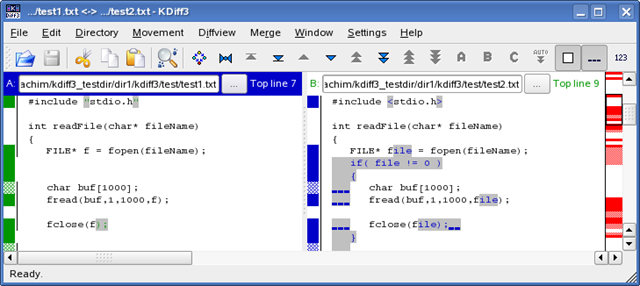
6. KDiff3

KDiff3 is a open source file and directory diff and merge tool for Windows, Linux and Mac which compares and merges two or three text input files or directories. It shows the differences line by line and character by character, provides an automatic merge-facility, has an editor for comfortable solving of merge-conflicts.

kdiff3

Download the software here

Download KDiff3

12 Free and Awesome First Person Shooter Games – Part 1

image

We have covered couple of Open Source games lists such as 30 Open Source games and Building Simulation games etc. In this post we will cover an complete list of highly addictive FREE 3d Shooter Games. This is the first post in the series and all the games listed here are free and downloadable. Enjoy!  Do remember to come back and look for Part 2!

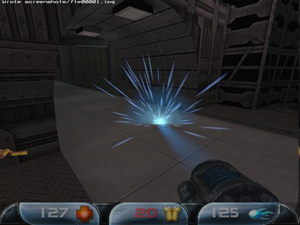
QuakeWorld

QuakeWorld is an Internet multi-player specific version of Quake. ID Software created this version of Quake for a better internet experience and playing death match games over internet. Highly recommended.

image

Download QuakeWorld client here.

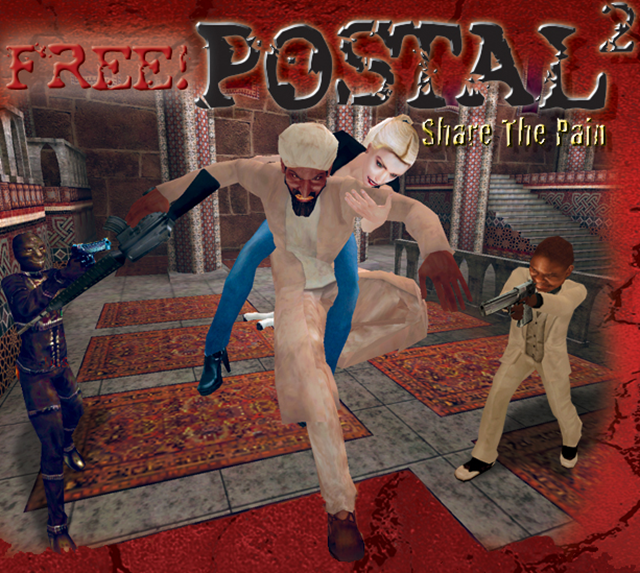
Postal 2 Share The Pain Multiplayer (Full Game)

image

Postal has been a very successful and one of the most controversial games so far. How about playing it for free? The Postal 2 – Share the Pain is available free and a chance to get addicted. High violence is assured!

Download it here.

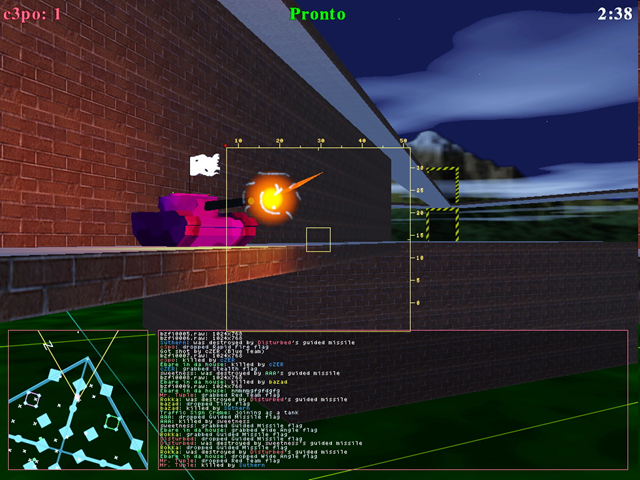
BZFlag

image

BZFlag (Battle Zone Capture Flag) is an addictive Tank Game. Download it here.

American Army 3 – Deploy Client

image

Built on Unreal Engine 3, AA3 delivers stunningly realistic environments, lighting effects, animations, and team-based experiences so that America´s Army players can experience how Soldiers train, live, and advance in the Army. Players are bound by Rules of Engagement (ROE) and gain experience as they navigate challenges in team-based, multiplayer, force-on-force operations.

Check it out here.

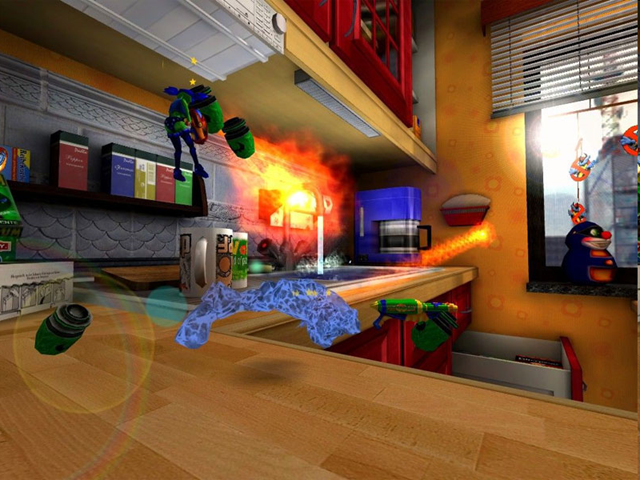
World Of Padman

image

World of Padman is a free multiplayer fps shooter set in a giant real environment e.g the kitchen, the prison etc. There are many characters to choose from with a vary of weapons too. Its very face paced and the maps are beautiful. furthermore its free so give it a try. The World of Padman features full bot support for all game types! All you off-line gamers out there will be happy to play Spray your Color, Big Balloon and Last Pad Standing with bots. The bots play very well, and most maps have been optimized for good bot play. It is pure fun to see the blue nosed people frag each other in SyC and BB.

Check it out here.

Inside The Beast

image

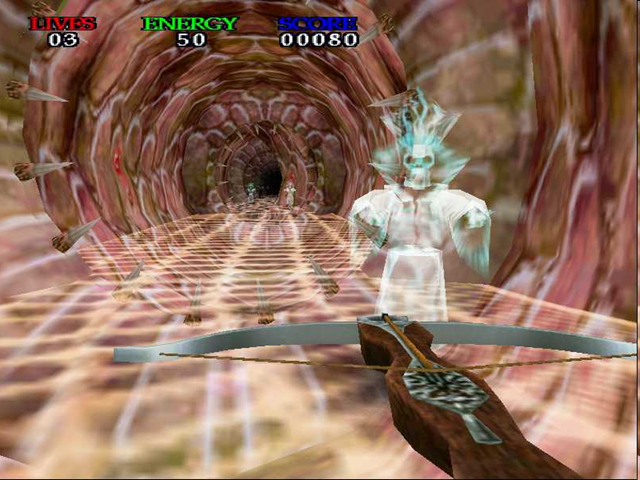
Inside The Beast is a 3D First Person Shooter (FPS) game. You must go Inside The Beast and fight through his minions before he can unleash his evil on the world. You must succeed where your two best friends failed. When they failed, the Beast buried their hearts in concrete markers. Destroy their markers and retrieve their hearts to give yourself more lives. That will be your only assistance while you fight ghosts, skeletons, zombies, mad axmen, mutants, and more. Don’t become the Beast’s next victim!

Download it here.

Wolfensteine Enemy Territory

image

Wolfenstein Enemy Territory is a free, stand alone, downloadable multiplayer game in which players wage war as Axis or Allies in team-based combat.

Do battle in traditional single scenarios, or wage war through a series of linked scenarios in a totally new campaign mode. During combat players gain experience and skill, and through battlefield promotions are awarded additional abilities that remain persistent across an entire campaign.

Download it here.

Nexuiz

image

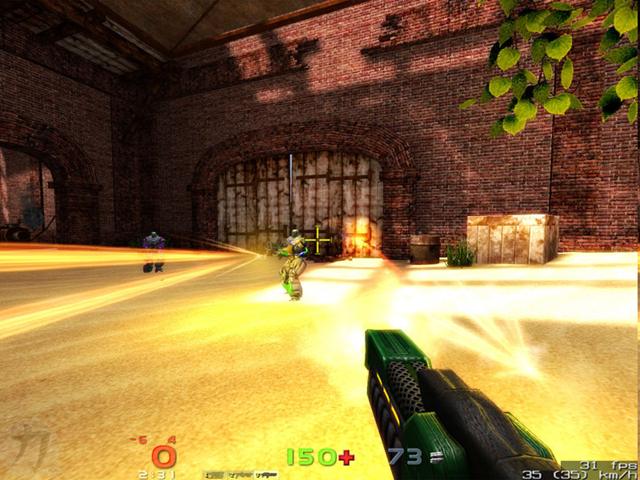
Nexuiz is a 3d FPS death match game project, created online by a team of developers called Alientrap. Nexuiz is based on the Darkplaces engine. The darkplaces engine is an advanced Quake1 engine developed mainly by Forest "LordHavoc" Hale, who has been working with the Quake1 engine for many years. Nexuiz is a free open-source first person shooter that runs on Windows, Linux and OSX.

Download it here.

Cellfactor Revolution Free

image

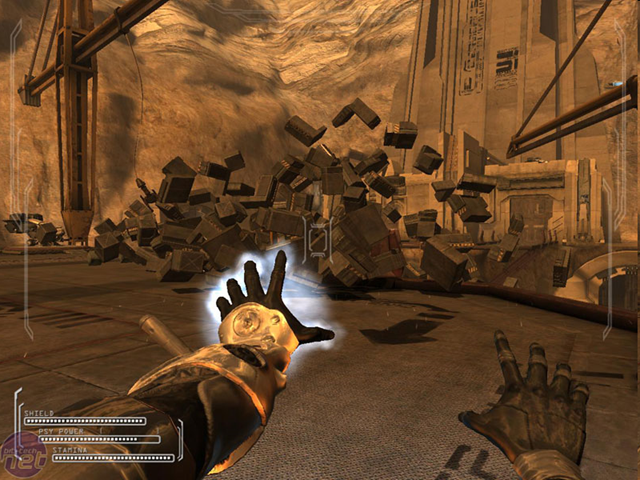
CellFactor Psychokinetic Wars is a fast-paced first-person multiplayer shooter where you choose your side in the battle of technology vs. humanity. Manipulate your environment and kill your enemies with your choice of gunfire and/or telekinetic superpowers. Use your mind to rip objects from the environment and smash them in any direction or use your powers to create a bullet-proof energy shield. Flying, teleporting and accelerated speed give you countless ways to kill or be killed. Take on the three single-player challenge modes (one mode for each character) or battle live enemies throughout the world in one of four multiplayer modes.

Download from here.

Rising Eagle

image

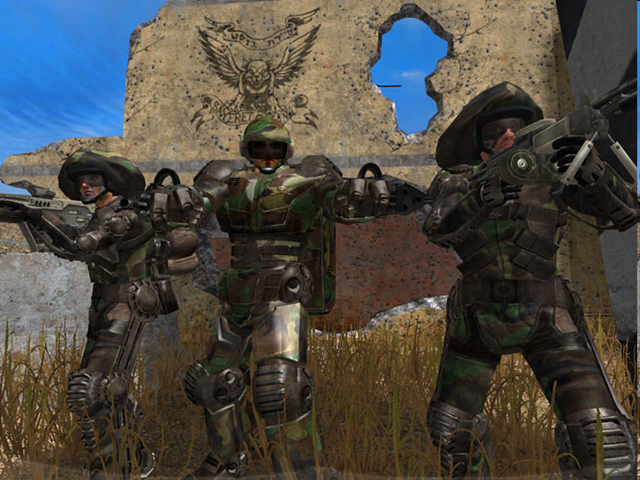
Rising Eagle: Futuristic Infantry Warfare is a Free multiplayer, team based, tactical first person shooter. The game is set in the near future, circa 2040, in a world where the USA faces new contenders for superpower status.

Download it from here.

Warsow 0.5

image

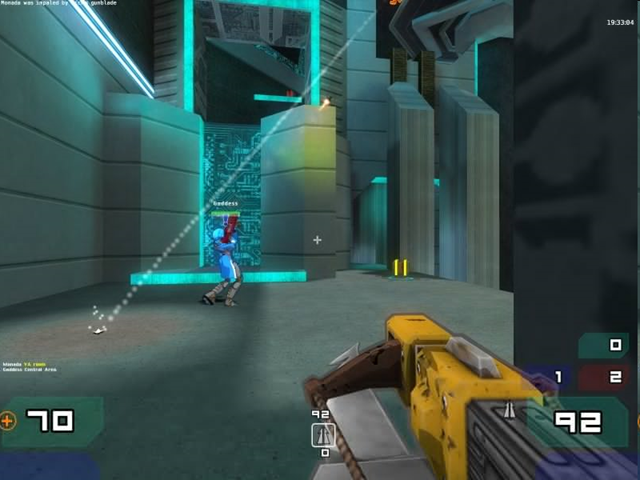
Set in a futuristic cartoon-like world where rocketlauncher-wielding pigs and lasergun-carrying cyberpunks roam the streets, Warsow is a completely free fast-paced first-person shooter (FPS) for Windows, Linux and Mac OS X.

Speed and movement, that’s what Warsow is all about. Like a true cyberathlete you jump, dash, dodge and walljump your way through the game. Grab those power-ups before your enemy does, plant the bomb before anyone sees you, and steal the enemy’s flag before anyone knows what’s going on!

Download it here.

F.E.A.R. COMBAT

image

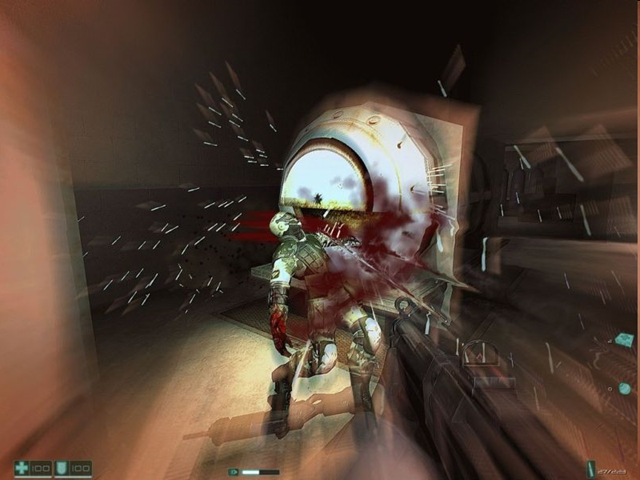
F.E.A.R. Combat is a free multiplayer component from the original PC first-person shooter F.E.A.R., which lets you play against the owners of the retail version of F.E.A.R. as well as the other F.E.A.R. Combat users. F.E.A.R. is one of the most critically acclaimed PC shooters of all time. Go ahead and download it here.

Related Posts with Thumbnails