Tag Archive for Web-based Mobile Collaboration

The Barrier to Using The iPhone for Business Has Just Fallen

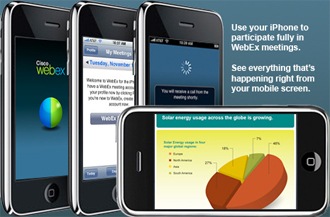
While Nokia is doing its research by prototyping Nokia Easy Meet, a web-based mobile collaboration service, Cisco has extended its SaaS and premises-based collaboration applications to the Apple iPhone 3G to deliver an unparalleled mobile collaboration experience. The Apple iPhone with Cisco’s WebEx technology capabilities makes a simple, but very powerful interface. With the introduction of Cisco WebEx Meeting Center for iPhone, the barrier to use the iPhone for business has just fallen.
webex

As you would see with any other iPhone app UI, it provides a powerful user interface on your iPhone to schedule, start and cancel a WebEx Meeting. You can stay connected with important meetings where ever you are and get a full meeting experience with native 3G or WiFi support for simultaneous data and audio. This puts an end to the days of just listening-in to a Web meeting.
webex_sreen_App_part

The main features include:

  • Attending Cisco WebEx Meeting Center Web Meeting with full screen view and integrated audio.
  • WebEx subscription not required!
  • Schedule, start and cancel WebEx meetings
  • Invite attendees either before or during the meeting
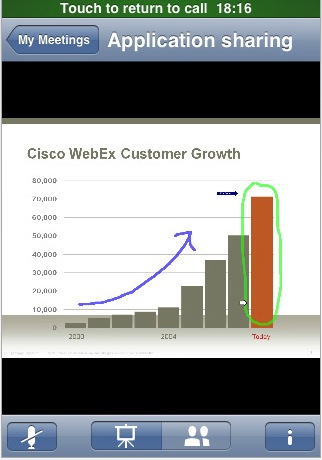
  • View contents shared from any computer: documents, applications or screen sharing with live annotations
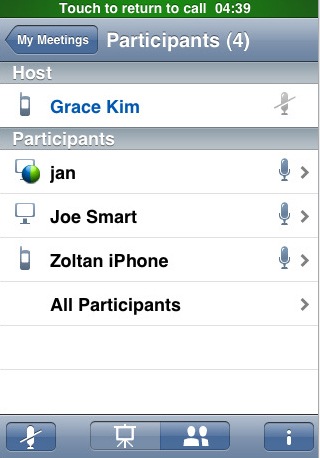
  • See who is in your meeting and how they joined by icon represented differently for joining from mobile and computer
  • Start an individual or group chat with other meeting participants
  • Control the audio with mute and unmute capabilities
  • Check details of the meeting in progress

webex_sreen

webex_sreen_App_sharing

Take advantage of a screen view optimized for iPhone in either vertical or horizontal and meet easily with other WebEx users with any platform Windows, Mac or Linux.

Well, the iPhone user interface is fare better that the user interface provided by Nokia Easy Meet, the two are not apple to apple comparison. Well, its Apple’s iPhone App comparison with Nokia Widget!

Nokia Easy Meet is more towards Friends and Family meetings whereas the Cisco WebEx is more for business purpose.

The iPhone app is free and can be downloaded at the App Store.

rssfeed_img

Nokia Trying Its Hands On Web-Based Mobile Collaboration

Nokia is working on a web-based mobile collaboration service called Nokia Easy Meet which lets you use your mobile device and/or PC to create, conduct, and participate in meetings with your business colleagues as well as your friends and family. The service which is in beta is aimed at sharing content synchronously and in real-time.

collaboration1

source: http://farm2.static.flickr.com

Meeting with Family

While on vacation you see a perfect gift to your mom. You think its perfect but you won’t risk buying it before talking to your sisters about the gift. Well, what should you do? Snap a few photos of the gift with your mobile device and then you login to Nokia Easy Meet. Using Nokia Easy Meet, you could create a family meeting right from the store. This service sends out an email or SMS to the each participants. With just one click, each sisters can join the meeting via a PC or a mobile device and view the photo while talking together. Your sisters could use the chat features of Nokia Easy Meet or even download the photos.

With just few clicks you are able to collaborate with your sisters and share photos and converse in real-time.

Discussions with Business Colleagues

While you are traveling on a business trip, you would like to share the slides with your project team and discuss. Nokia Easy Meet allows you to create your own unique URL for regular collaboration. During the conference call, you can share PowerPoint slides and images while discussing the project via voice and chat. The services also captures the meeting minutes for future reference.

Sneak Peak at Nokia Easy Meet

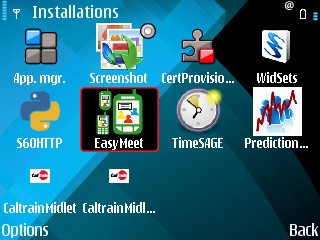
  • A S60 widget can be installed on your mobile phone and customized with your user and password. Auto login can be enabled and the list of meetings are always accessible easily when you login.

Widget

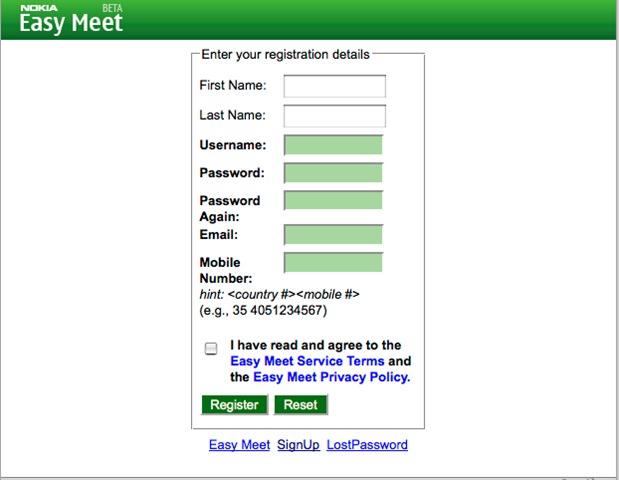
SignUp

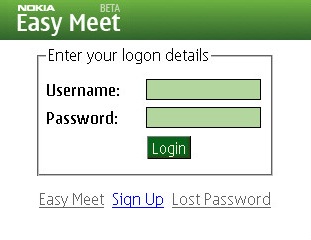
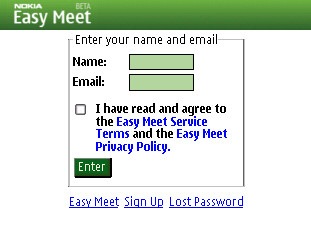
  • Enter your user name and password to login screen

NokiaEasyMeet_Login

  • If you are a participants and the conference URL is sent to you via email or SMS, then you don’t need to signup. You can just login using your email ID

NokiaEasyMeet_SMS_Login

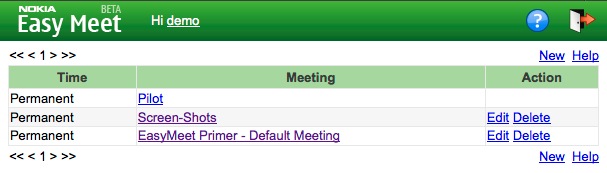
  • Once you login, the meeting list screen is presented. You can just click on the meeting to participate. You can edit or delete the meeting only if you have created it.

NokiaEasyMeet_Meeting_List

  • Two different screen layouts – Wide Screen layout and Small Screen layout are supported

NokiaEasyMeet_Screen

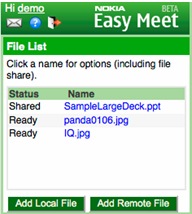
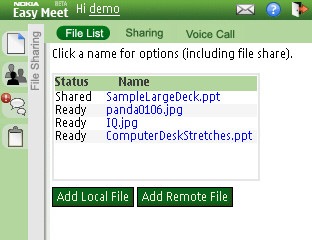
  • Participants can view the list of file shared.

NokiaEasyMeet_Part

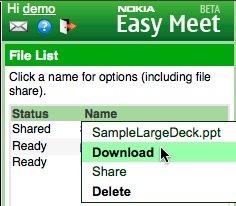
  • Participants can download a copy of shared file or upload a new file for sharing

NokiaEasyMeet_download

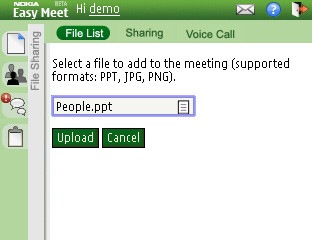
  • You can either upload a file from your mobile phone or a remote file

NokiaEasyMeet_upload

NokiaEasyMeet_upload1

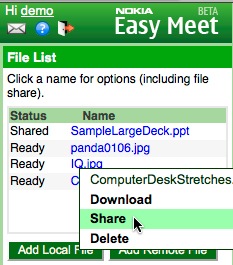
  • The host can then share the file by just few clicks

NokiaEasyMeet_share

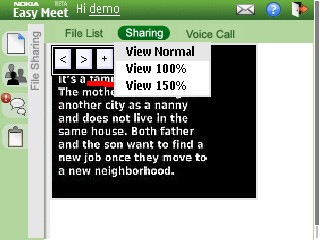
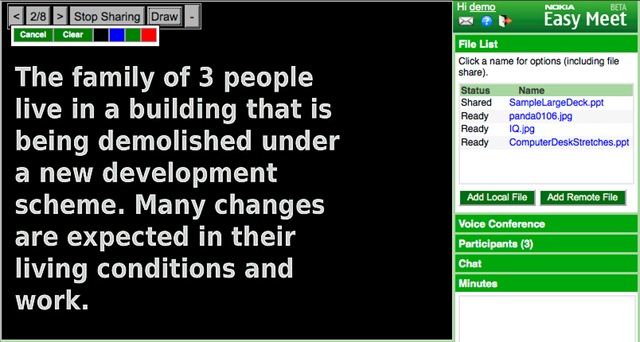
  • The host can then start sharing the slides, select colors from the draw pallet and highlight the slide contents while presenting

NokiaEasyMeet_share_slide

System Requirements

While the goal is to support all mobile devices with browser, extensive testing are done for E90, E66, E71i, N95, N800/810, GooglePhone, iPhone/iTouch. Browsers supported are S60, Opera, Firefox, IE7, Safari and IE6 is not supported.

While its a cool service that enables web-based mobile collaboration, the challenge is in making the service more efficient for mobile users.

Will Nokia overcome these challenges? Well, Nokia Easy Meet is a research prototype and hasn’t been integrated with Nokia Accounts yet. Will it get anywhere near to the WebEx on iPhone? Time will tell..

Is this a killer app for mobile?

Try it yourself at http://easymeet.nokia.com and let us know your comments/suggestions.

rssfeed_img

Related Posts with Thumbnails